31. Route 53, CloudFront and private S3
31. Route 53, CloudFront and private S3
Route 53, CloudFront and private S3
Prerequisites
1
2
3
S3
CloudFront
Route53
1. How to publish your domain you buy from Route 53 and linked private S3 html
We already see how to create s3 server with public s3. But it is not recommended because of security issue.
So, Now I post how to publish domain I buy from Route 53 with private s3.
1-1. Change public s3 to private s3


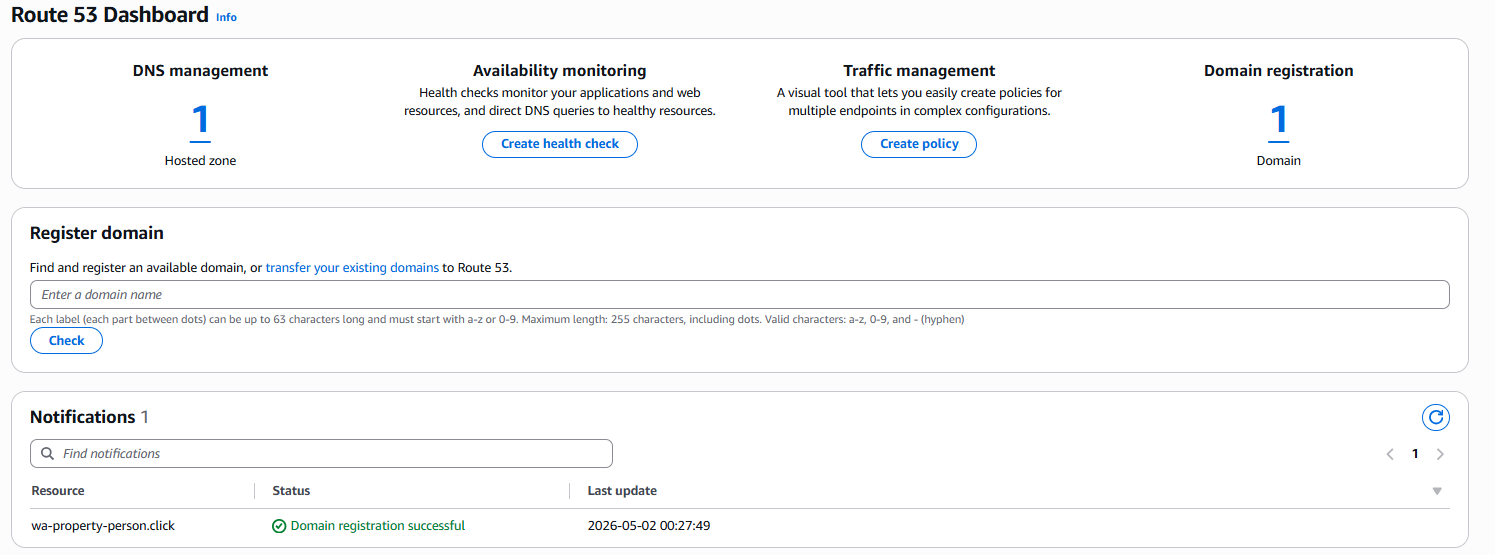
1-2. Buy domain from AWS Route 53
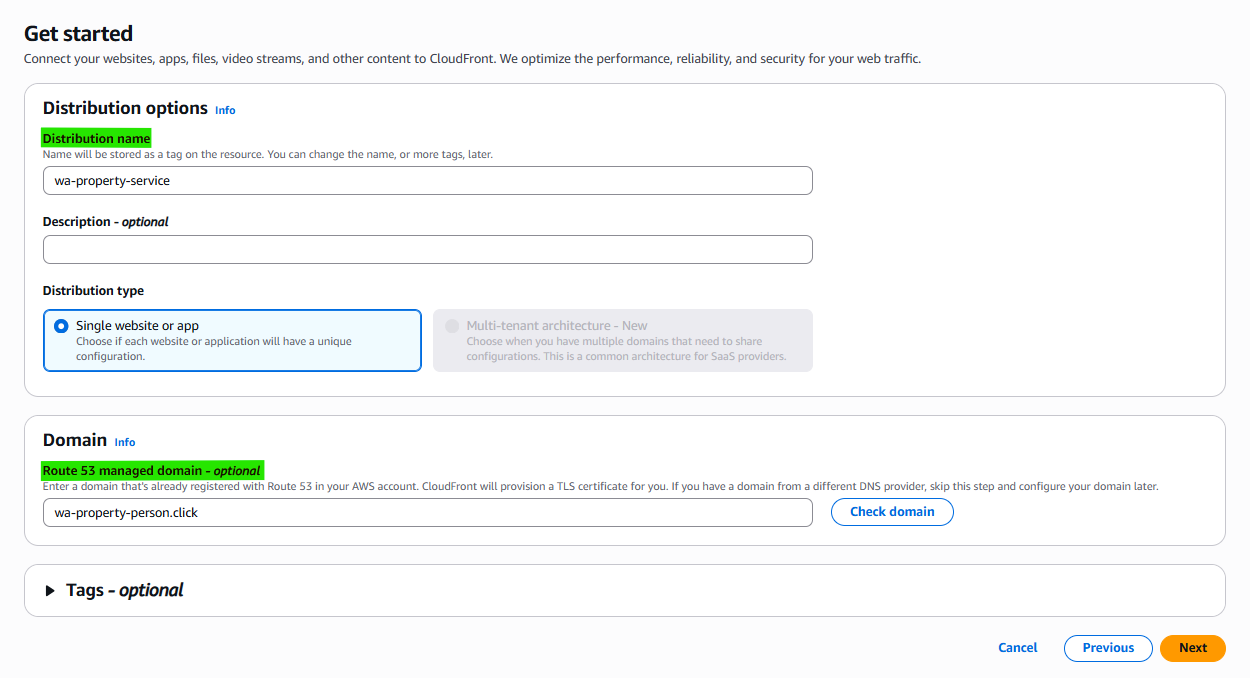
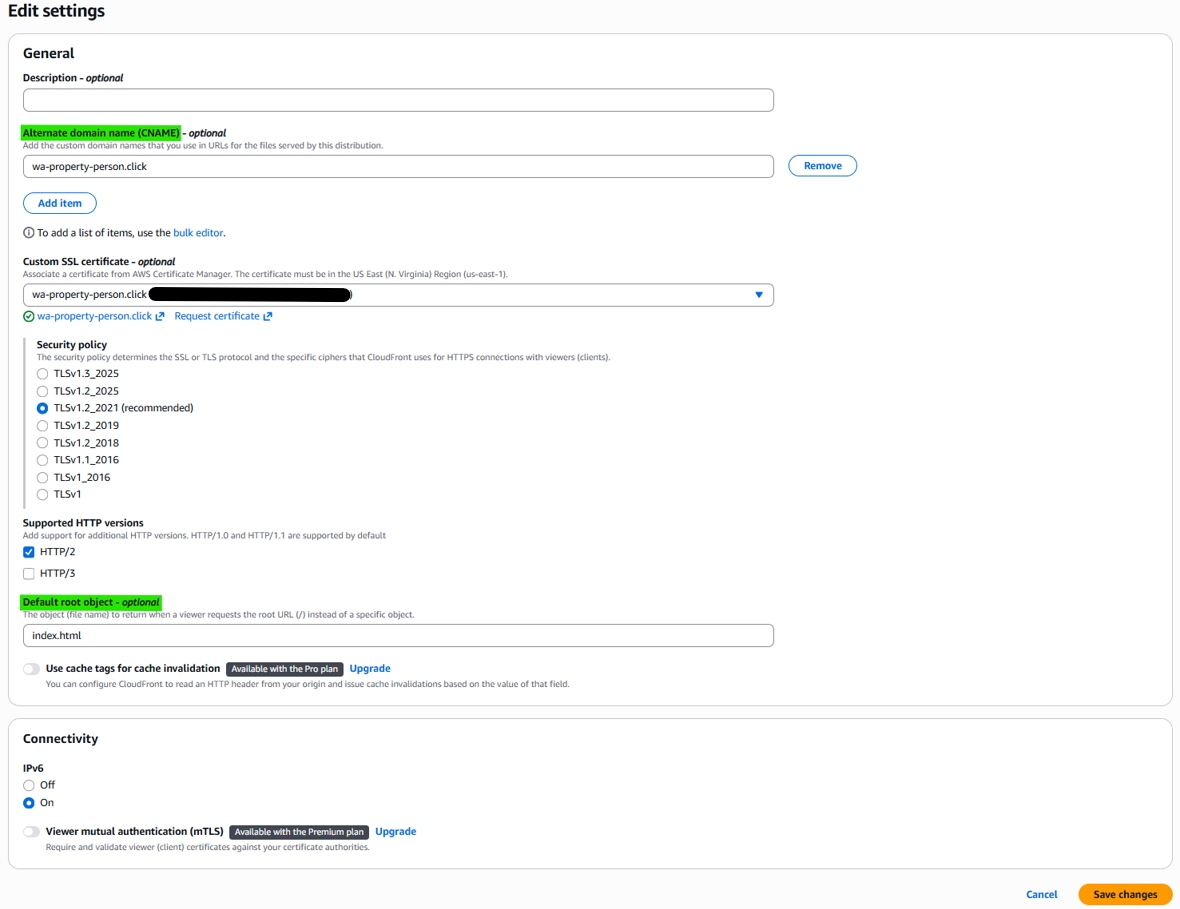
1-3. Create CloudFront Distribution

Link the Route 53 Domain
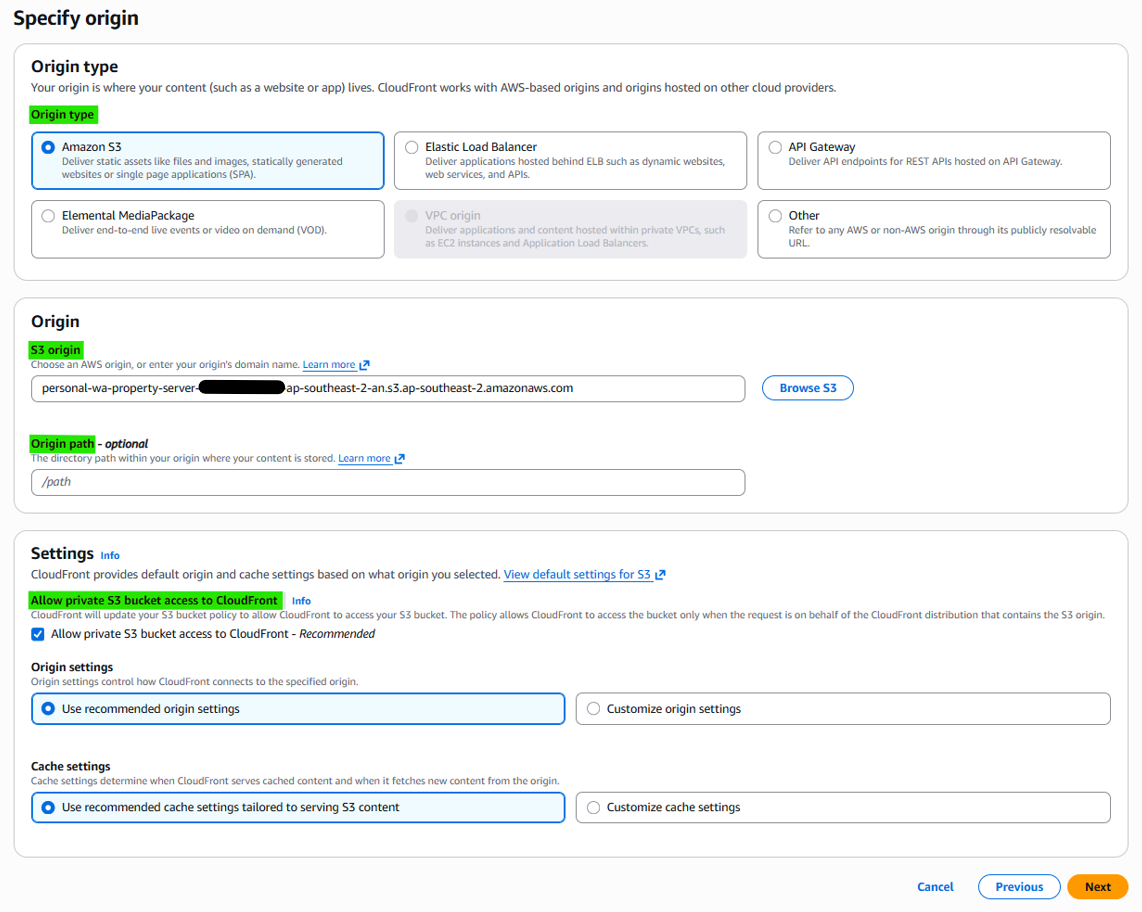
Link the S3 Domain
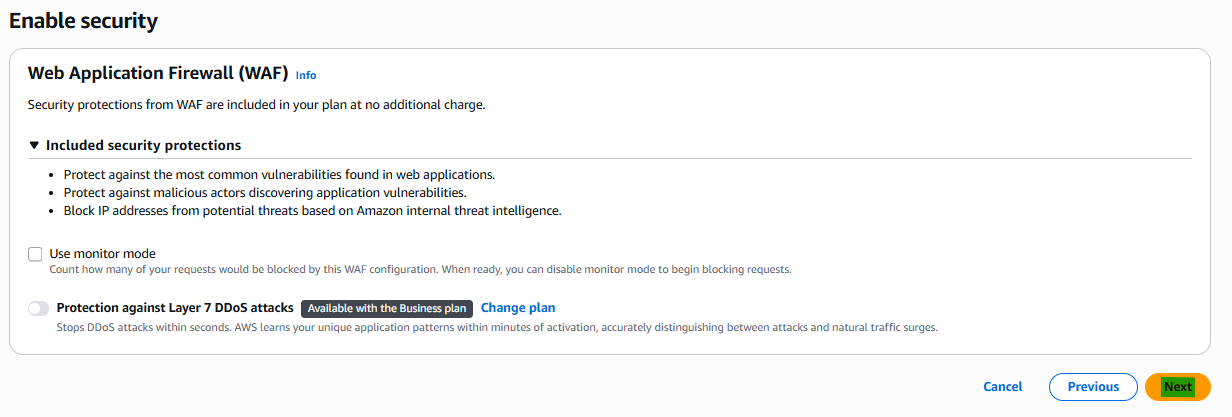
Create certificate
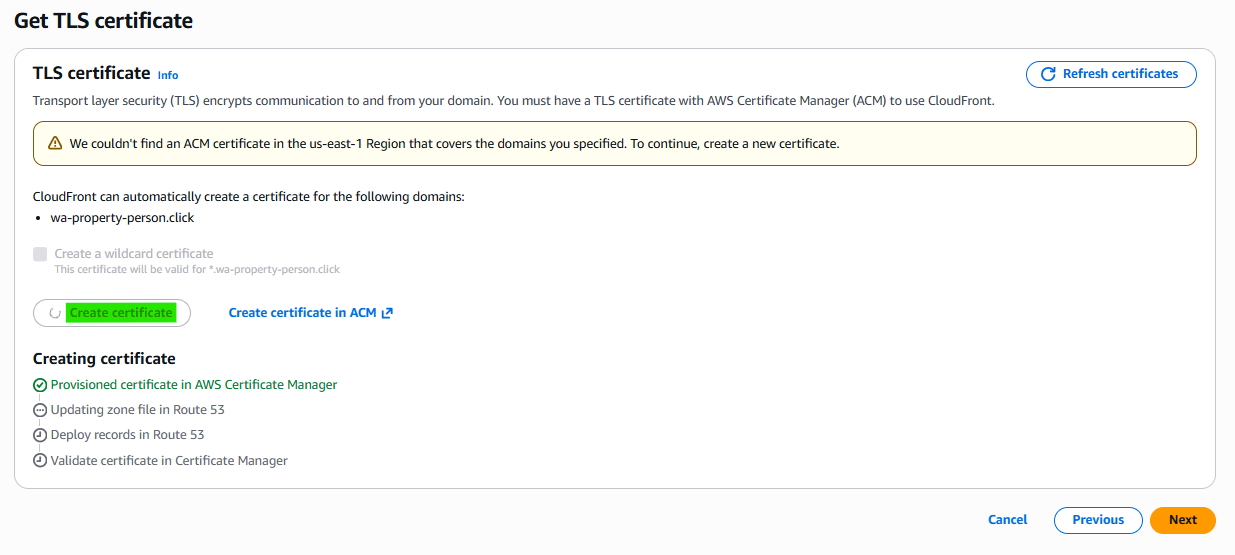
The certification is managed from just N. Virginia (us-east-1), So even though you create the certificate, it’ll regist on N. Virginia region.
1-4. Create Hosted zones from Route 53


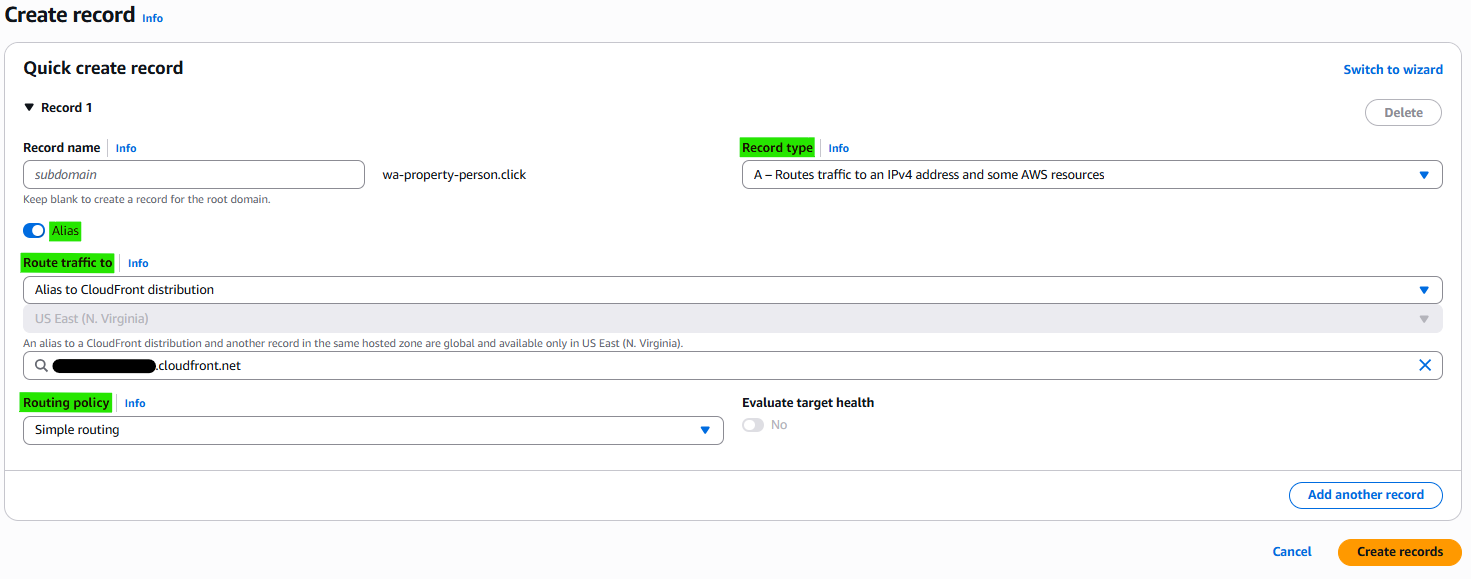
A hosted zone is a container in Amazon Route 53 that stores DNS records for a domain. It defines how traffic to that domain is routed to resources like CloudFront, S3, or servers.
CloudFront handles content delivery and serves requests, but it doesn’t decide where a domain should point. Route 53 acts as DNS, routing the domain to CloudFront, which then retrieves content from S3.
1-5. Set S3 Policy
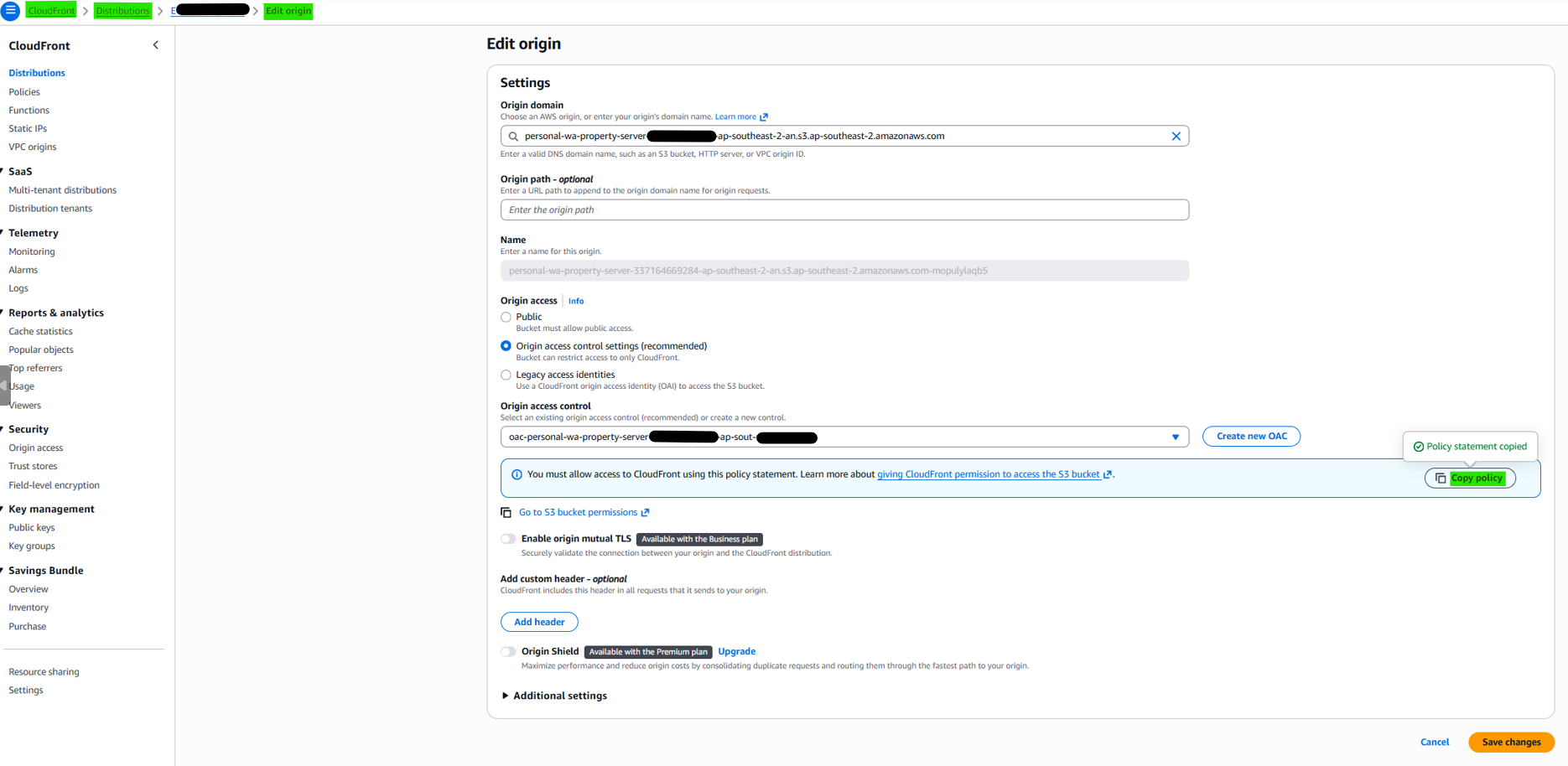
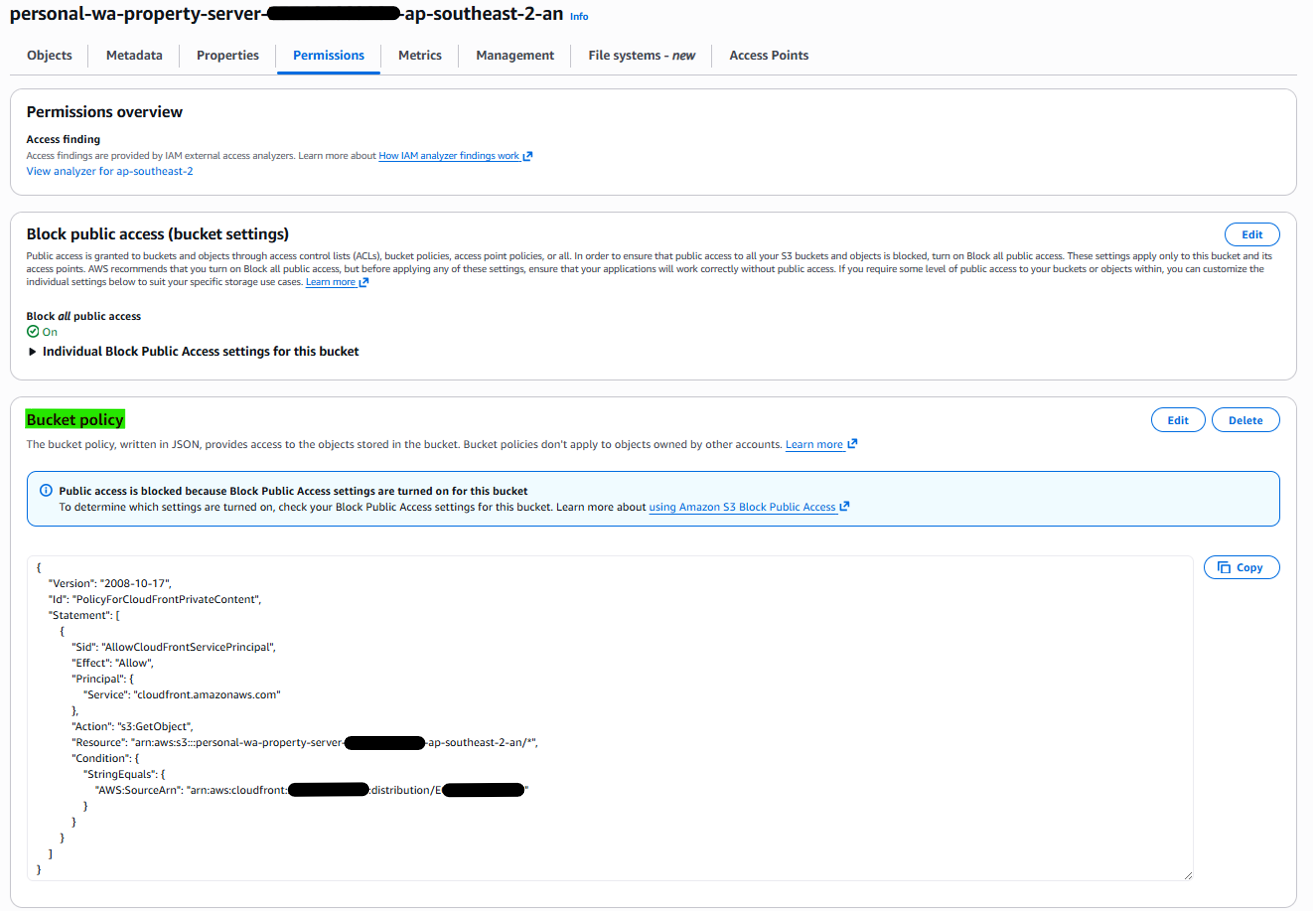
1-6. Set default root
This post is licensed under CC BY 4.0 by the author.