08. NAT Gateway
08. NAT Gateway
NAT Gateway
Prerequisites
1. NAT Gateway
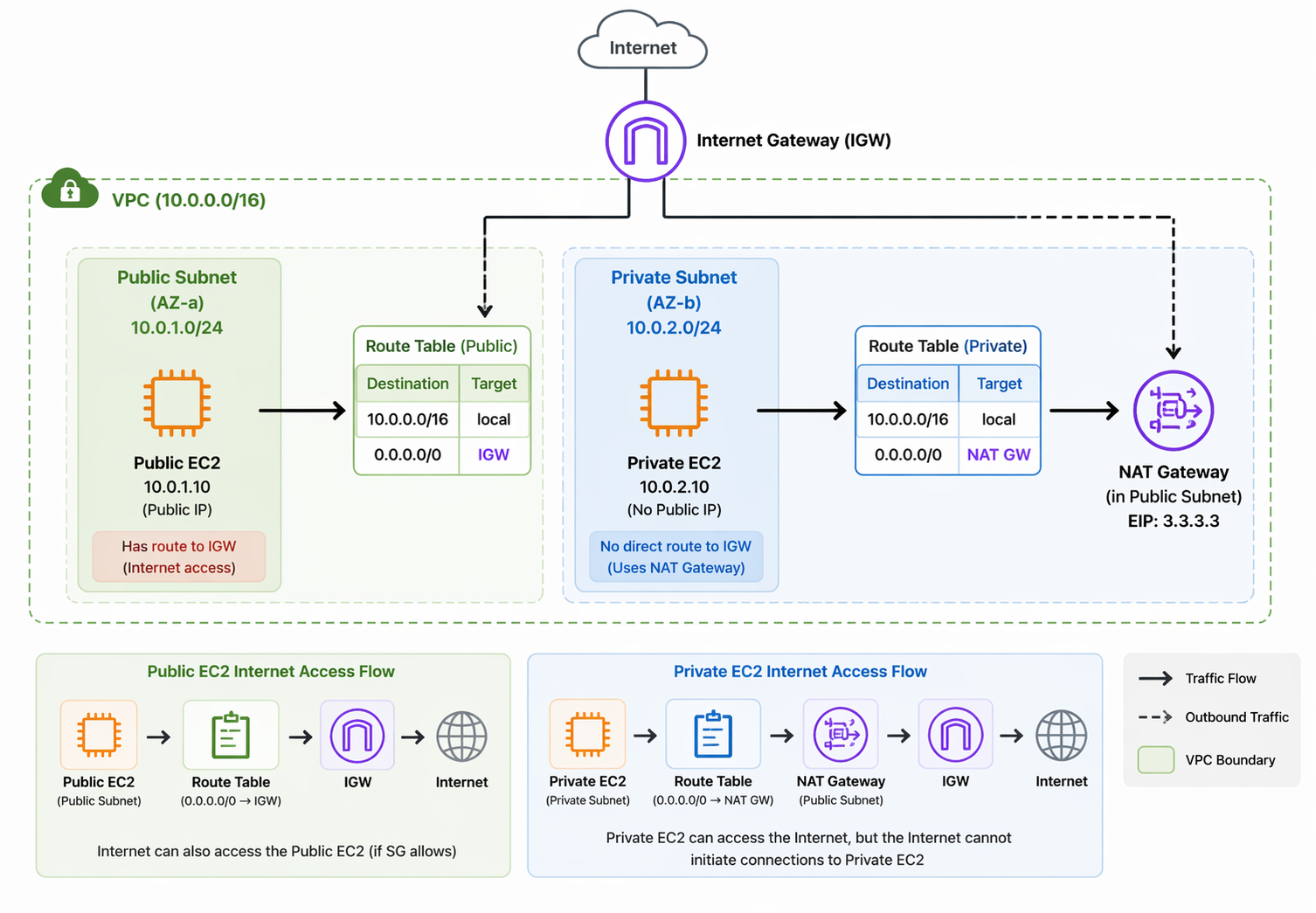
NAT Gateway is an essential component for secure AWS networking. It enables Outbound internet access for private subnet resources
NAT Gateway is:
- A managed network service
- Placed in a public subnet
- Used by private subnet resources
Private instances → access the internet Internet → cannot directly access private instances
Private subnet:
- No route to Internet Gateway
- No public IP
- Not accessible from internet
👉 Problem:
- Cannot install packages
- Cannot call external APIs
- Cannot update systems
👉 Solution:
NAT Gateway
👉 High availability:
- Create NAT Gateway per AZ
2. How to work NAT Gateway
1
2
3
4
5
6
7
8
9
Internet
   ↓
[ IGW ]
   ↓
[ Public Subnet ]
   └── NAT Gateway
   ↓
[ Private Subnet ]
   └── EC2 / RDS
2-1. NAT Gateway in Public Subnet
- Must be placed in a subnet with IGW access
2-2. Elastic IP Required
- NAT Gateway must have a public IP
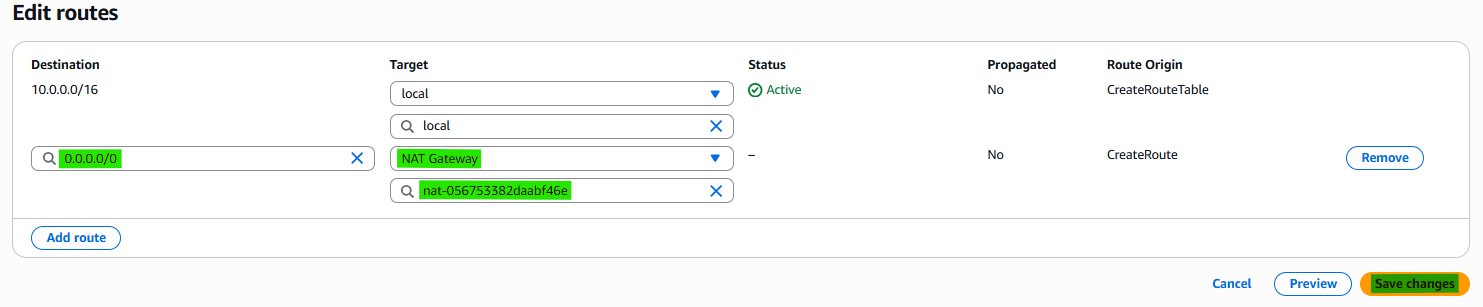
2-3. Route Table (Private Subnet)
Example:
1
2
Destination: 0.0.0.0/0
Target: NAT Gateway
All outbound traffic goes through NAT Gateway
2-4. Security Behavior
NAT = outbound only
✔️ Allowed
- Private → Internet (outbound)
❌ Not Allowed
- Internet → Private (inbound)
2-5. Cost Consideration
- Charged per hour
- Charged per data processed
3. How to create NAT Gateway
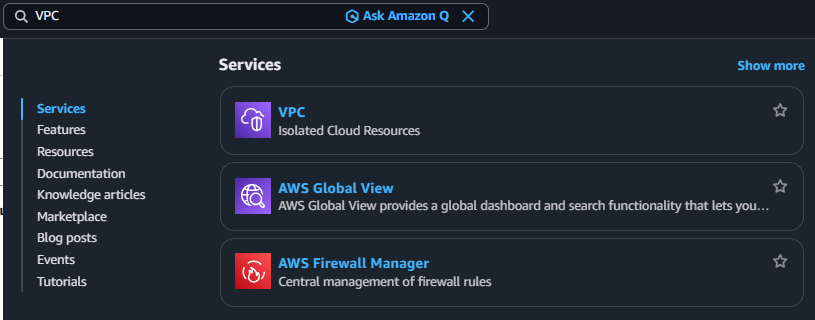
3-1. Search VPC
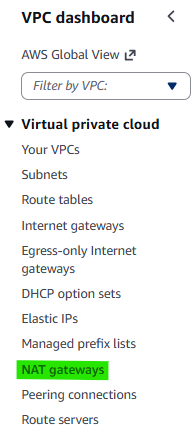
3-2. Click Navigation pane → “NAT gateways”
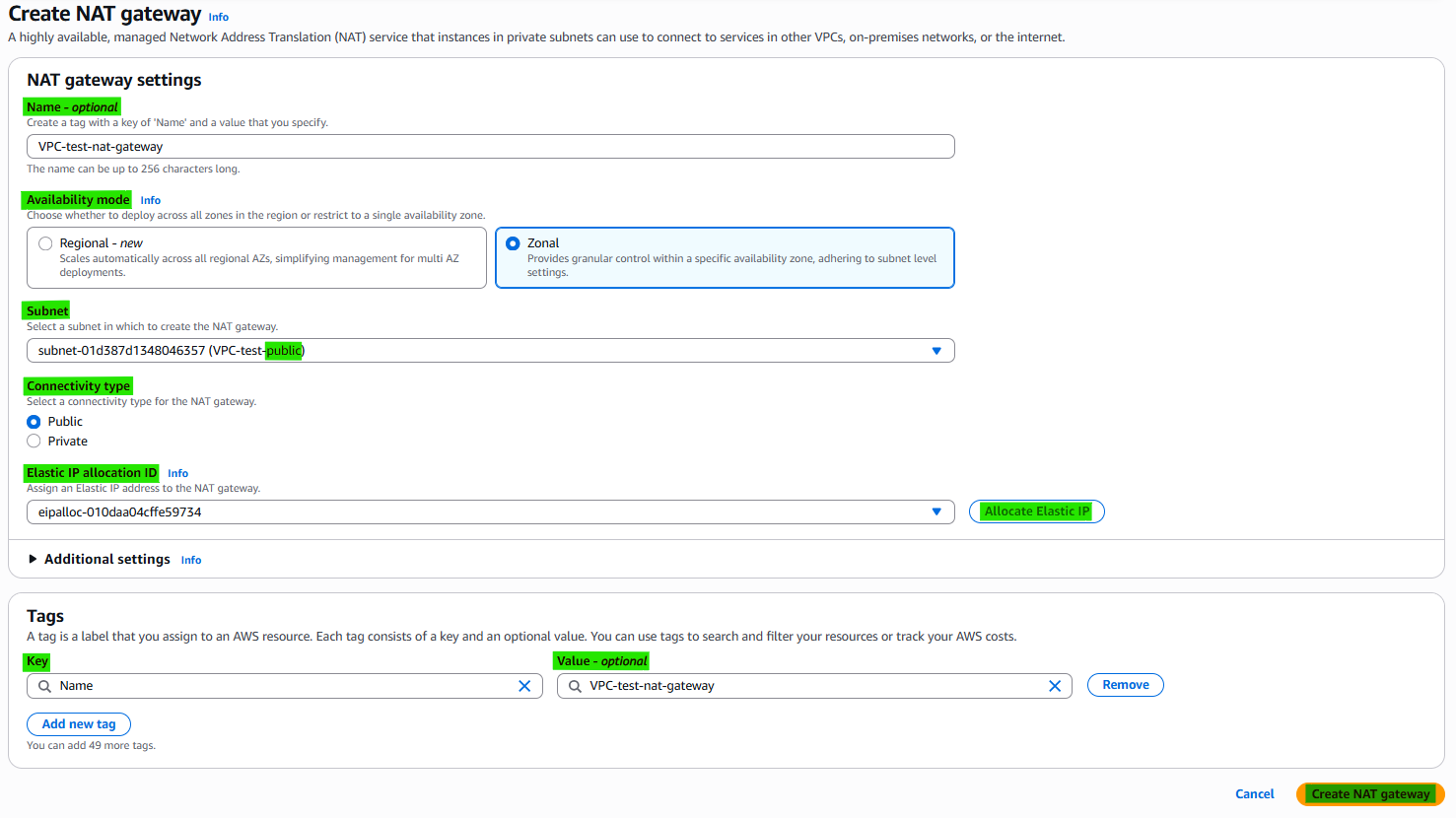
3-3. Click Button → “Create NAT gateway”

3-4. NAT gateway settings
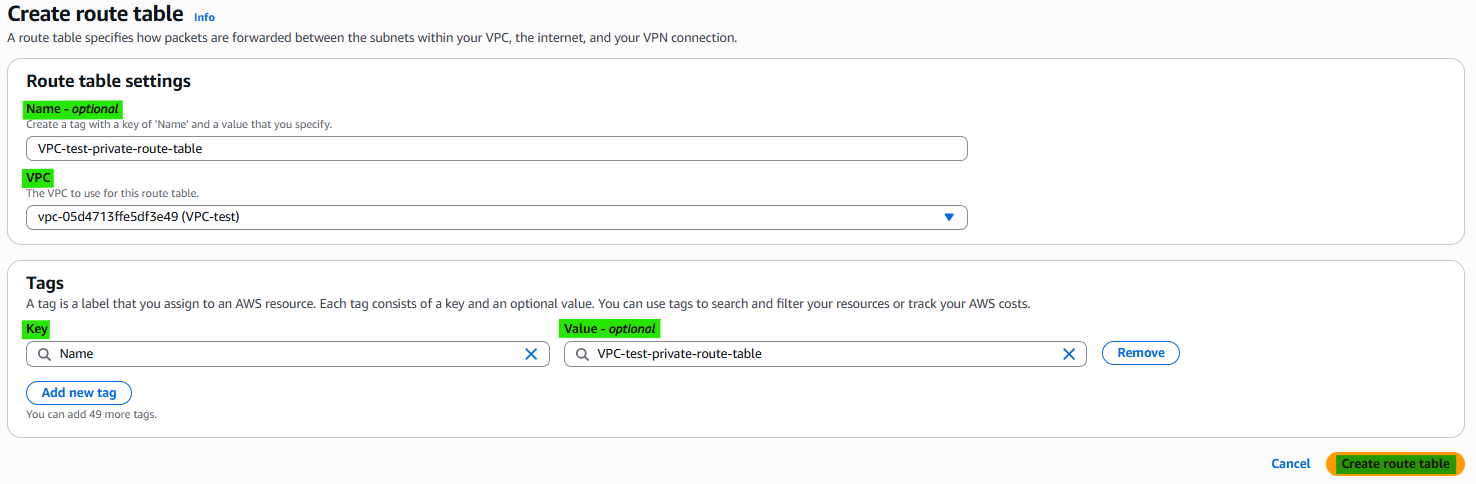
3-5. Step 1. Create Route tables

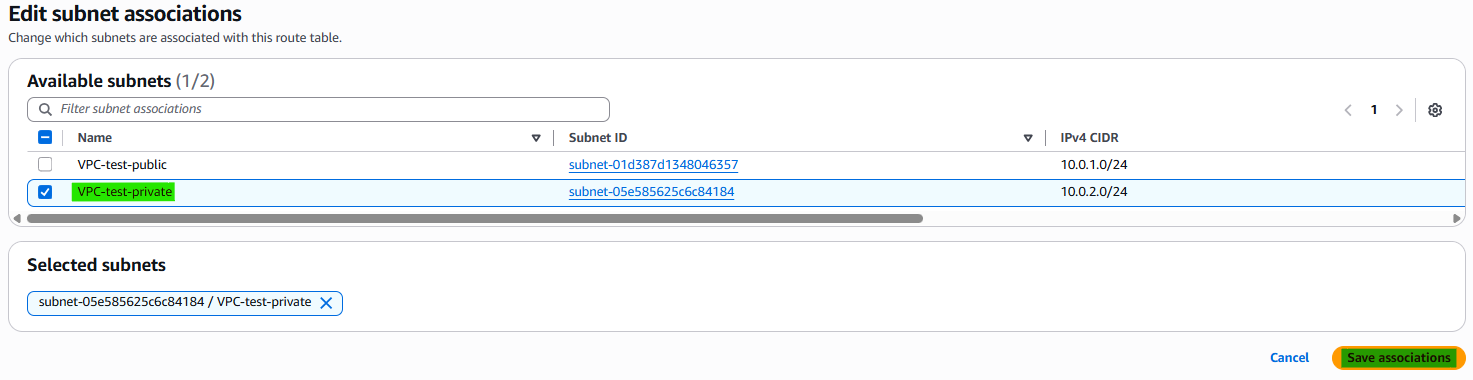
3-6. Step 2. Edit Subnet associations

3-7. Step 3. Edit Routes


4. Related Concepts
- Components
- VPC
- Subnet
- Internet Gateway
- Route Tables
This post is licensed under CC BY 4.0 by the author.