07. Route Table - Traffic Control
07. Route Table - Traffic Control
Route Table
Prerequisites
1. Route Table
Route Table is a core networking component in AWS. It defines Where network traffic should go
A Route Table is:
- A set of rules (routes)
- Used to control traffic flow inside a VPC
👉 Think of it as:
A navigation system for network traffic
Each route consists of:
- Destination (CIDR)
- Target (where traffic goes)
2. How to work Route Table
1
2
3
Destination     Target
10.0.0.0/16     local
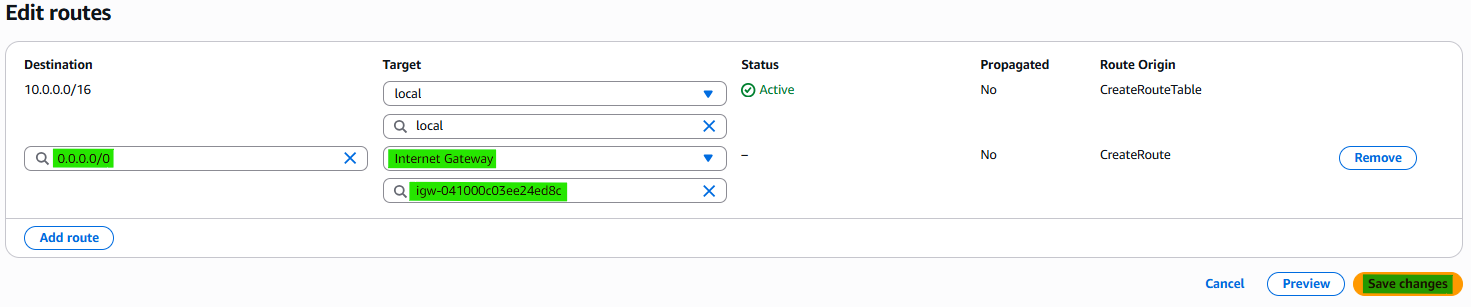
0.0.0.0/0       IGW
10.0.0.0/16 → local→ Internal VPC communication0.0.0.0/0 → IGW→ Internet traffic goes to Internet Gateway
2-1. Subnet
Route Tables are associated with subnets. Subnet determines which route table is used.
Subnet is public or private based on its route table
Public Subnet
- Has route:
1
0.0.0.0/0 → IGW
👉 Internet accessible
Private Subnet
- No route to IGW
👉 No direct internet access
2-2. Route Targets
Common targets:
| Target | Description |
|---|---|
| local | Internal VPC communication |
| IGW | Internet Gateway |
| NAT Gateway | Private subnet internet access |
| VPC Peering | Communication between VPCs |
3. How to create Route Table
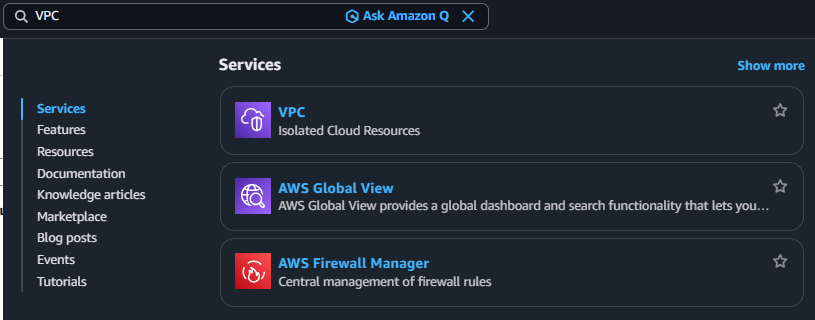
3-1. Search VPC
3-2. Click Navigation pane → “Route tables”
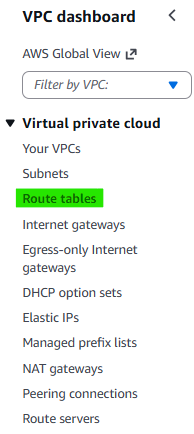
3-3. Click Button → “Create route table”

3-4. Route table settings
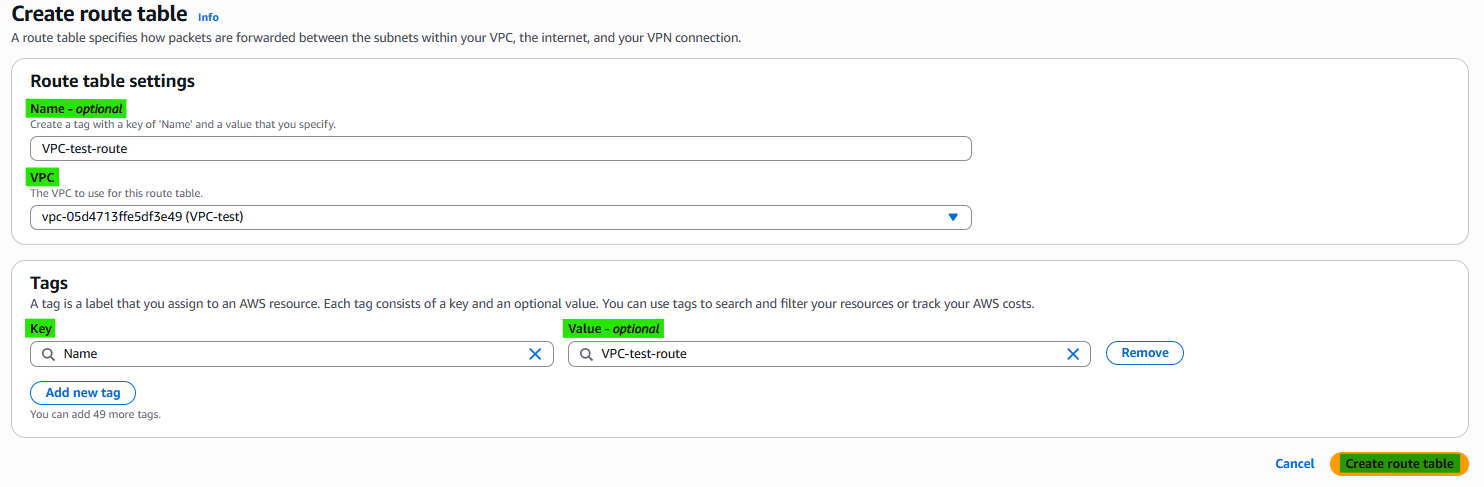
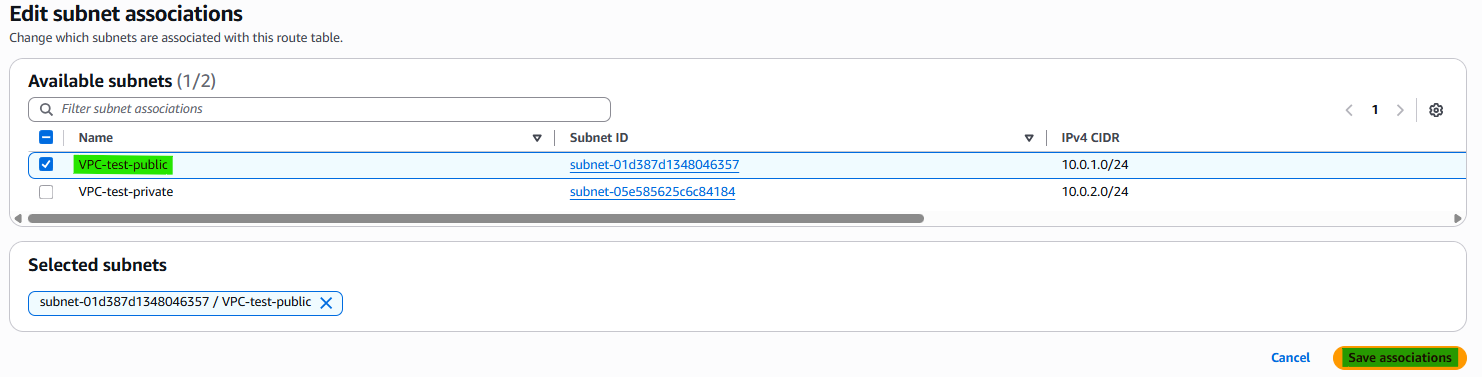
3-5. Step 1. Edit subnet associations
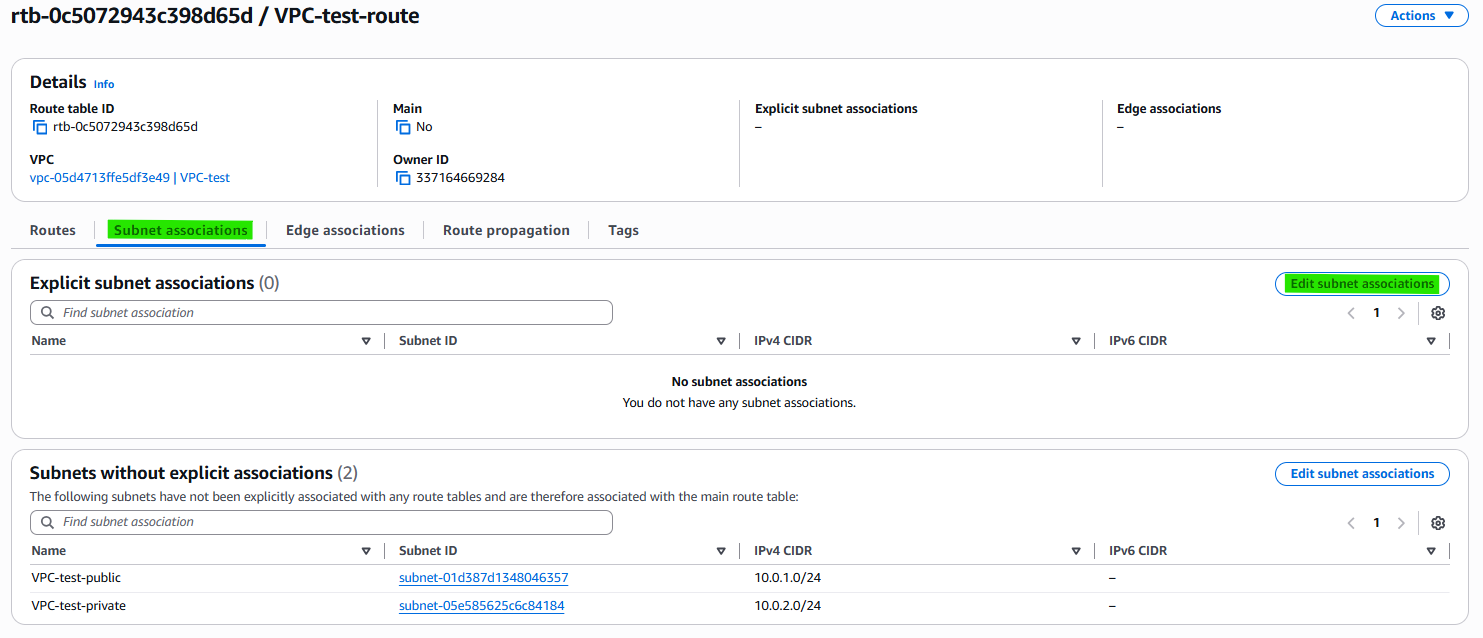
3-6. Step 2. Add Public subnet
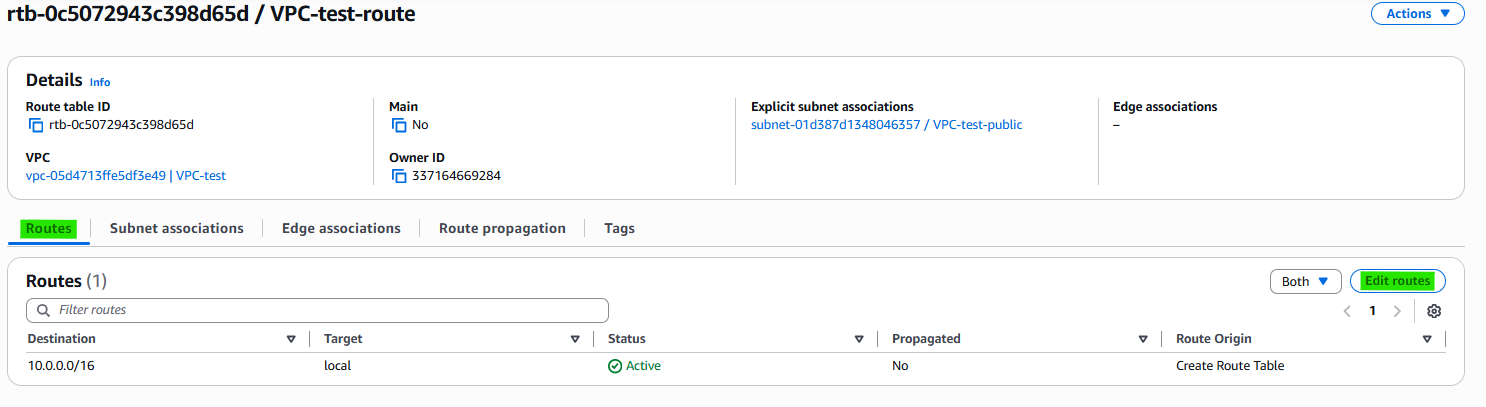
3-7. Step 3. Edit routes
3-8. Step 4. Arrange routes

4. Related Concepts
- Components
- VPC
- Subnet
- Internet Gateway
- Nat Gateway
This post is licensed under CC BY 4.0 by the author.