29. Glue,Lambda and EventBridge
29. Glue,Lambda and EventBridge
Glue,Lambda and EventBridge
Prerequisites
1
S3
1. Glue,Lambda and EventBridge
When building serverless setting, we use lambda. But lambda is event-driven when something happens and lambda just limited to a maximum execution time of 15 mins. Futhermore if we want to use parallelization for performance like image-preprocessing, we can utilize AWS Glue system
Order:
1
2
3
Run Glue
Automatically Call EventBridge
Automatically Call Lambda
2. Process
2-1. Create Lambda
Deploy Code
1
2
3
4
5
6
7
8
9
10
11
12
import boto3

glue = boto3.client("glue")

def lambda_handler(event, context):
    print("S3 trigger:", event)

    response = glue.start_job_run(
        JobName="invert-images-test"
    )

    print("Glue started:", response)
2-2. Create Glue
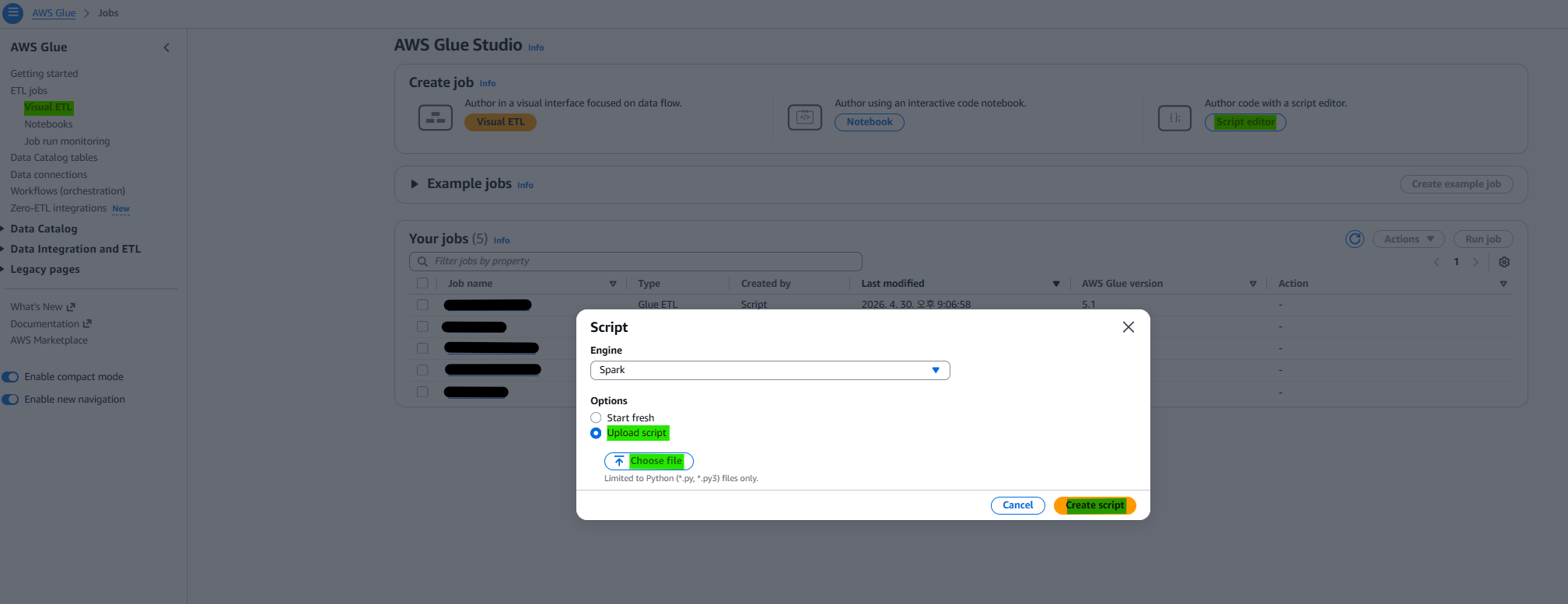
The python file that i already made is uploaded in glue script.
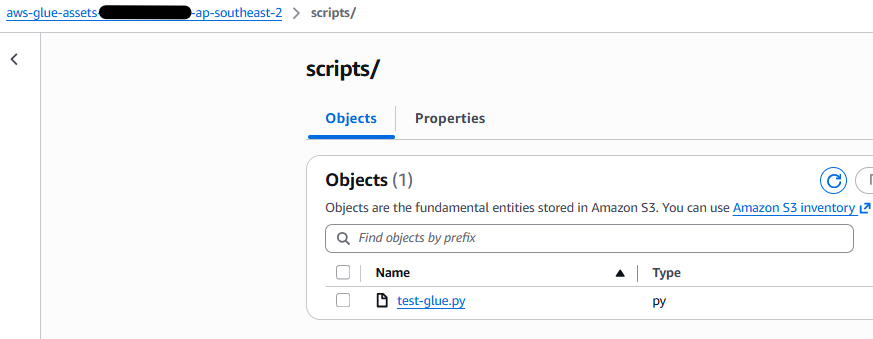
Add S3 Policy Approach on Glue IAM roles

Even if the S3 bucket has not been created yet or is not explicitly connected, we still need to grant permissions in advance because AWS Glue executes jobs in a distributed environment where resources are dynamically accessed at runtime. Without proper permissions, the job may fail when it attempts to read from or write to S3.
1
2
3
4
5
6
7
8
9
10
11
12
{
  "Effect": "Allow",
  "Action": [
    "s3:GetObject",
    "s3:PutObject",
    "s3:ListBucket"
  ],
  "Resource": [
    "arn:aws:s3:::aws-glue-assets-337164669284-ap-southeast-2",
    "arn:aws:s3:::aws-glue-assets-337164669284-ap-southeast-2/*"
  ]
}
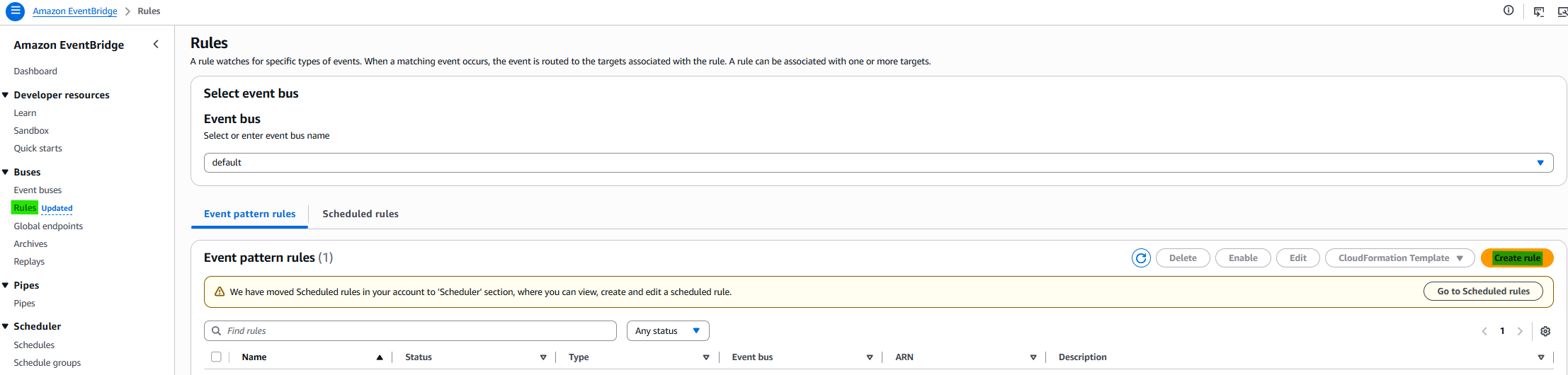
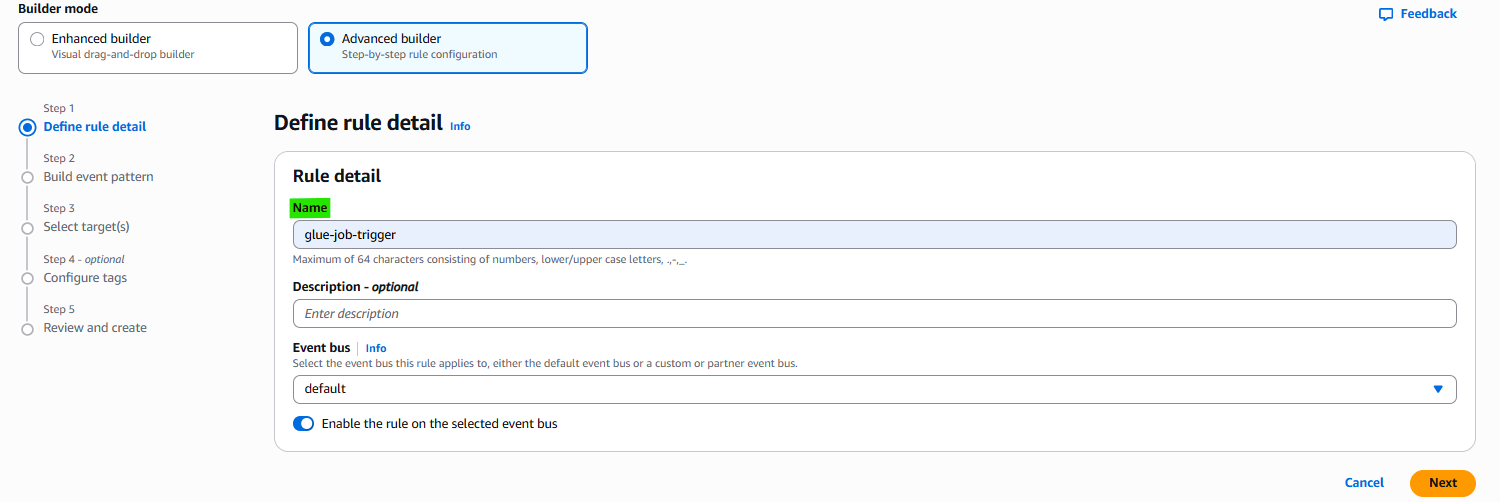
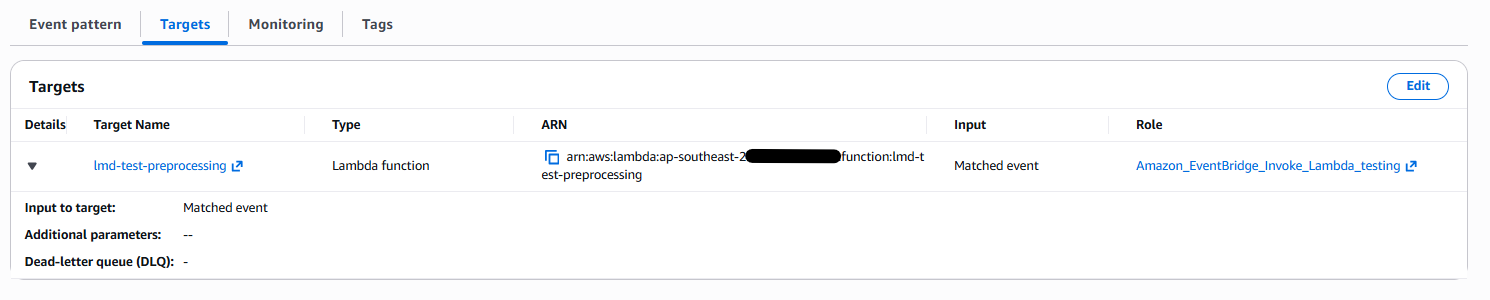
2-3. Create EventBridge and Connect between Lambda and Glue
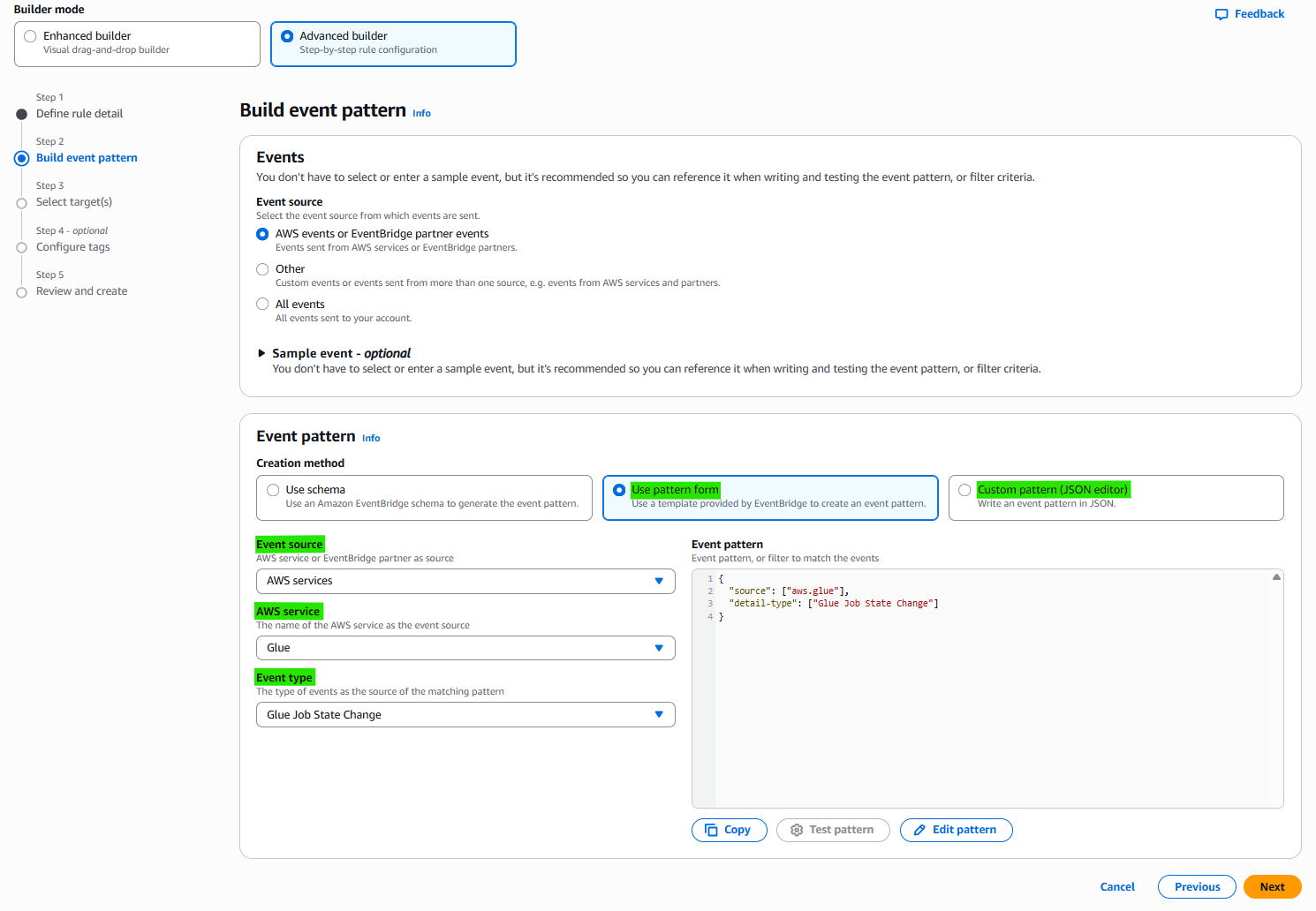
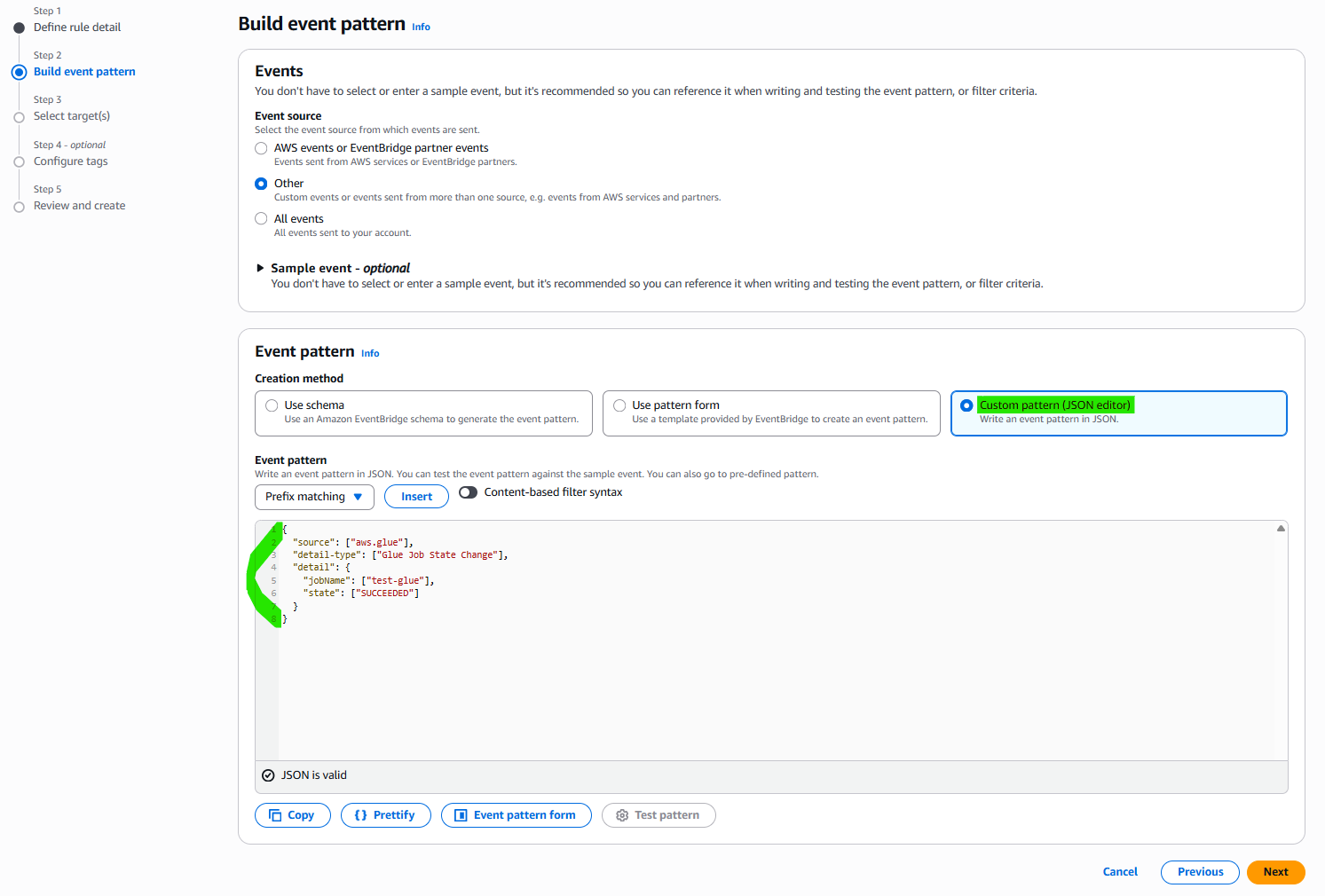
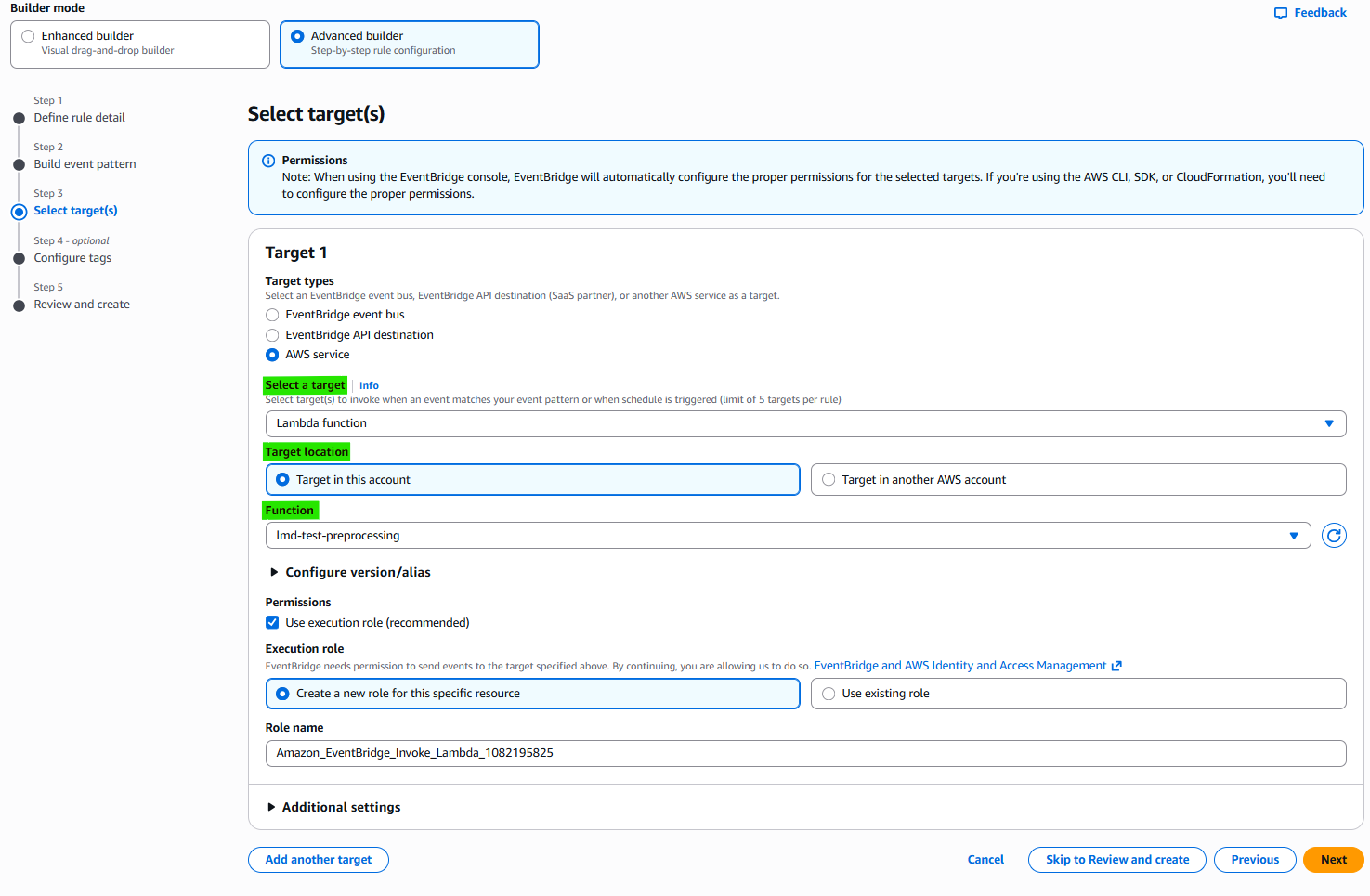
Result:
Condition1: trigger condition from specific glue to EventBridge
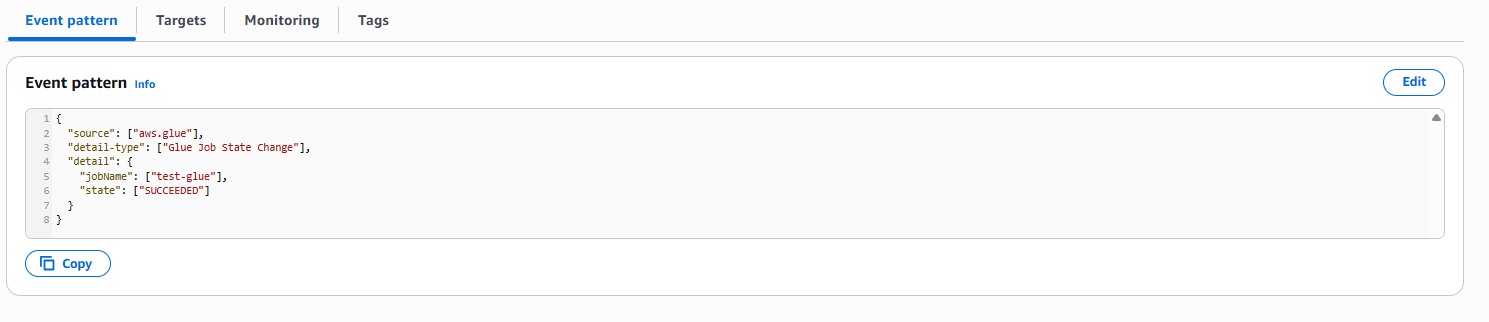
Condition2: trigger condition from EventBridge to Lambda
2-4. Run Result
Start Running Glue: SUCCEEDED

Trigger EventBridge
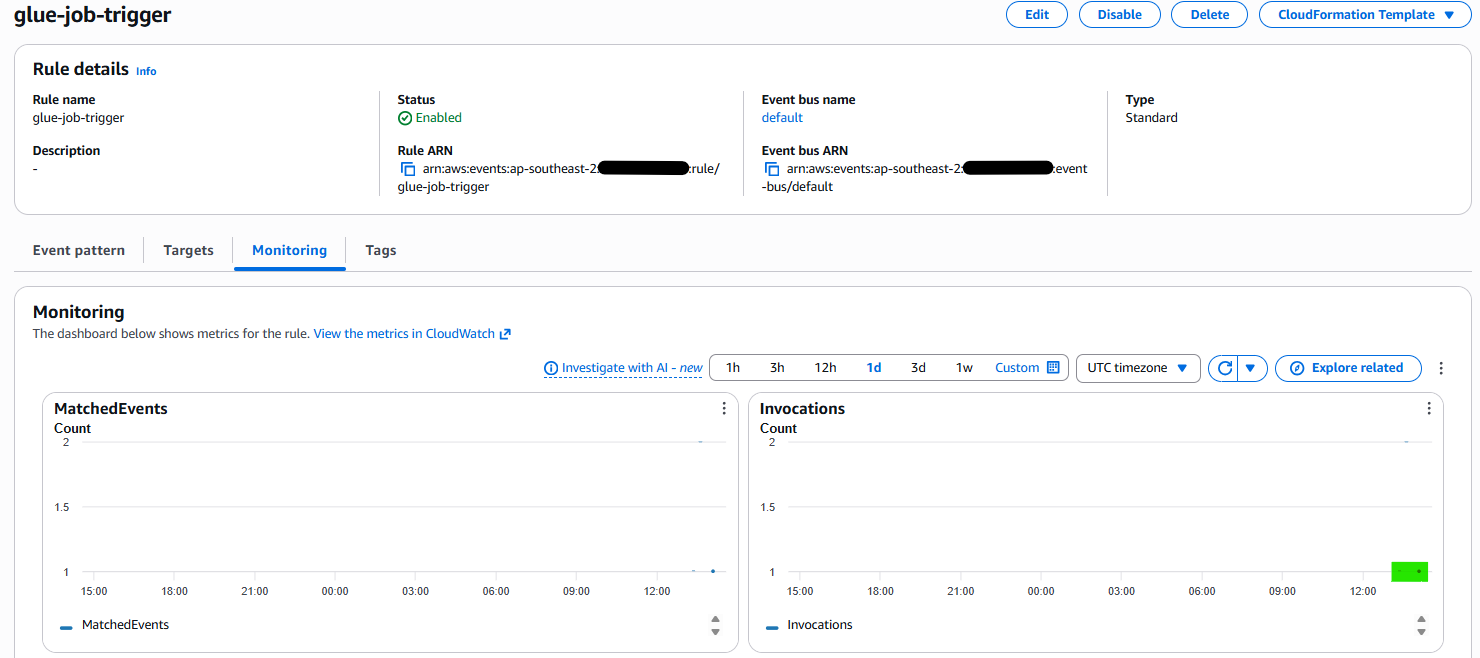
Trigger Lambda

This post is licensed under CC BY 4.0 by the author.