14. Target Groups
14. Target Groups
Target Groups
Prerequisites
1. Target Groups
Target Group is a core component used with Load Balancers. It defines Where incoming traffic should be sent
1
User → Load Balancer → Target Group → EC2
A Target Group is:
- A logical group of backend resources
- Used by a Load Balancer to route traffic
👉 Targets can be:
- EC2 instances
- IP addresses
- Lambda functions
Load Balancer does NOT directly send traffic to EC2. Instead, Load Balancer → Target Group → Targets
Without Target Group:
- Load Balancer must manage instances directly
- No flexibility
- No grouping
With Target Group:
- Logical grouping of instances
- Easy scaling
- Flexible routing
- High availability
- Fault tolerance
- Clean architecture
1-1. Relationship with ASG
1
Auto Scaling Group → Target Group → Load Balancer
ASG automatically:
- Adds instances to Target Group
- Removes terminated instances
1-2. Routing Logic
Target Group allows:
- Decoupling Load Balancer and EC2
- Flexible scaling
- Service-based routing
1
2
3
4
5
6
7
8
User
 ↓
[ Load Balancer ]
   ↓
[ Target Group ]
   ├── EC2 (Instance A)
   ├── EC2 (Instance B)
   └── EC2 (Instance C)
Load Balancer uses Target Group to:
- Distribute traffic
- Apply routing rules
1
2
/api → Target Group A
/web → Target Group B
- Path-based routing
- Microservices architecture
Target Types
| Type | Description |
|---|---|
| Instance | EC2 instance ID |
| IP | Private IP address |
| Lambda | Serverless function |
2. Components of Template
2-1. Health Check
Target Group performs health checks.
1
GET /health
Behavior
- Healthy → receives traffic
- Unhealthy → removed from routing
Only healthy instances receive traffic
3. How to create Target Groups
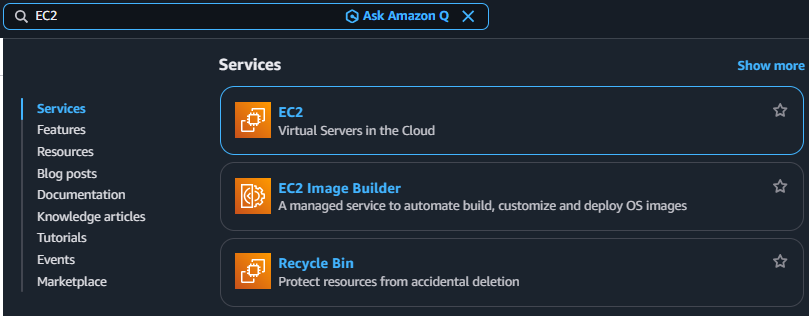
3-1. Search EC2
3-2. Click Navigation pane → “Target Groups”
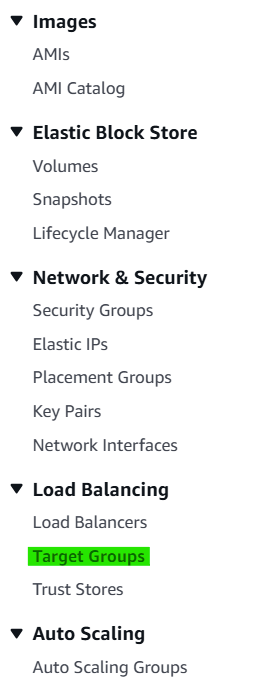
3-3. Click Button → “Create Auto Scaling group”

3-4. Step 1. Create target group
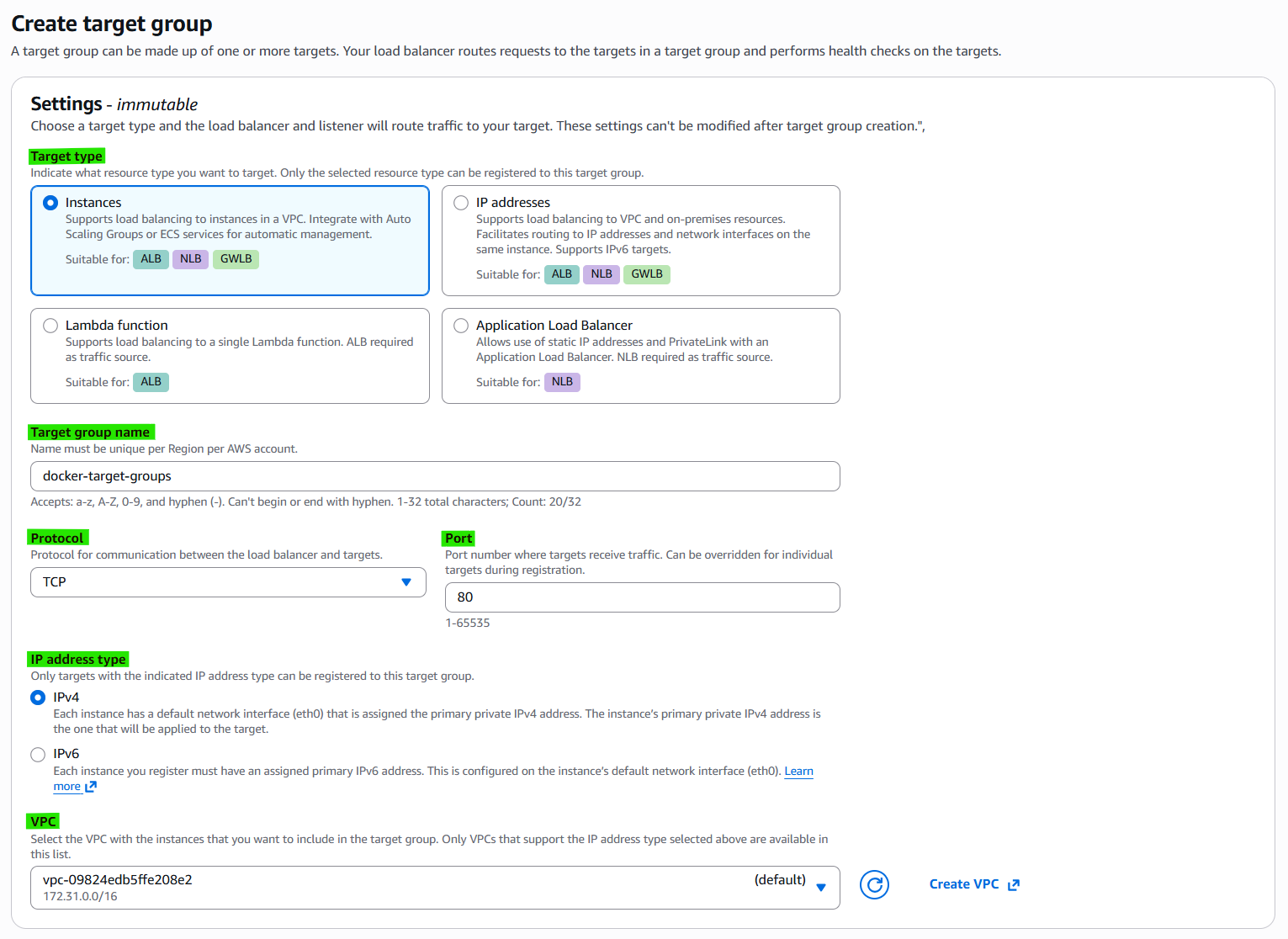
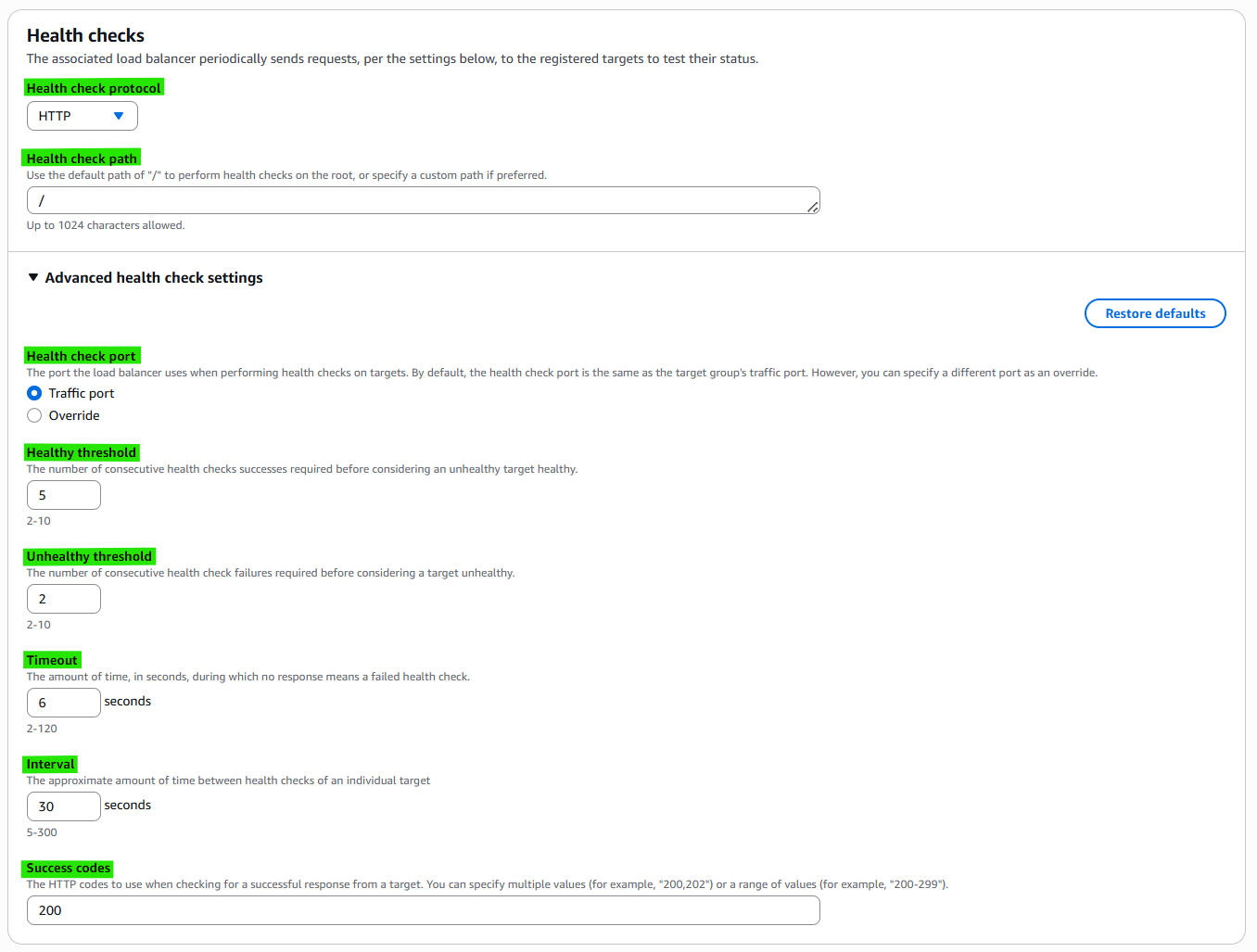
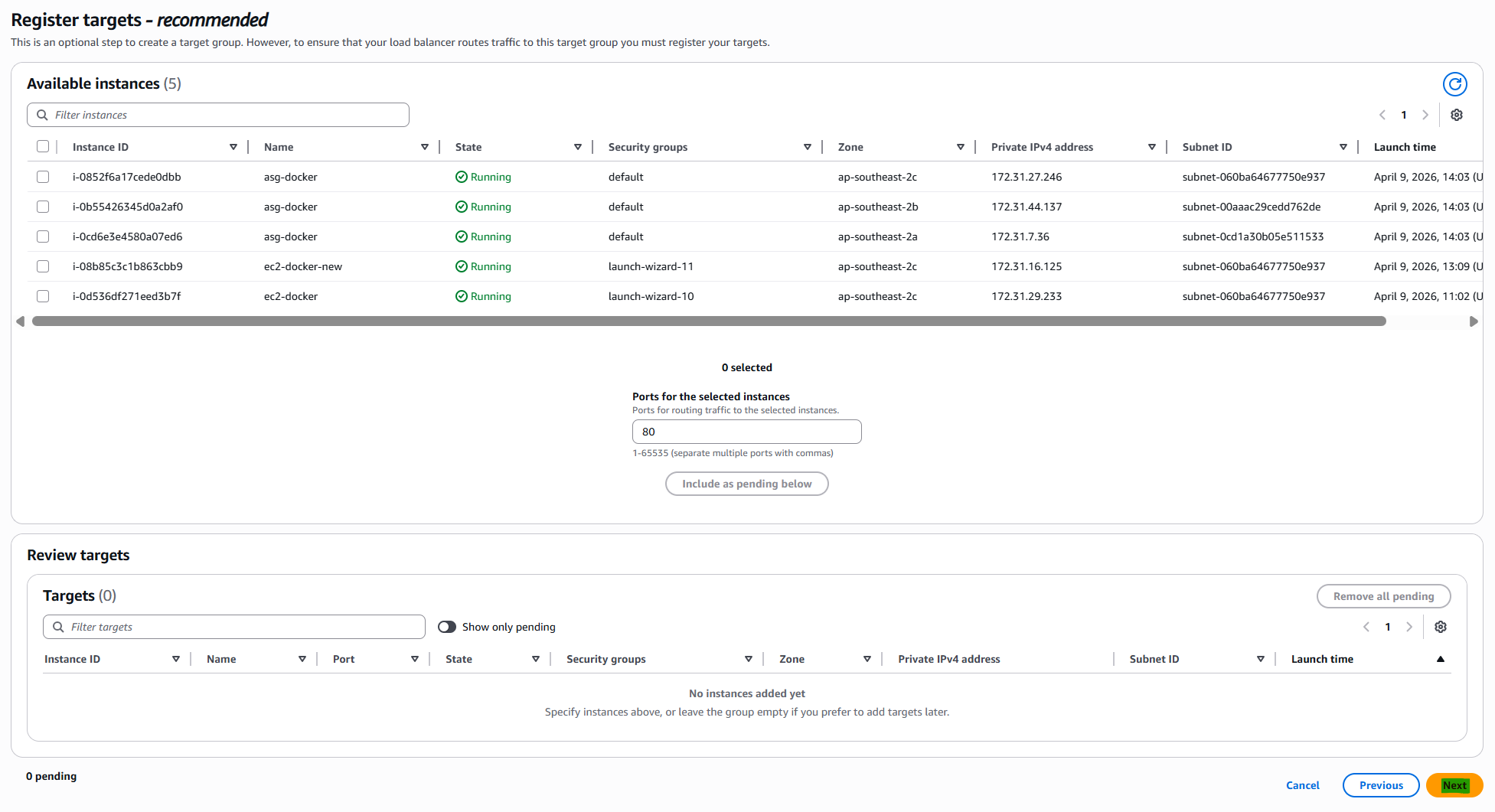
3-5. Step 2. Register targets - recommended
4. Related Concepts
- Components
- Load Balancing
- Auto Scaling Groups
This post is licensed under CC BY 4.0 by the author.