15. Load Balancers
15. Load Balancers
Load Balancers
Prerequisites
1. Load Balancers
Load Balancer is a core component of modern cloud architecture. It provides Traffic distribution across multiple servers
A Load Balancer is:
- An entry point for user requests
- A service that distributes traffic to multiple targets
👉 Instead of:
1
User → EC2 (single server)
👉 You use:
1
User → Load Balancer → Multiple EC2
1
Load Balancer → Target Group ← Auto Scaling Group
Without Load Balancer:
- Single point of failure
- Cannot scale easily
- Uneven traffic distribution
With Load Balancer:
- High availability
- Scalability
- Fault tolerance
1
User → Load Balancer → Target Group → EC2
Load Balancer does NOT directly manage EC2. It uses Target Groups
Load Balancer uses Target Group health checks:
- Healthy → receive traffic
- Unhealthy → excluded
1
GET /health
1-2. Concept
✔️ Decoupling
- Load Balancer separates users from backend services
- Backend instances can be replaced without affecting clients
✔️ Scalability
- Works with Auto Scaling Group (ASG)
- Automatically distributes traffic as instances scale in/out
✔️ Fault Tolerance
- Detects unhealthy instances using health checks
- Routes traffic only to healthy targets
- Prevents service disruption when instances fail
2. Types of Load Balancer
2-1. ALB (Application Load Balancer)
- Layer 7 (HTTP/HTTPS)
- Path-based routing
- Host-based routing
1
2
/api → Service A
/web → Service B
2-2. NLB (Network Load Balancer)
- Layer 4 (TCP/UDP)
- High performance
- Low latency
2-3. GWLB (Gateway Load Balancer)
- Layer 3 / Layer 4
- Used for network security appliances
- Transparent traffic inspection
- Uses GENEVE protocol (port 6081)
👉 Example:
1
Client → GWLB → Firewall (EC2) → GWLB → Destination
👉 Use cases:
- Firewall
- Intrusion Detection System (IDS)
- Deep Packet Inspection
2-4. CLB (Classic Load Balancer)
- Legacy (not recommended)
- Limited features compared to ALB/NLB
3. How to create Target Groups
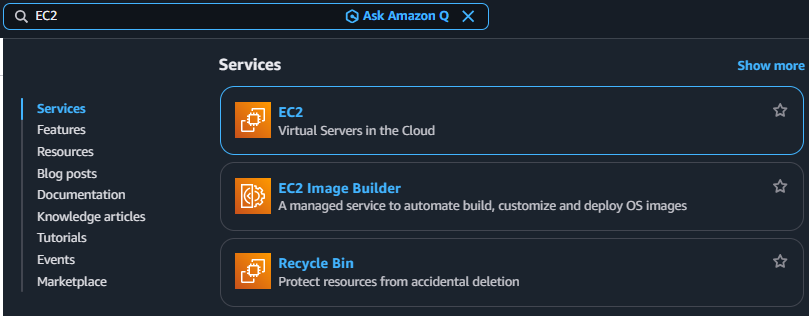
3-1. Search EC2
3-2. Click Navigation pane → “Load Balancers”
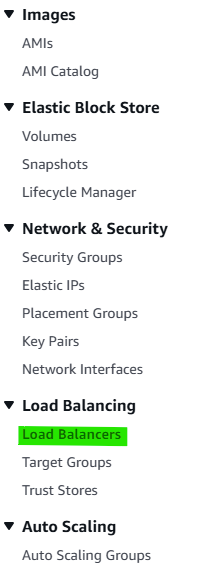
3-3. Click Button → “Create load balancer”

3-4. Step 1. Select Load balancer types
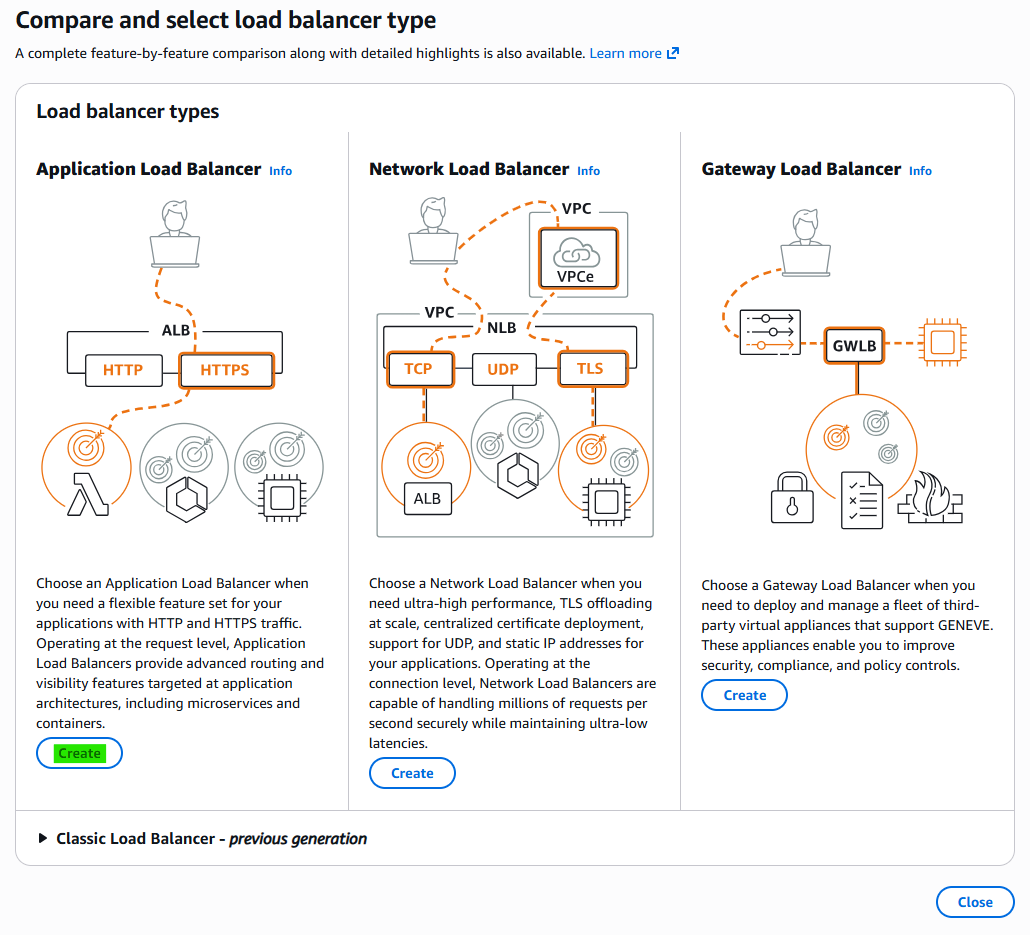
3-5. Step 2. Basic Configuration
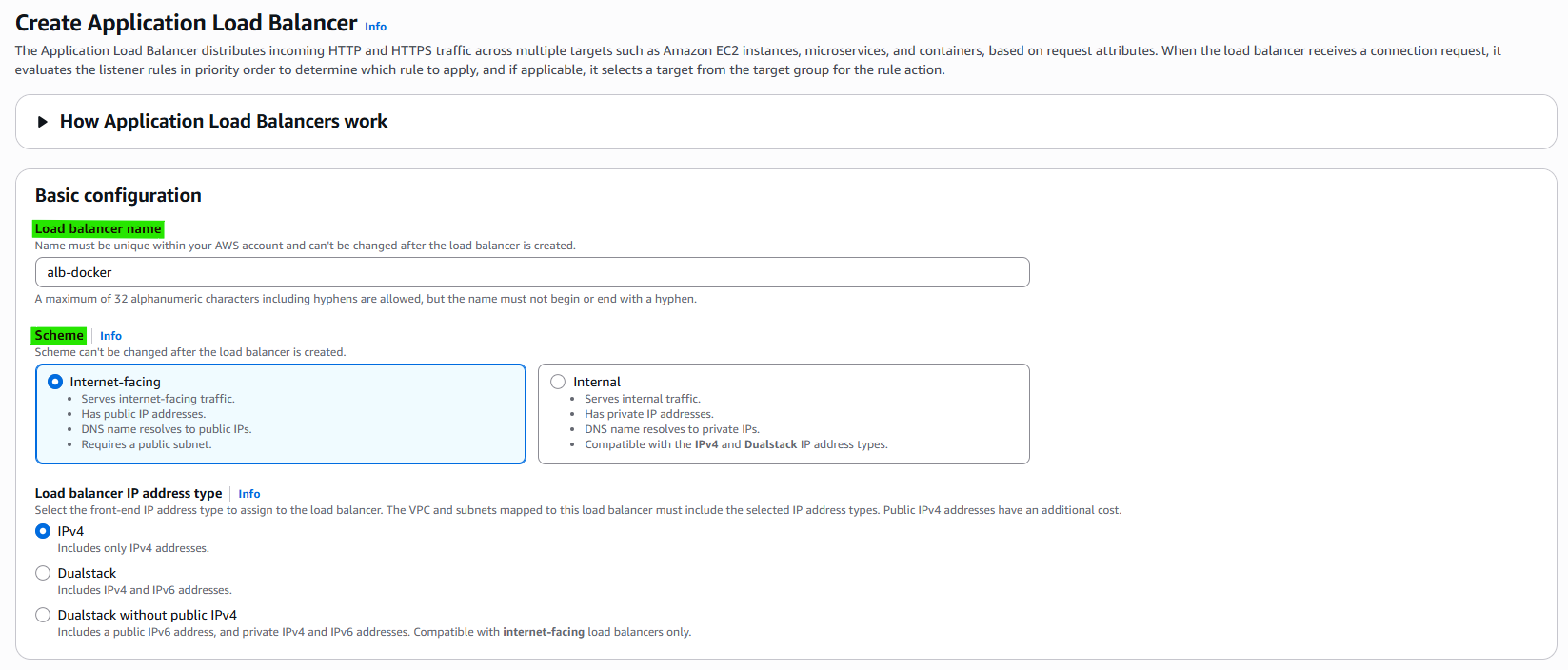
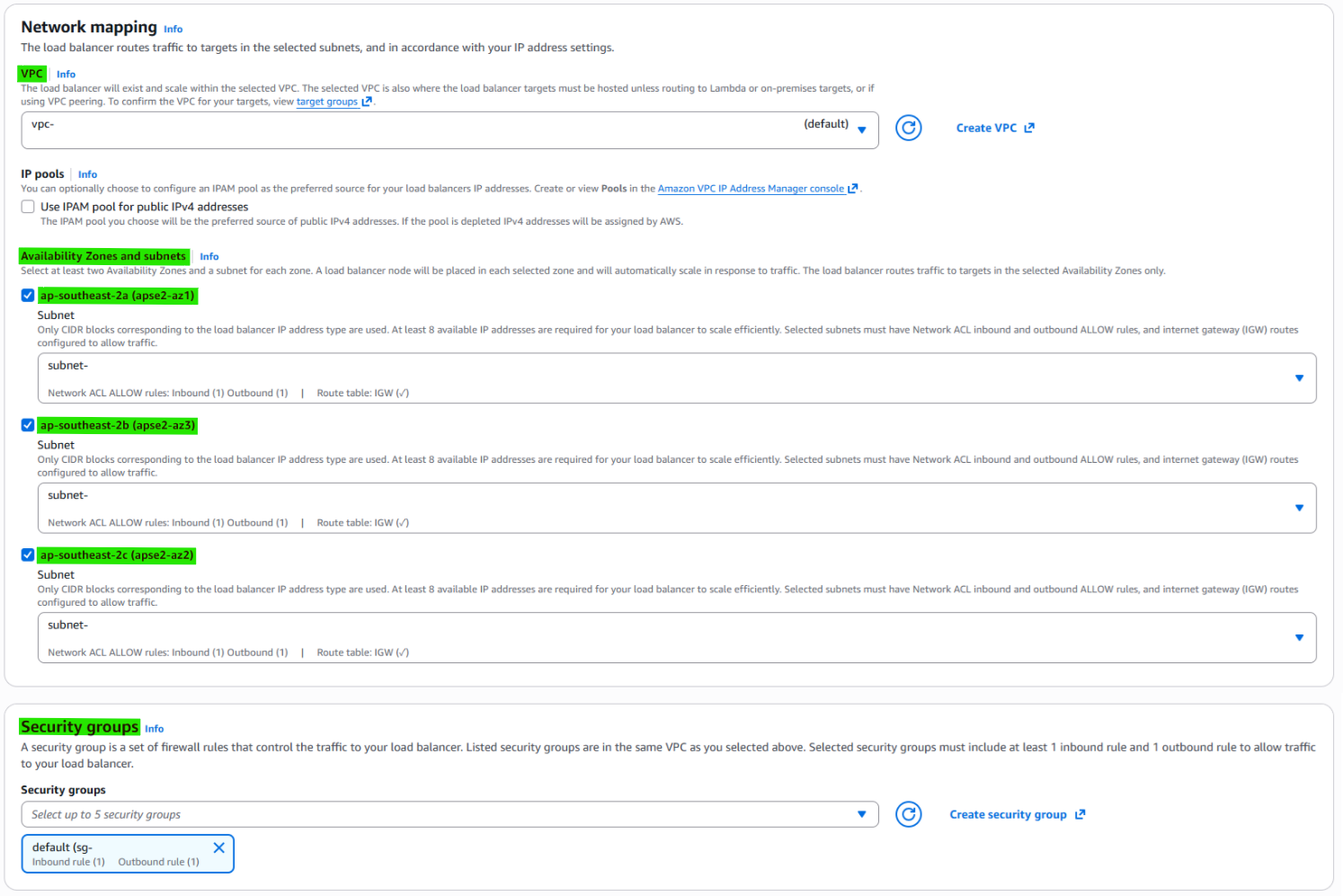
3-6. Step 3. Network mapping
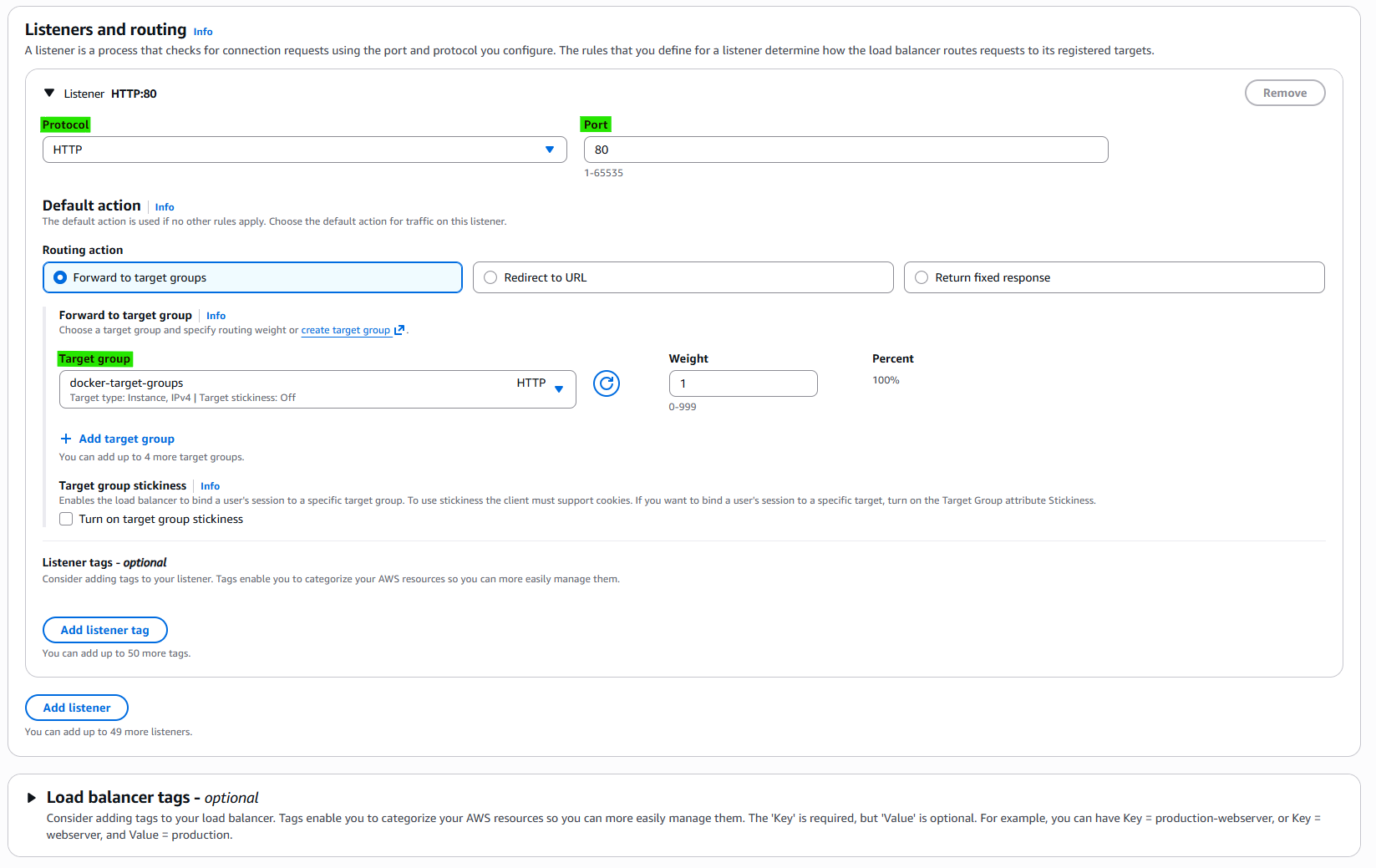
3-7. Step 4. Set Listner
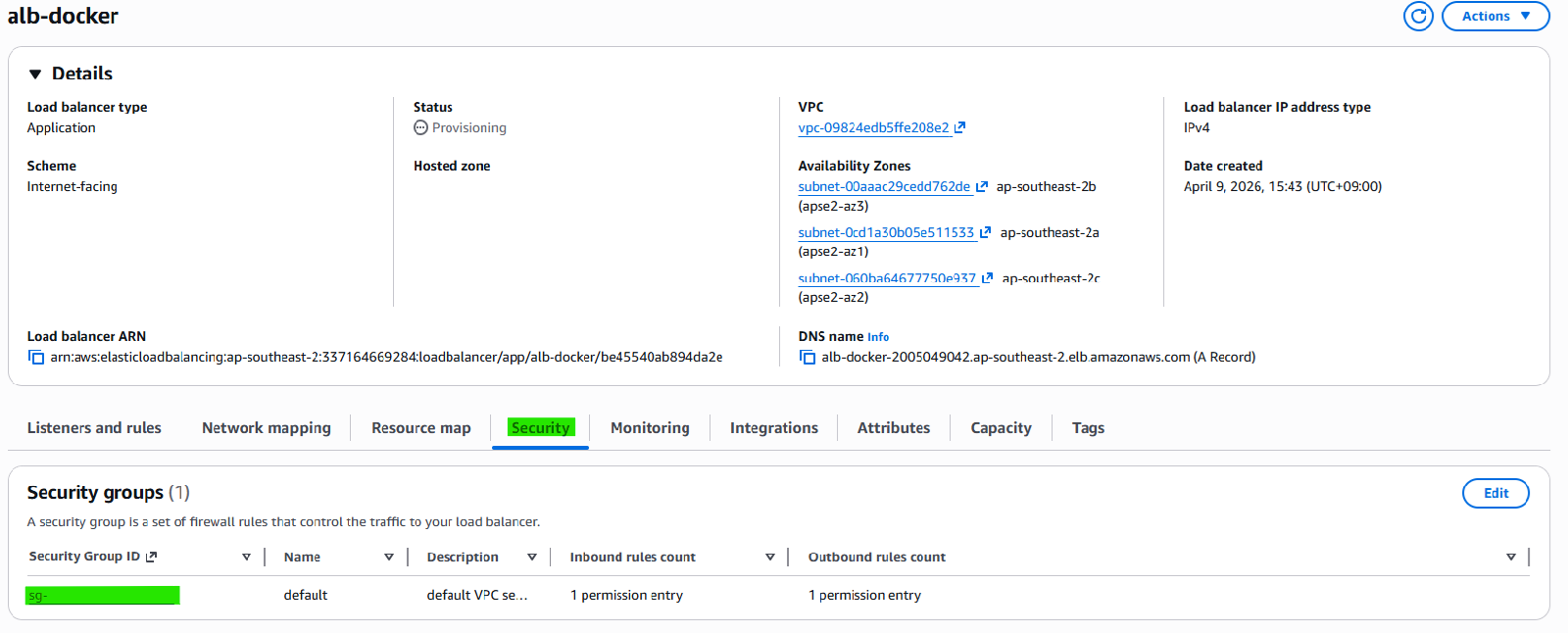
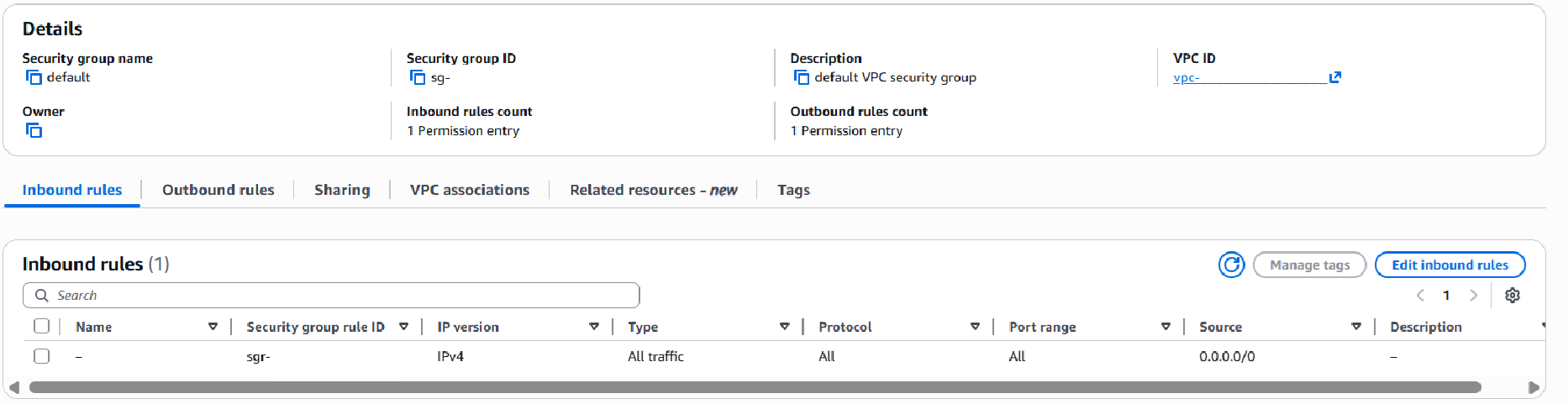
3-8. Check Security and In/Outbound rules
4. OPTIONAL
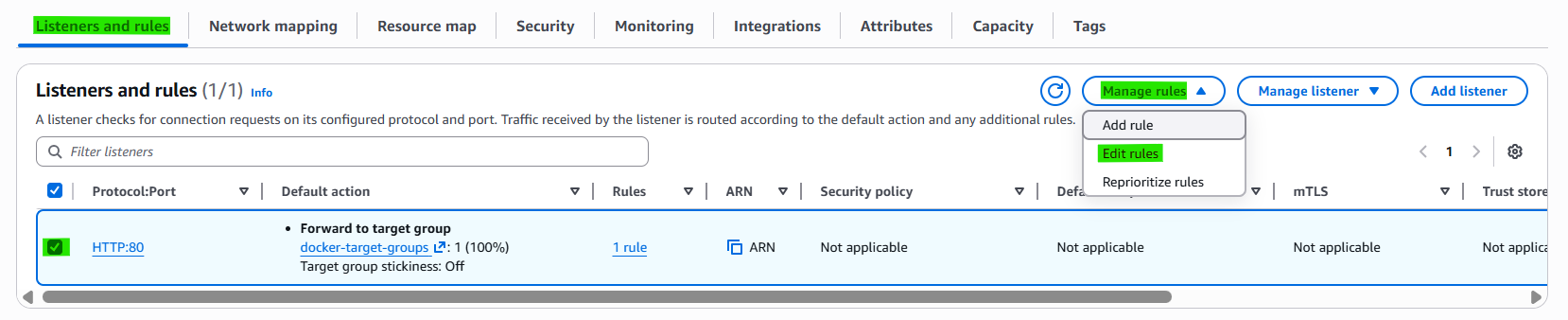
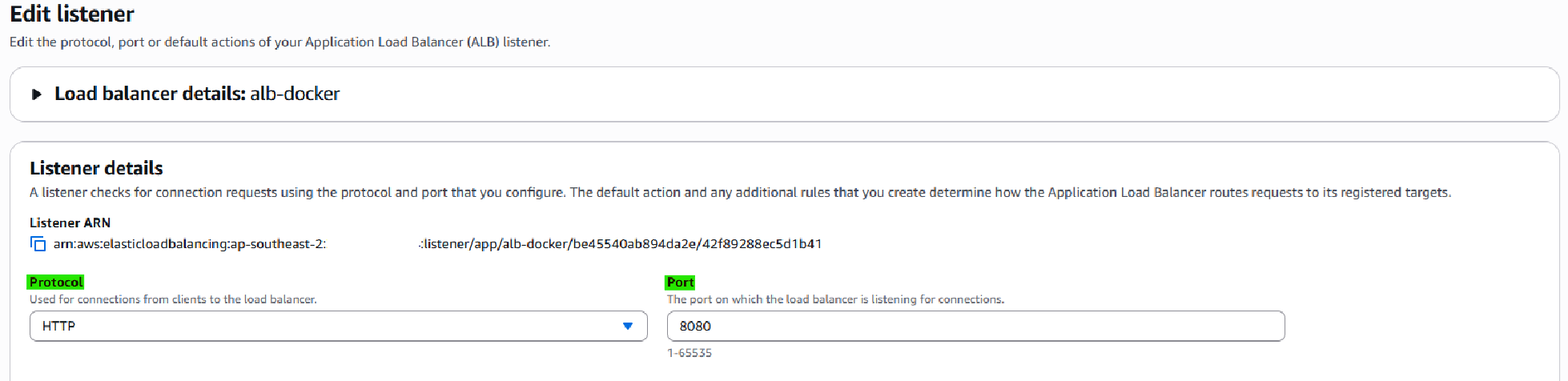
4-1. Edit Listner

5. Related Concepts
- Components
- Target Groups
- Auto Scaling Groups
This post is licensed under CC BY 4.0 by the author.