05. Subnet
05. Subnet
Subnet
Prerequisites
1. Subnet
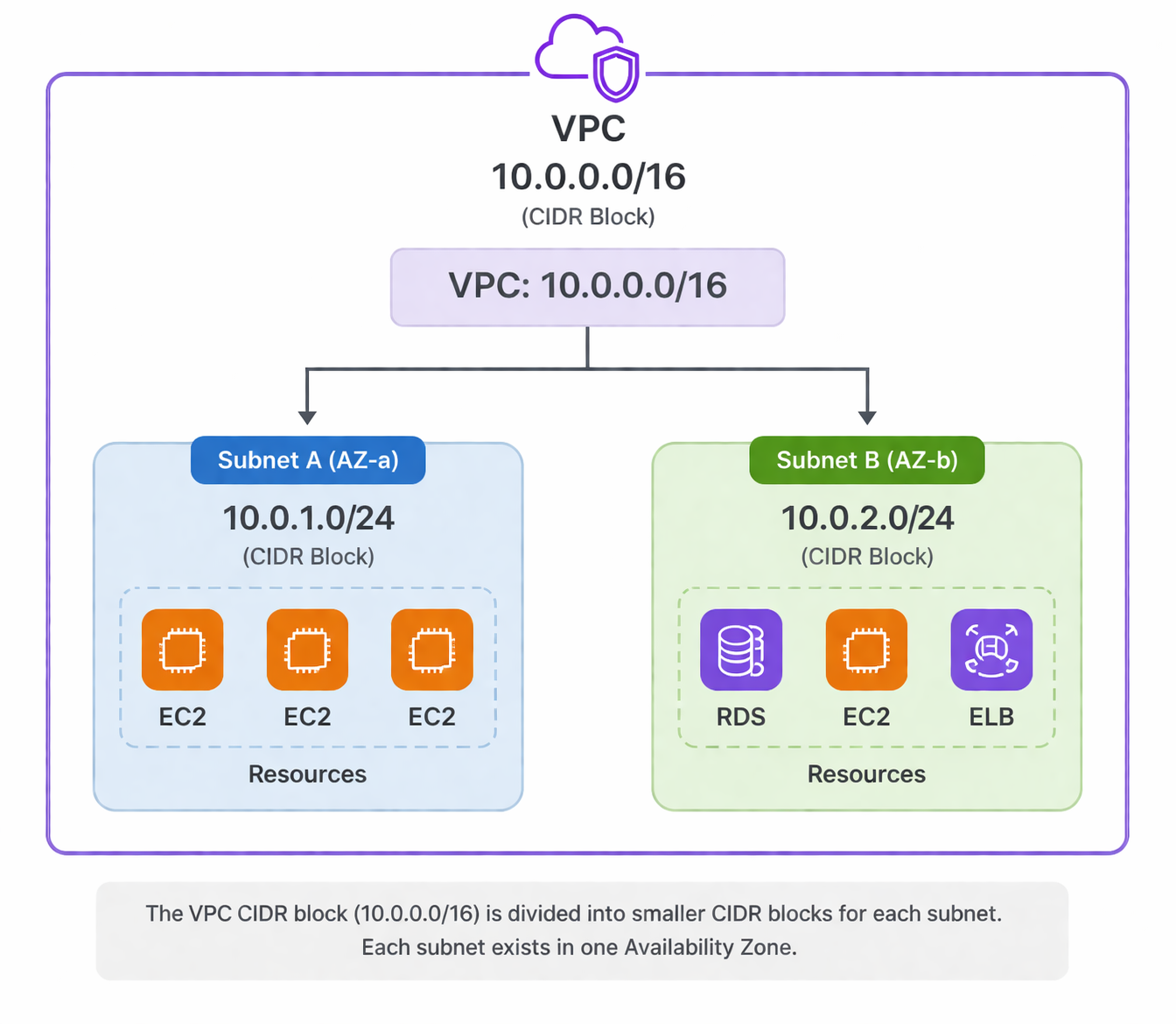
Subnet is a core component of VPC. It provides Logical segmentation of a VPC network
A Subnet is:
- A smaller network inside a VPC
- Defined by a portion of the VPC IP range
- Used to organize and isolate resources
👉 Think of it as:
Dividing one big network into smaller, controlled networks
Each subnet has its own CIDR block.
1
2
3
VPC:    10.0.0.0/16
Subnet: 10.0.1.0/24
Subnet: 10.0.2.0/24
Each subnet belongs to Exactly one Availability Zone (AZ)
2. Why Subnet works
1
2
3
4
Region
 └── VPC
      ├── Subnet A (AZ-a)
      └── Subnet B (AZ-b)
- High availability design
- Security/Fault isolation
- Multi-AZ architecture
- Network segmentation
- Traffic control
2-1. Public Subnet
- Has route to Internet Gateway (IGW) and Nat Gateway
- Can communicate with the internet
👉 Used for:
- Web servers
- Load balancers
2-2. Private Subnet
- No direct route to IGW
- Not accessible from the internet
👉 Used for:
- Databases (RDS)
- Internal services
2-3. Subnet Design Pattern
Subnet itself does not enforce strong security.
Security is handled by:
- Security Group (instance-level)
- NACL (subnet-level)
Typical architecture:
1
2
3
4
5
6
7
Internet
   ↓
[ Public Subnet ]
   └── Load Balancer / Bastion
   ↓
[ Private Subnet ]
   └── Application / Database
Example:
- EC2 → choose subnet
- RDS → placed in private subnet
- ELB → placed in public subnet
3. How to create Subnet
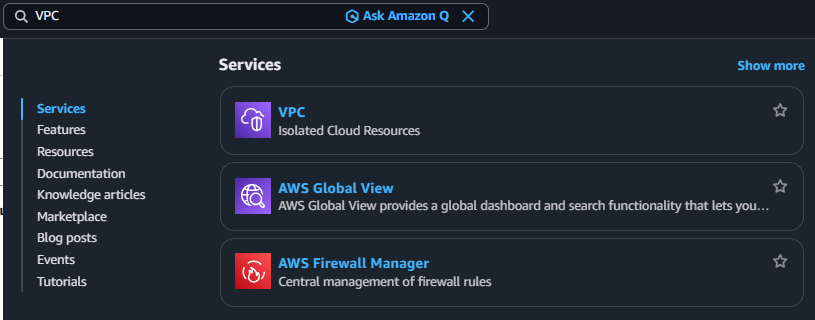
3-1. Search VPC
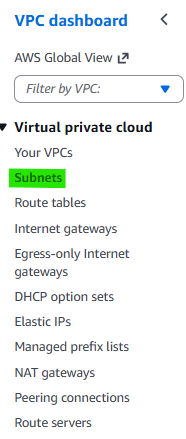
3-2. Click Navigation pane → “Subnets”
3-3. Click Button → “Create Subnet”

3-4. Step 1. Select VPC & Create public Subnet
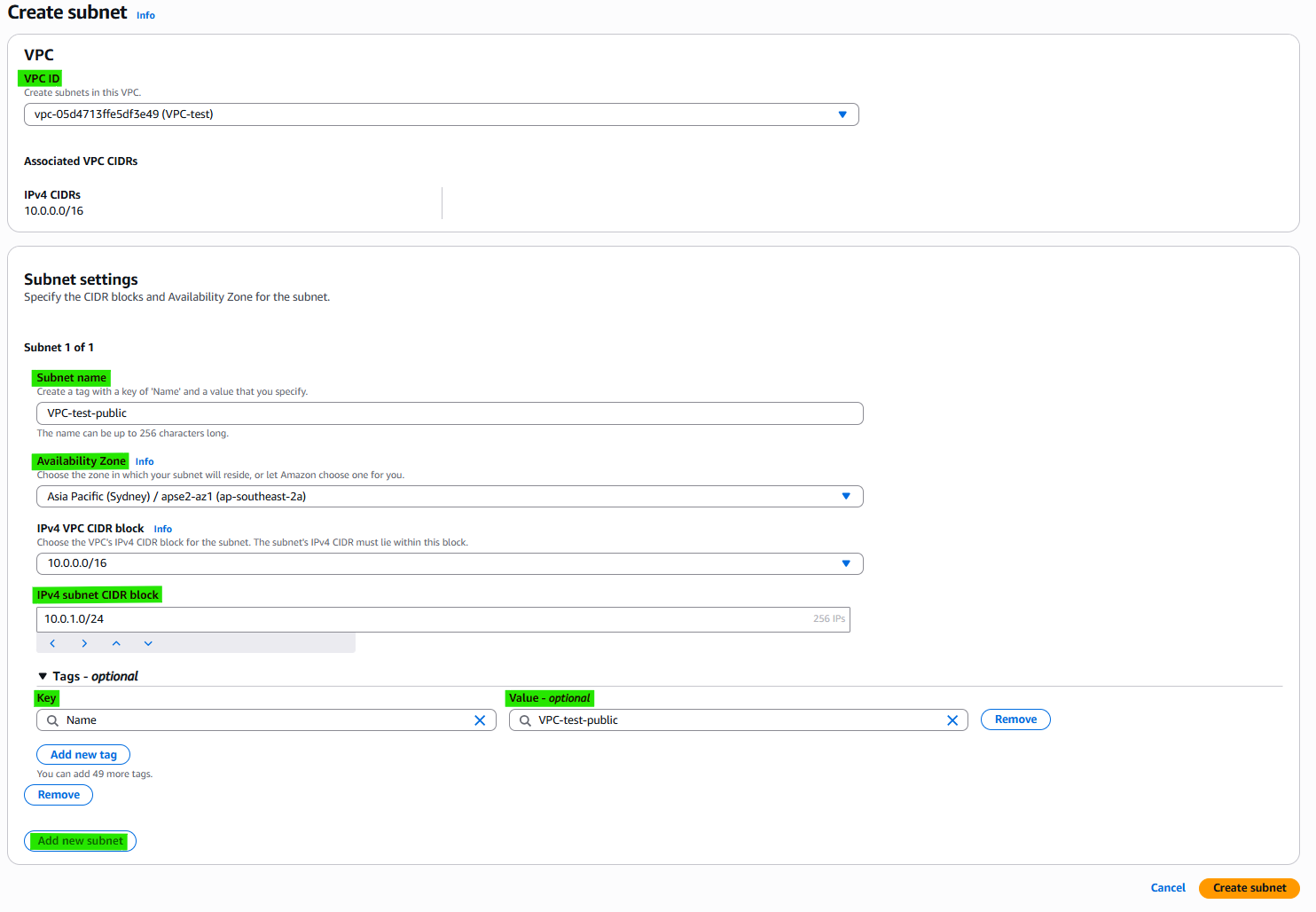
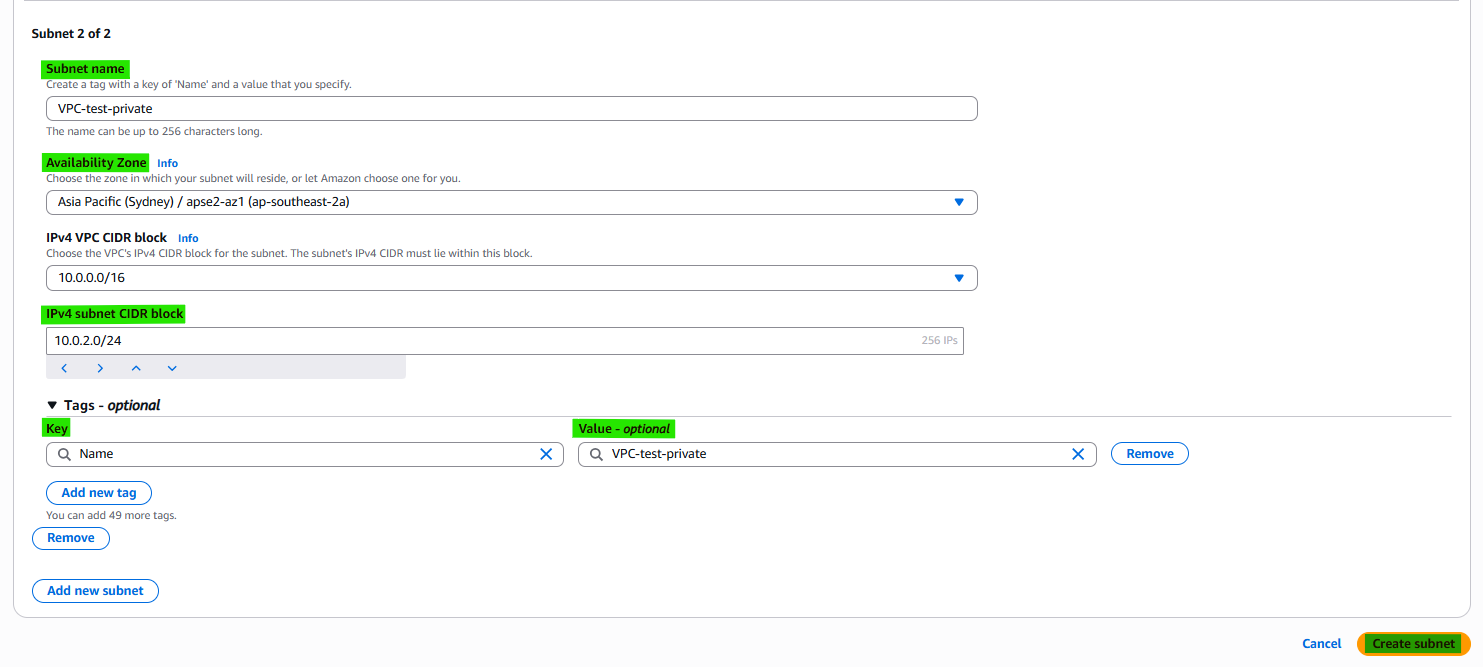
3-4. Step 2. Create private Subnet
4. Related Concepts
- Components
- VPC
- Internet Gateway
- Router table
- Nat Gateway
This post is licensed under CC BY 4.0 by the author.