22. Deploy from Github Action to AWS Docker
22. Deploy from Github Action to AWS Docker
Deploy from Github Action to AWS Docker
Prerequisites
1
2
3
4
5
6
- Install AWS CLI
- Docker
- CI/CD
- Github Action
- ECR
- Lambda
1. Deploy from Github Action to AWS Docker
Step 0 — Availiable setting for create docker image
In this example, I use previous posting.
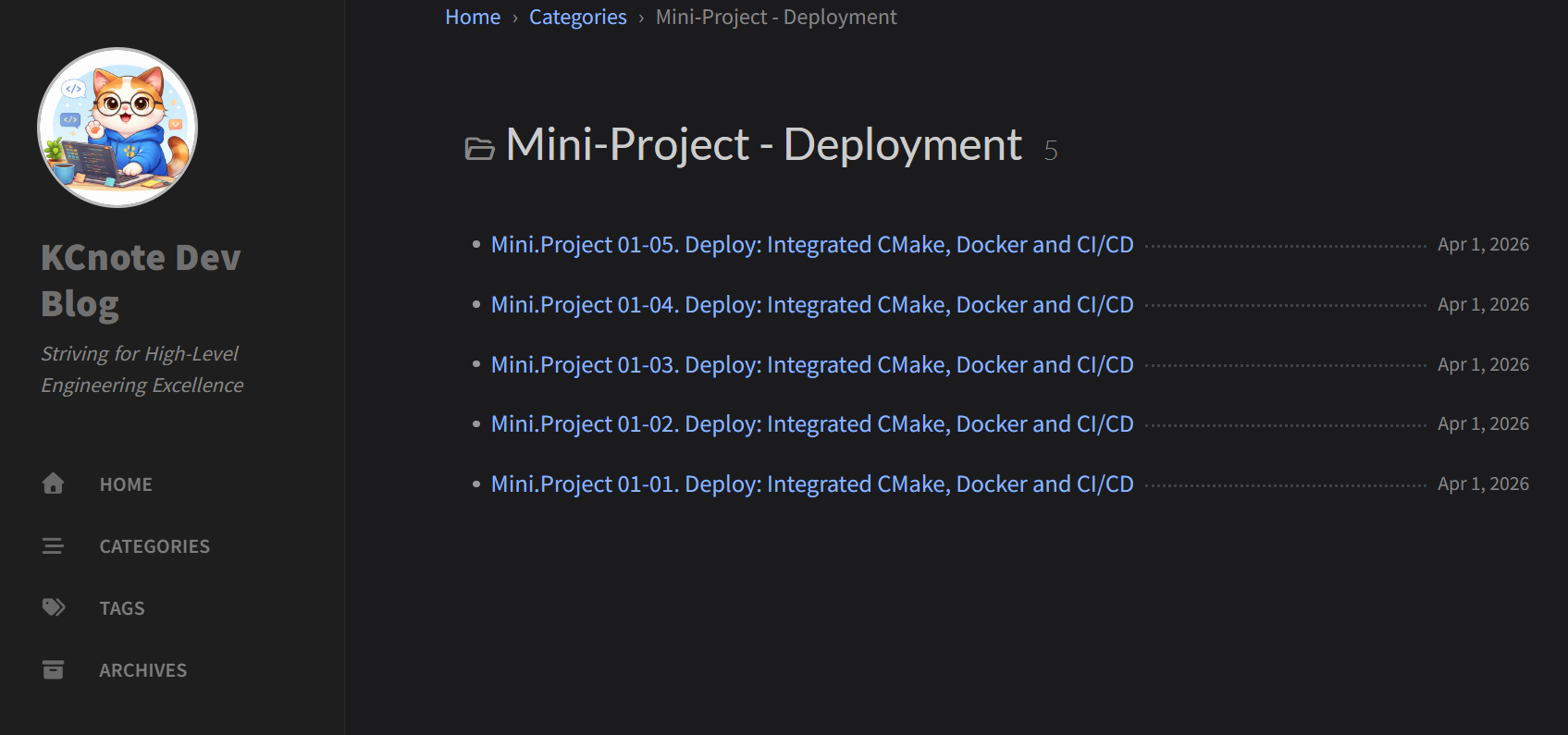
https://kcnote.github.io/posts/MiniProject-01-CMake+Docker+CICD_01/ https://kcnote.github.io/posts/MiniProject-02-CMake+Docker+CICD_02/ https://kcnote.github.io/posts/MiniProject-02-CMake+Docker+CICD_03/ https://kcnote.github.io/posts/MiniProject-02-CMake+Docker+CICD_04/ https://kcnote.github.io/posts/MiniProject-02-CMake+Docker+CICD_05/
Step 1 — Create ECR
From Console
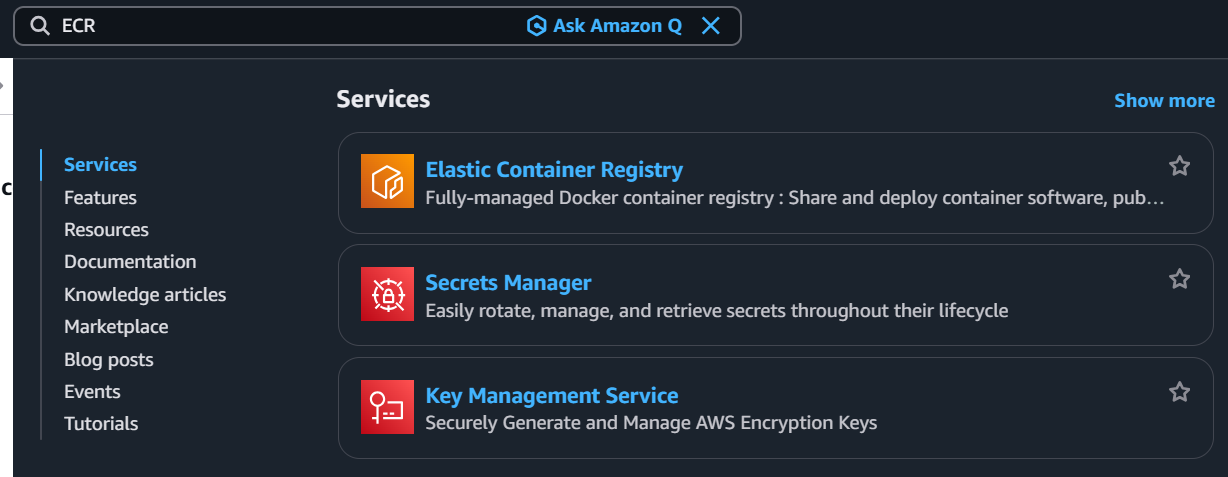

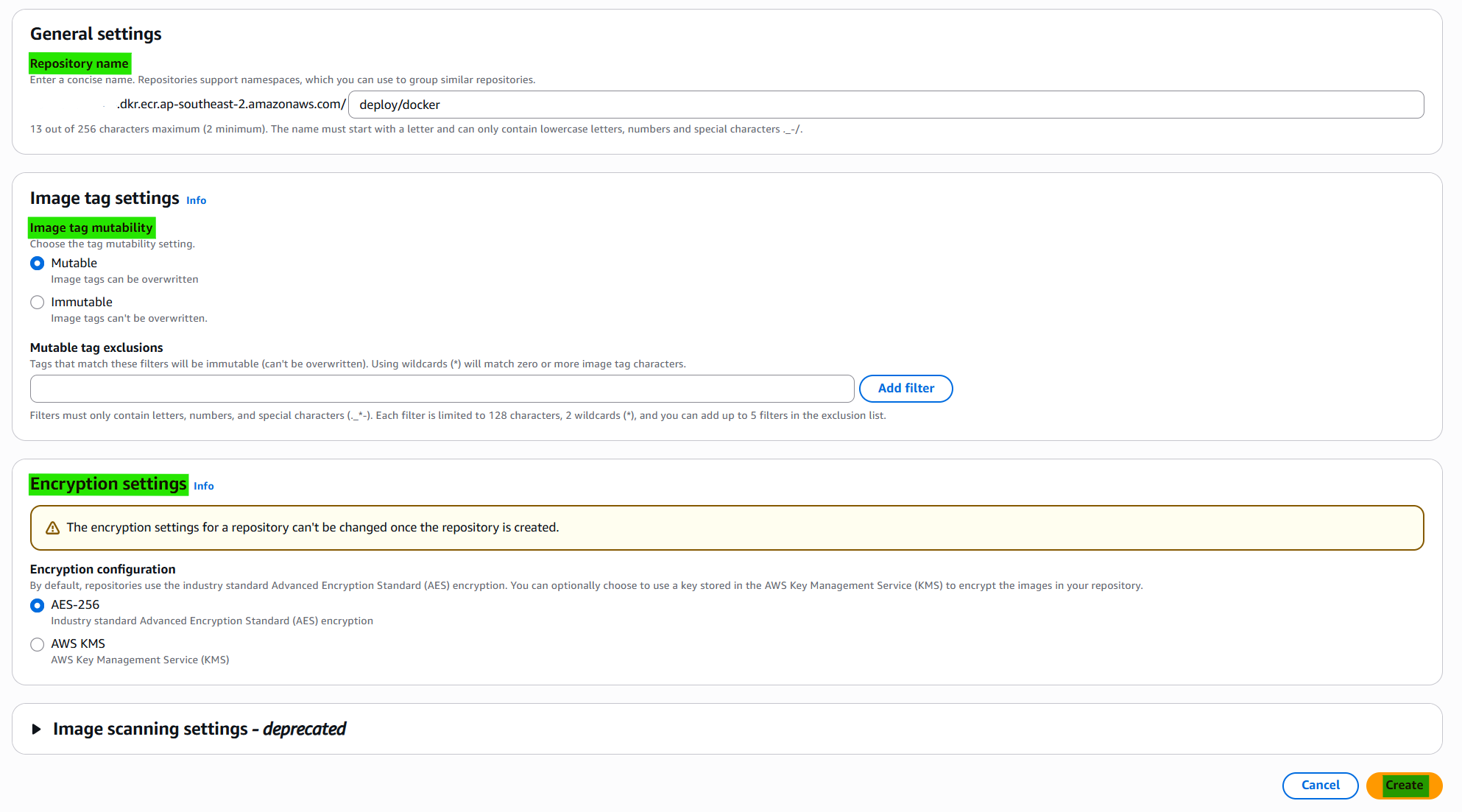
From CLI
1
aws ecr create-repository --repository-name {ECR.NAME} --region ap-southeast-2
Permissions - Edit JSON

1
2
3
4
5
6
7
8
9
10
11
12
13
14
15
16
{
  "Version": "2008-10-17",
  "Statement": [
    {
      "Sid": "LambdaECRImageRetrievalPolicy",
      "Effect": "Allow",
      "Principal": {
        "Service": "lambda.amazonaws.com"
      },
      "Action": [
        "ecr:BatchGetImage",
        "ecr:GetDownloadUrlForLayer"
      ]
    }
  ]
}
Step 2 — Initialize Docker on ECR
Login in
1
aws ecr get-login-password --region ap-southeast-2 | docker login --username AWS --password-stdin {ECR.URL}
Initialize Docker Images
1
2
cd deploy-folder
docker buildx build --platform linux/amd64 --provenance=false -t {ECR.URL} --push .
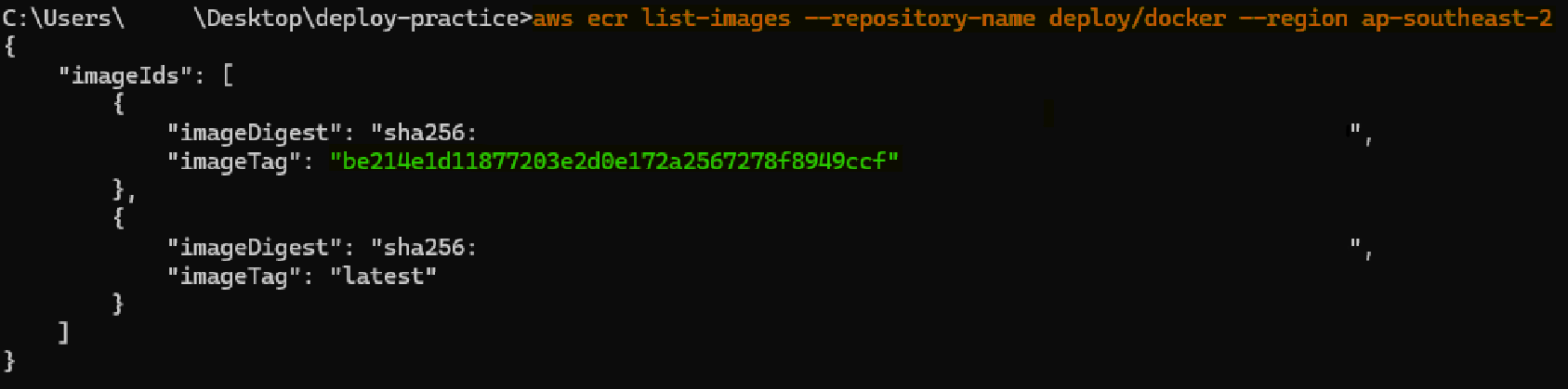
Confirm push
1
aws ecr list-images --repository-name {ECR.NAME} --region ap-southeast-2
aws ecr list-images –repository-name deploy/docker –region ap-southeast-2
Step 3 — Create Lambda and Add Permissions
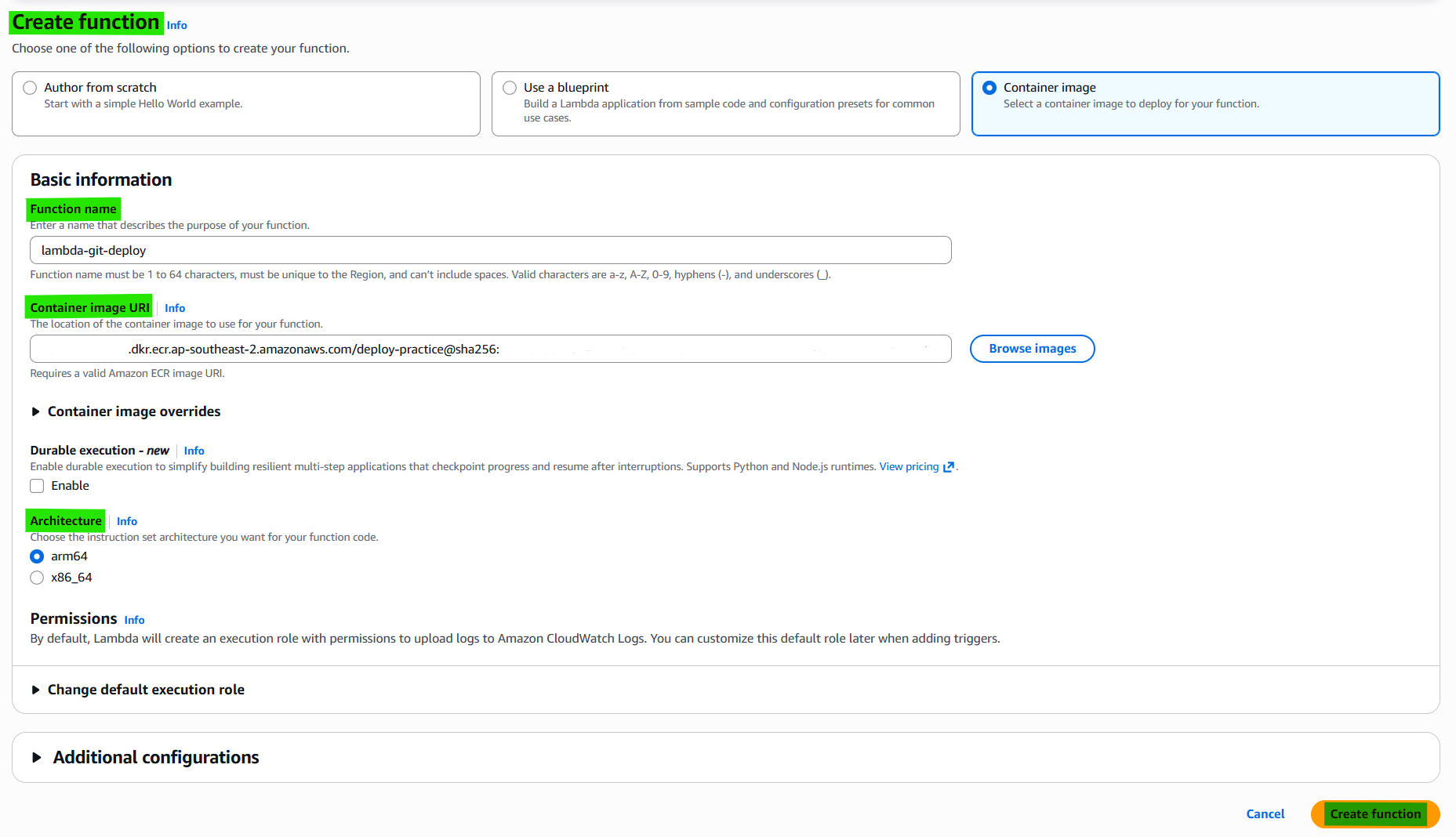
Permissions policy “AWSLambdaBasicExecutionRole” on IAM
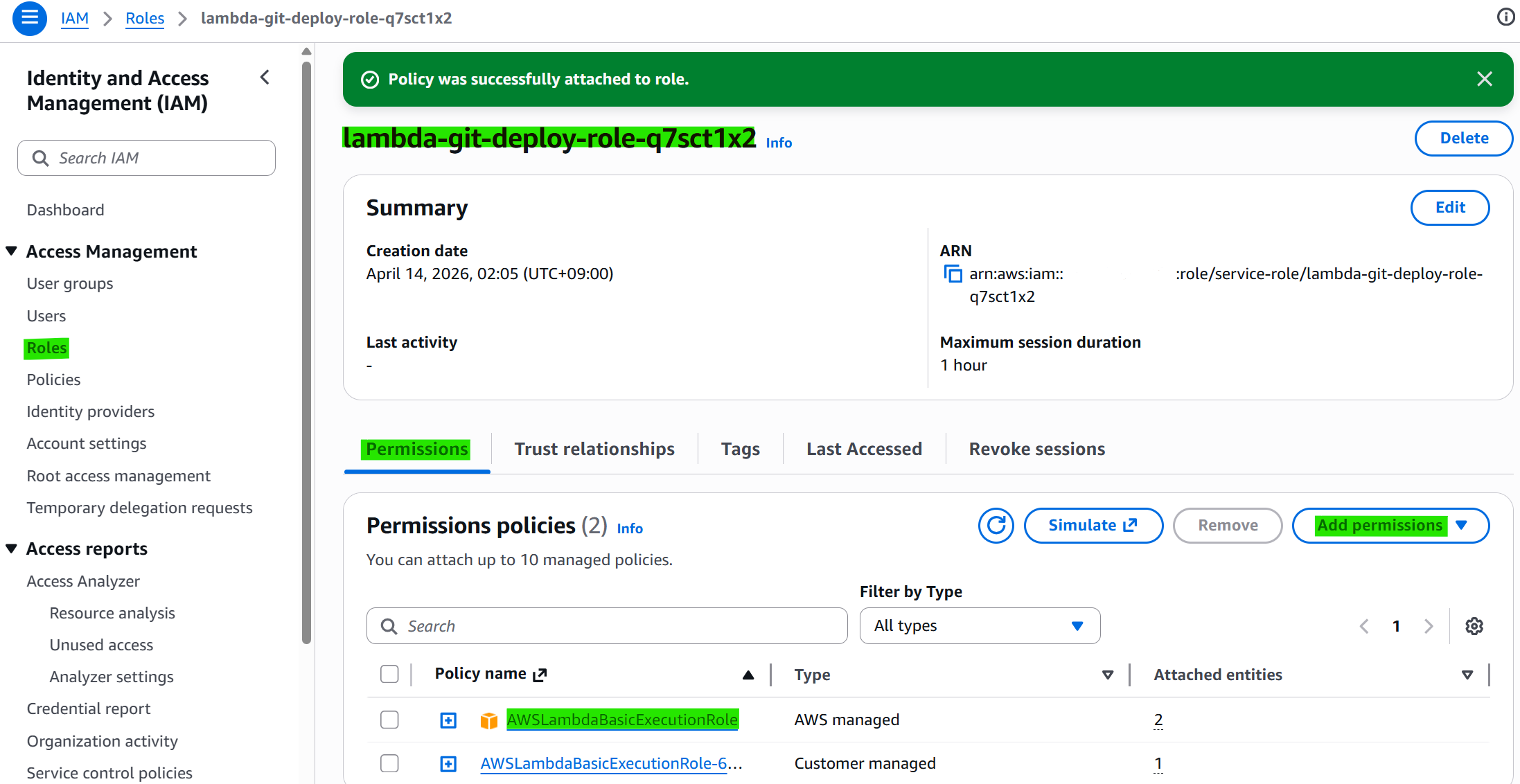
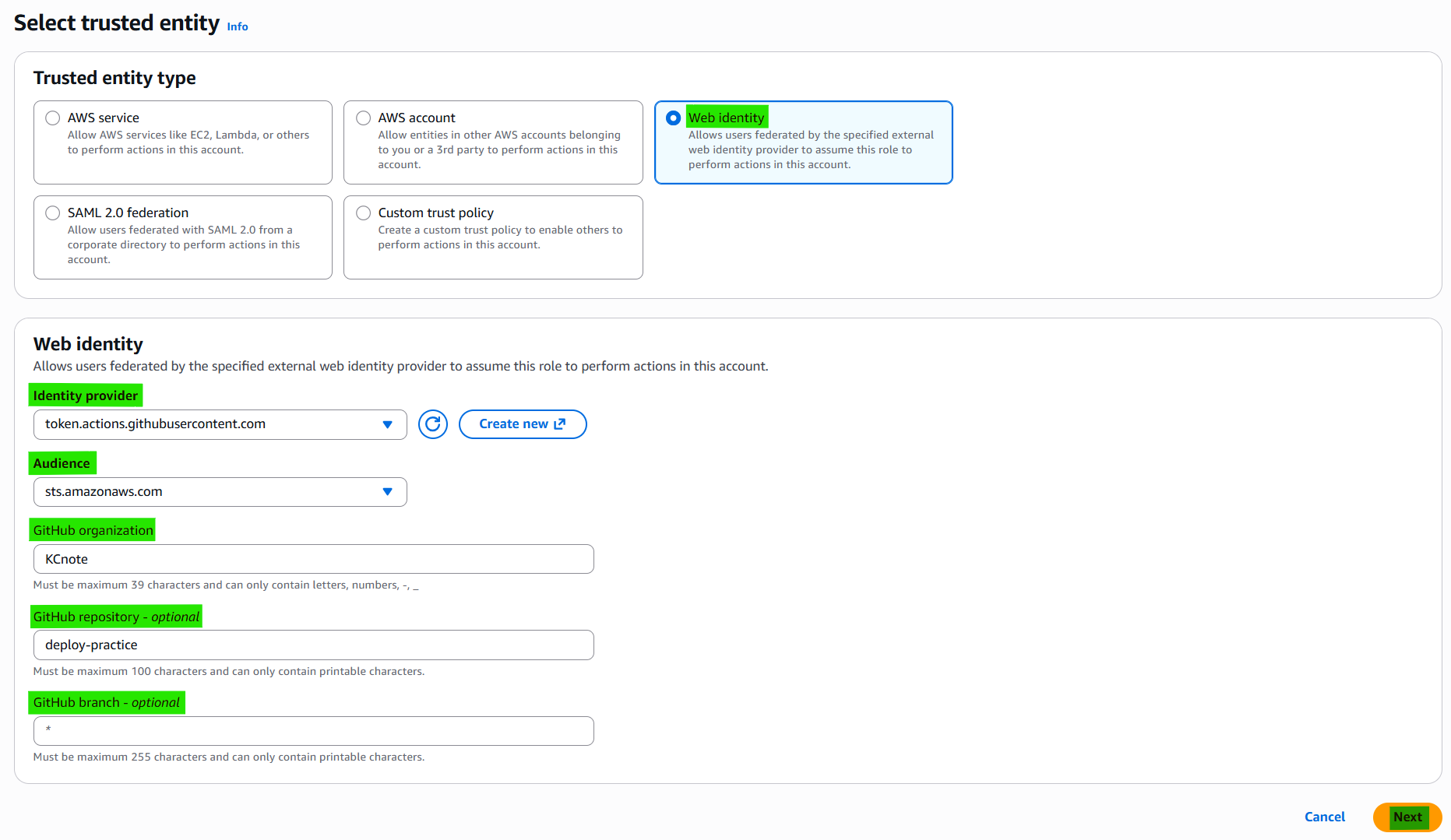
Step 4 — For Github Action, Create OIDC Provider on IAM
Connect specific git address
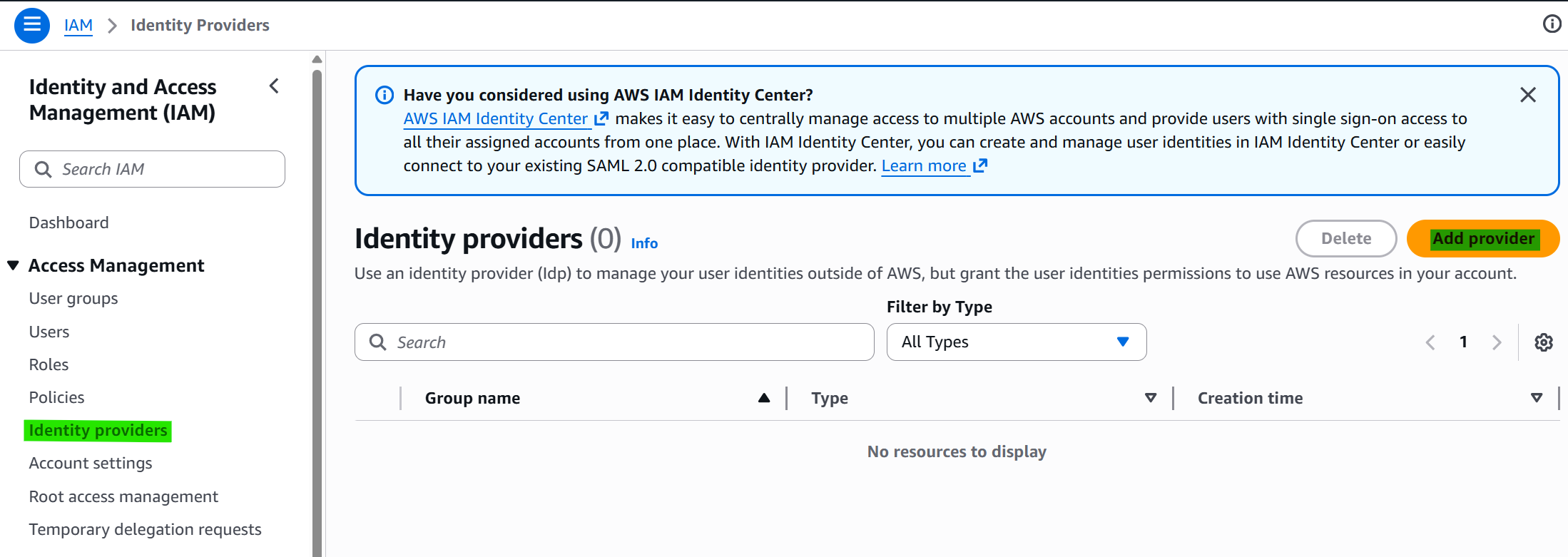
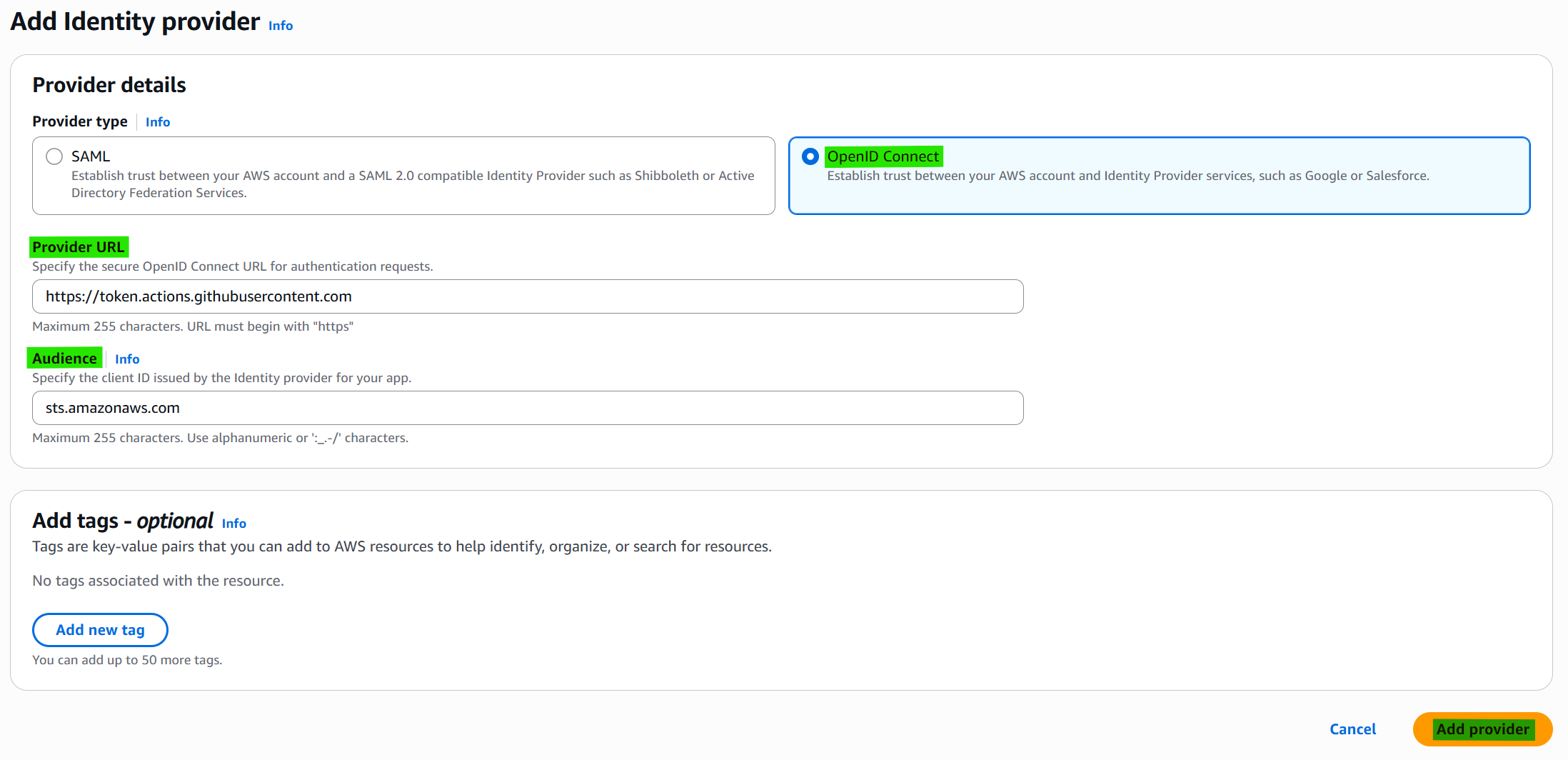
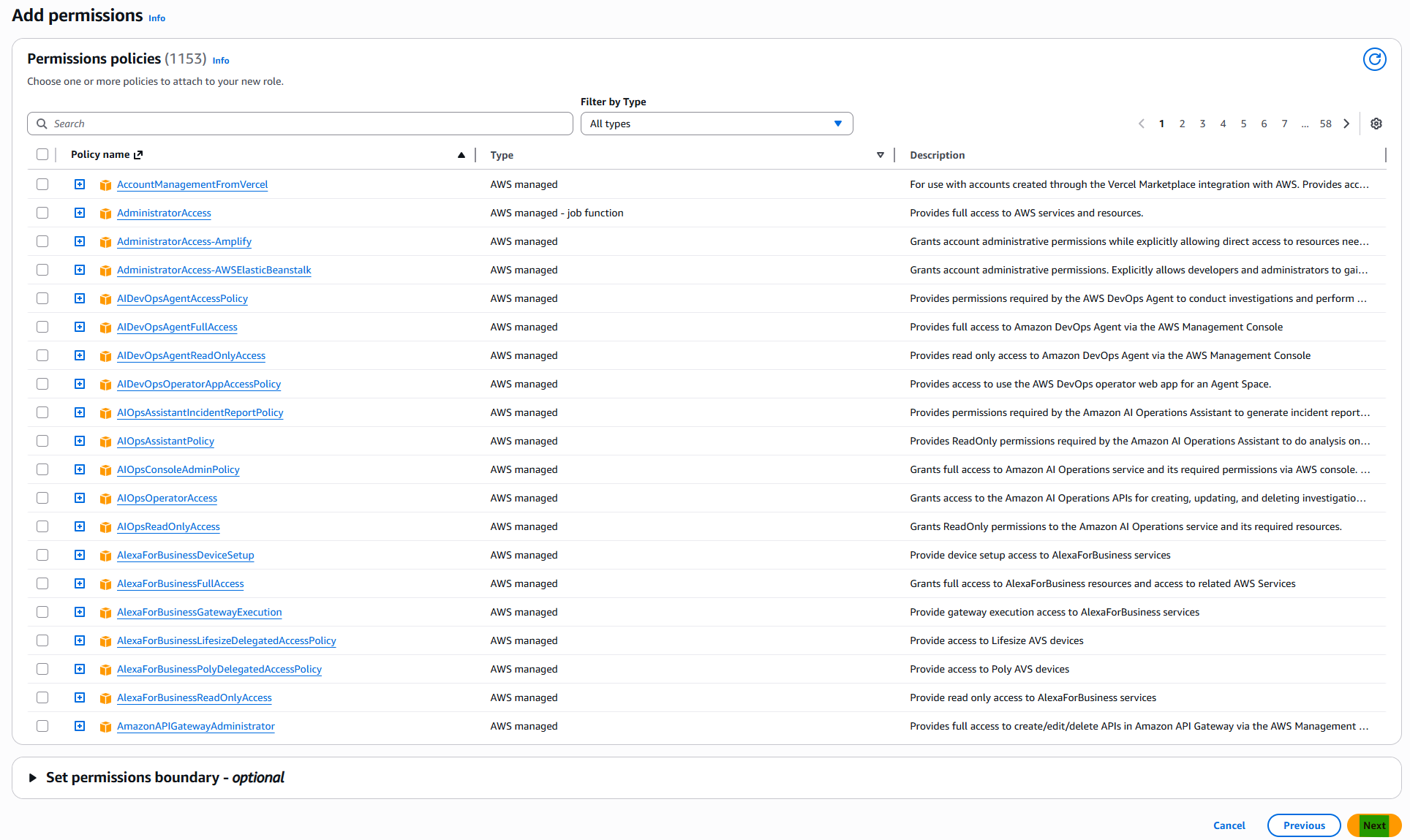
Add role
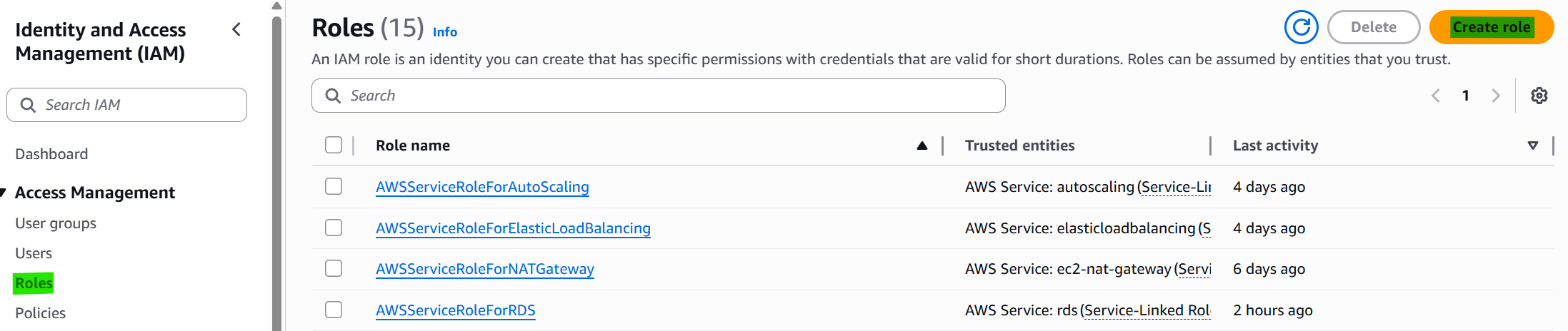
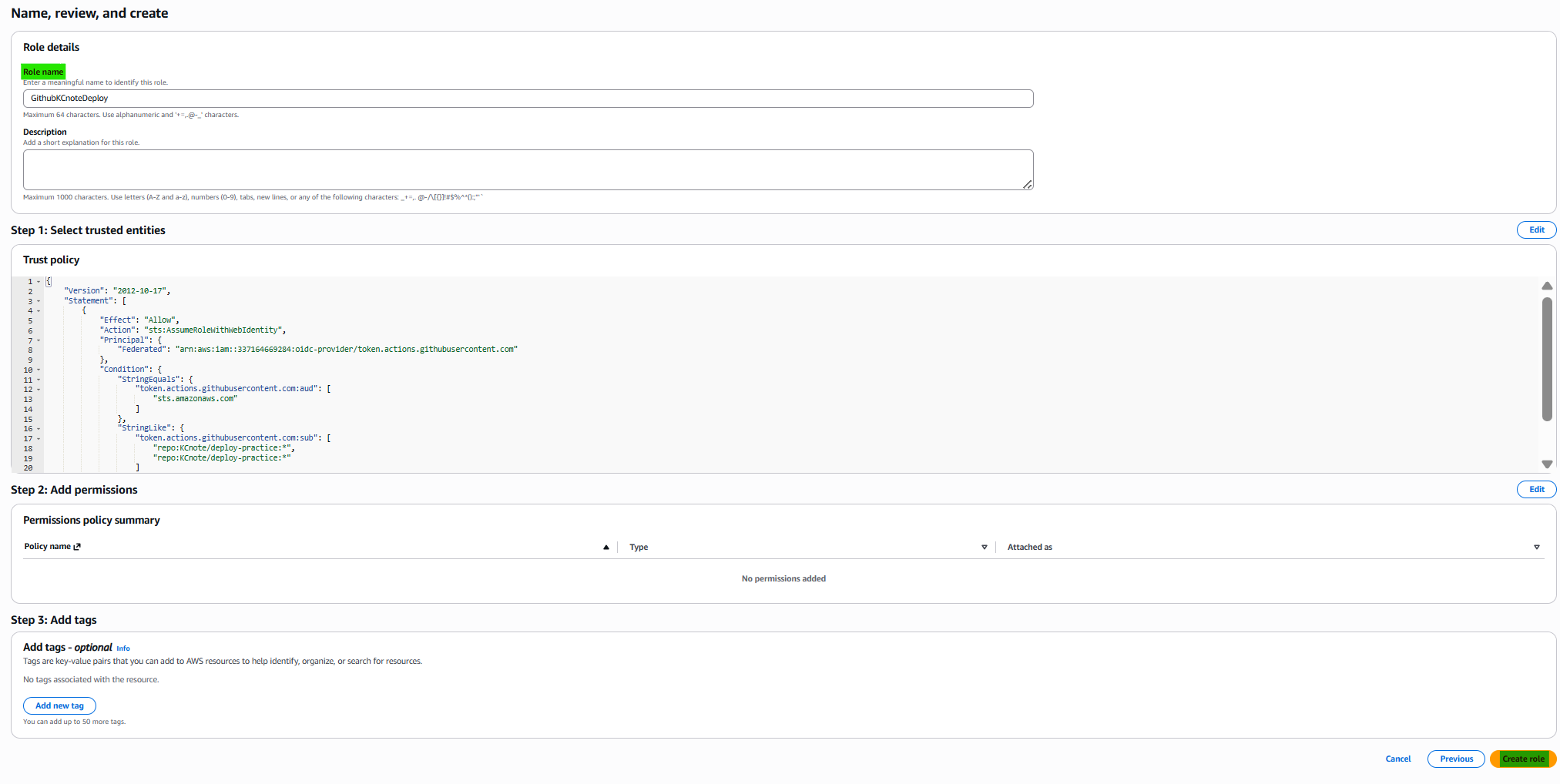
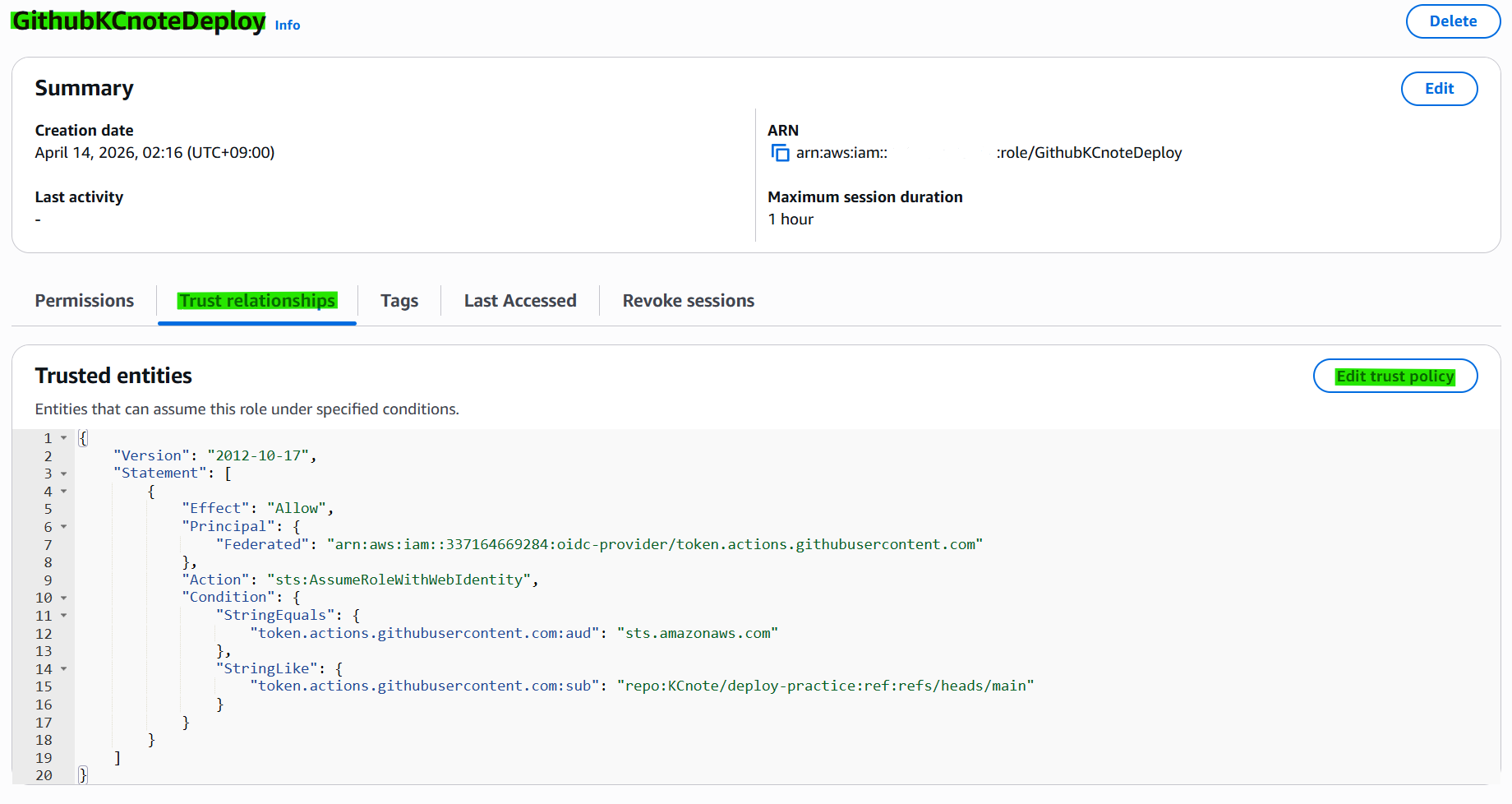
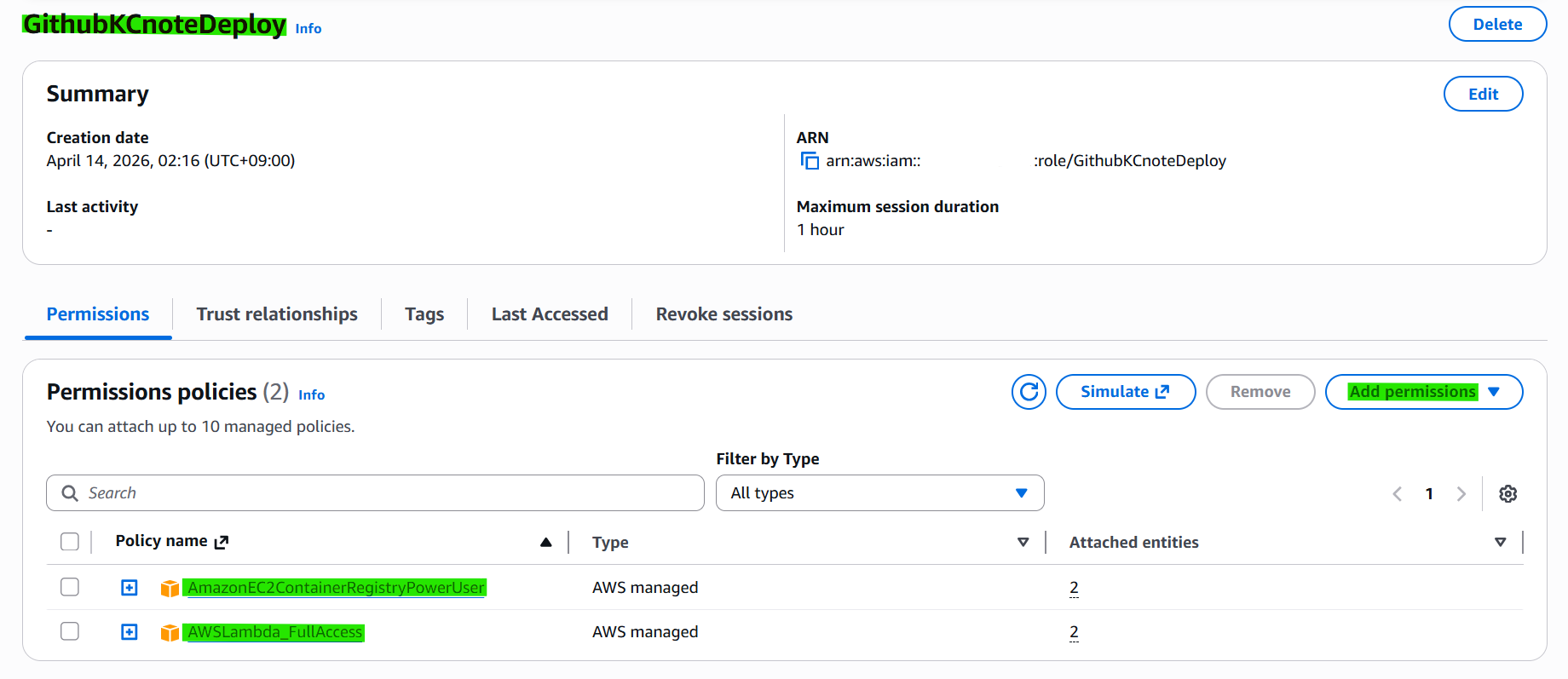
Trust relationship
1
2
3
4
5
6
7
8
9
10
11
12
13
14
15
16
17
18
19
20
{
    "Version": "2012-10-17",
    "Statement": [
        {
            "Effect": "Allow",
            "Principal": {
                "Federated": "arn:aws:iam::337164669284:oidc-provider/token.actions.githubusercontent.com"
            },
            "Action": "sts:AssumeRoleWithWebIdentity",
            "Condition": {
                "StringEquals": {
                    "token.actions.githubusercontent.com:aud": "sts.amazonaws.com"
                },
                "StringLike": {
                    "token.actions.githubusercontent.com:sub": "repo:KCnote/deploy-practice:ref:refs/heads/main"
                }
            }
        }
    ]
}
Policy
1
2
+ AmazonEC2ContainerRegistryPowerUser
+ AWSLambda_FullAccess
Step 5 — Create GitHub Action yml
1
.github/workflows/aws-docker.yml
1
2
3
4
5
6
7
8
9
10
11
12
13
14
15
16
17
18
19
20
21
22
23
24
25
26
27
28
29
30
31
32
33
34
35
36
37
38
39
40
41
42
43
44
45
46
47
48
49
50
51
52
53
54
name: Build and Deploy Lambda Container Image

on:
  push:
    branches:
      - main

permissions:
  id-token: write
  contents: read

env:
  AWS_REGION: ap-southeast-2
  ECR_REPOSITORY: deploy-practice
  LAMBDA_FUNCTION_NAME: deploy-practice-lambda

jobs:
  deploy:
    runs-on: ubuntu-latest

    steps:
      - name: Checkout source
        uses: actions/checkout@v4

      - name: Configure AWS credentials
        uses: aws-actions/configure-aws-credentials@v4
        with:
          role-to-assume: #{Role.ARN}
          aws-region: $

      - name: Login to Amazon ECR
        id: login-ecr
        uses: aws-actions/amazon-ecr-login@v2

      - name: Build, tag, and push image
        env:
          REGISTRY: $
          IMAGE_TAG: $
        run: |
          IMAGE_URI=$REGISTRY/$ECR_REPOSITORY:$IMAGE_TAG
          docker build -t $IMAGE_URI .
          docker push $IMAGE_URI
          echo "IMAGE_URI=$IMAGE_URI" >> $GITHUB_ENV

      - name: Update Lambda function
        run: |
          aws lambda update-function-code \
            --function-name $LAMBDA_FUNCTION_NAME \
            --image-uri $IMAGE_URI

#AWS_REGION: ap-southeast-2
#ECR_REPOSITORY: deploy/docker
#LAMBDA_FUNCTION_NAME: lambda-git-deploy
#role-to-assume: {Role.ARN}
Step 6 — Git Push
1
2
3
4
git status
git add .
git commit -m "aws project deploy"
git push

ECR Status after push

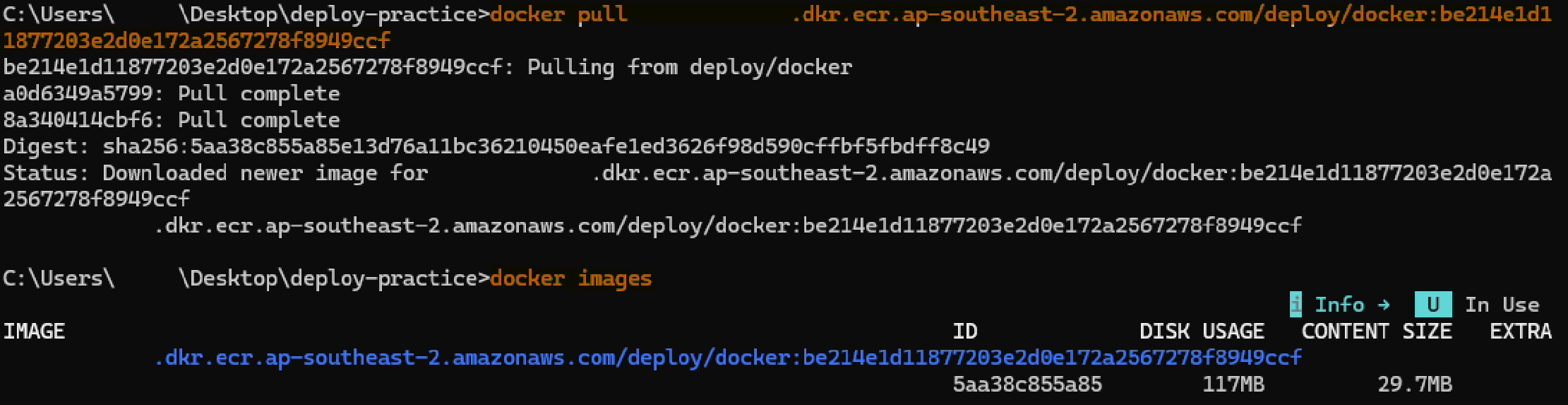
Step 7 — Pull image from ECR
This post is licensed under CC BY 4.0 by the author.