19. How to bring data from S3 to EC2
How to bring data from S3 to EC2
Prerequisites
1
- CMake
1. From S3 to EC2
Amazon S3 and EC2 have a complementary relationship in AWS architecture. S3 is designed as an object storage service, meaning it is responsible for storing files such as images, videos, logs, and datasets with very high durability and scalability. On the other hand, EC2 is a compute service that runs applications, processes data, and performs actual logic. Because S3 does not provide computation capabilities, any operation on stored data must be performed by a compute service like EC2.
In practice, this means that applications running on EC2 typically retrieve data from S3, load it into memory or local storage, and then process it. For example, an EC2 instance may download an image from S3, perform computer vision algorithms in C++, and then optionally upload the processed result back to S3. This separation of storage and computation makes systems more flexible and scalable, since data can be stored independently of the computing resources that process it.
Another important aspect of their relationship is security and access control. EC2 instances are usually granted permission to access S3 through IAM roles, allowing secure and controlled interactions without embedding credentials in code. This enables automated, secure communication between services.
Overall, S3 and EC2 work together as a fundamental pattern in cloud architecture: S3 provides reliable and scalable storage, while EC2 provides the computational power to use and process that data.
1-1. Step 1. Create EC2 / S3
How to create EC2: https://kcnote.github.io/posts/AWS-03-EC2/
How to create S3: https://kcnote.github.io/posts/AWS-18-S3/
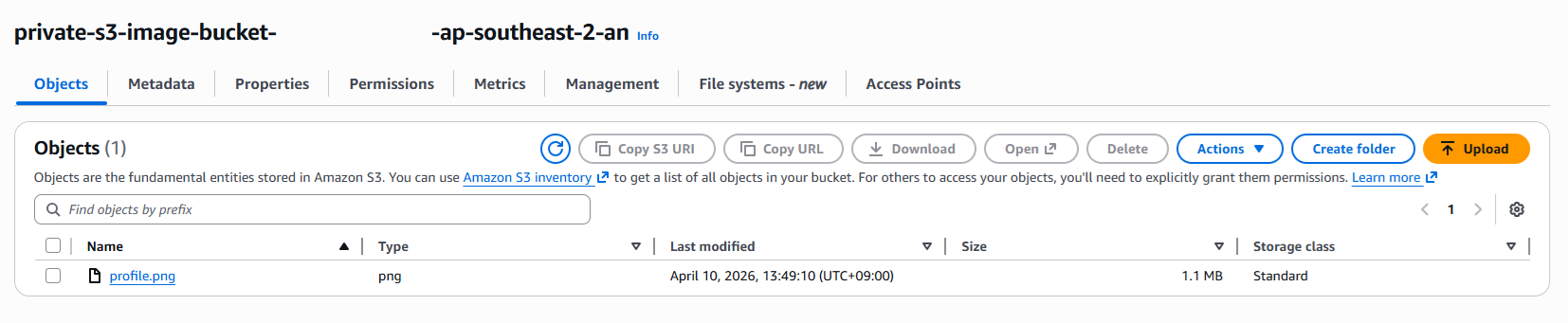
1-2. Step 2. Upload data to S3
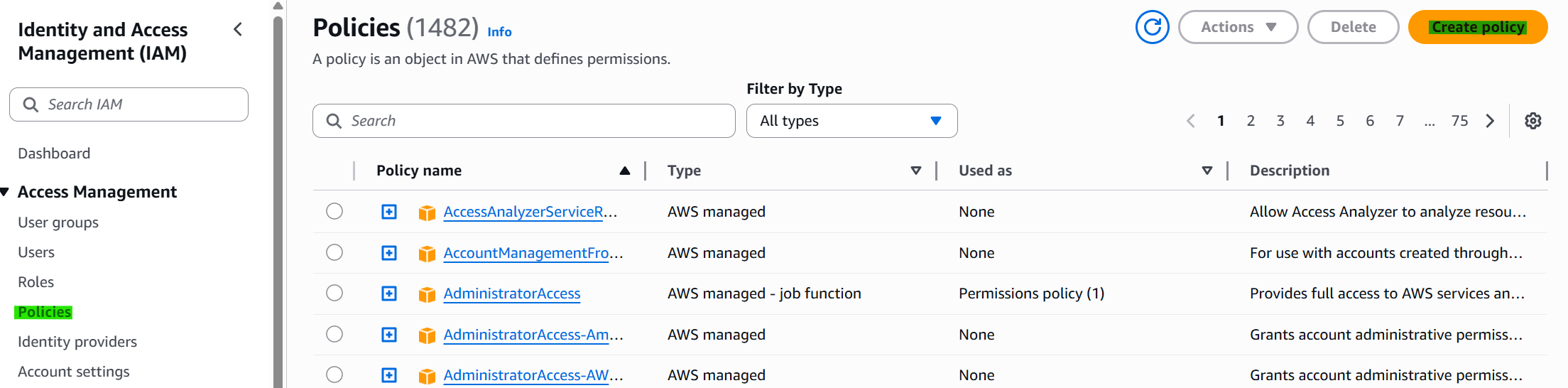
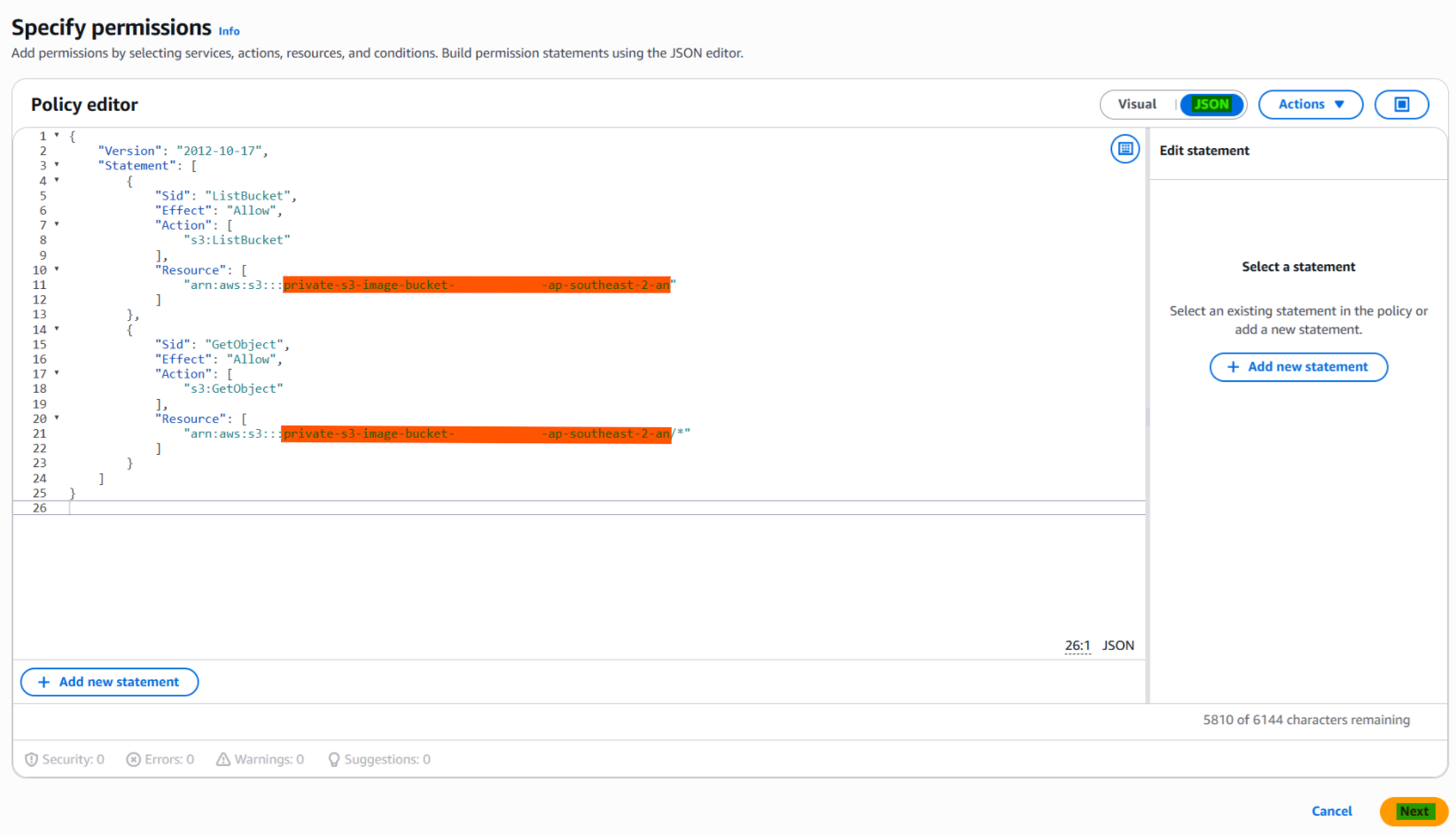
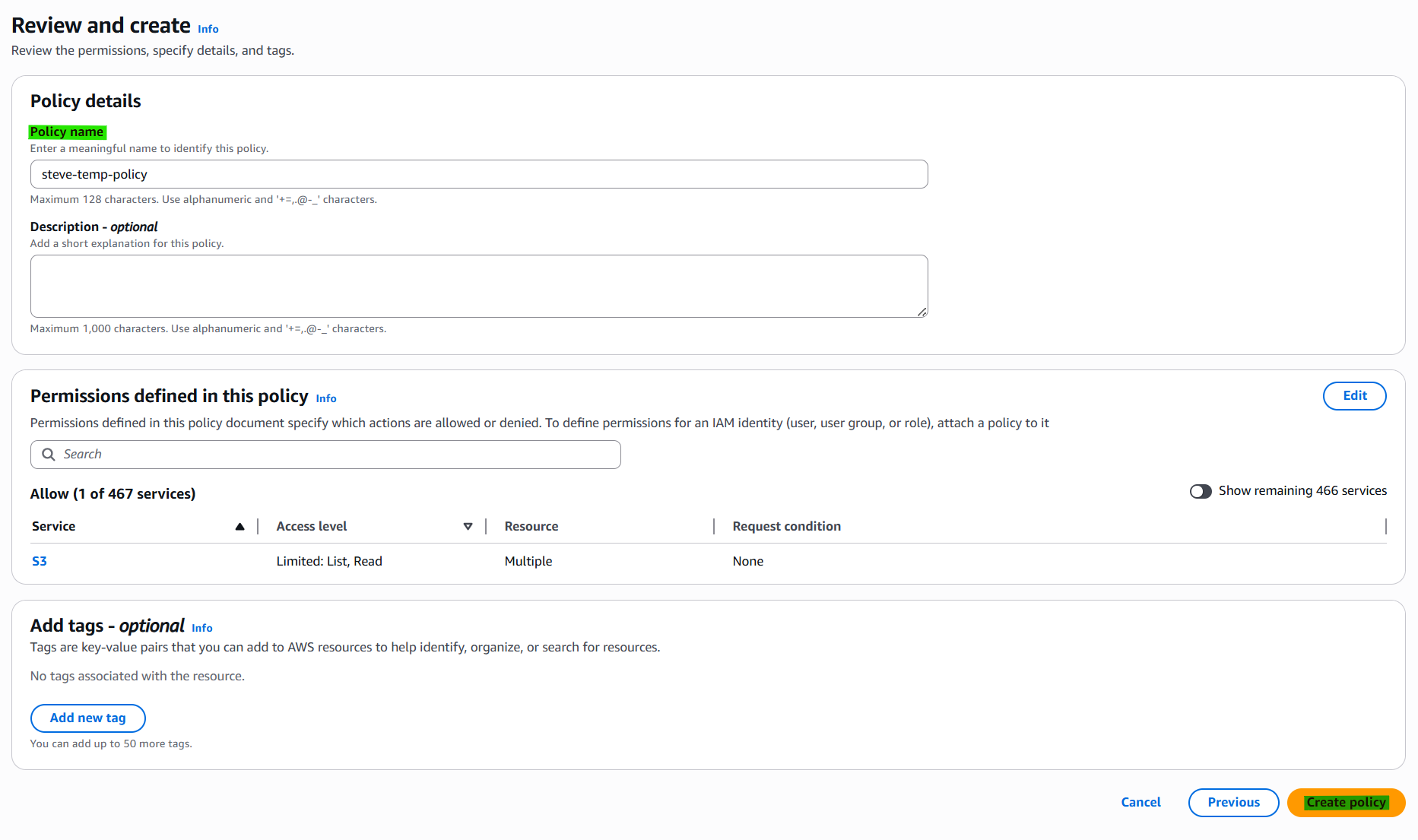
1-3. Step 3. Create Policy on IAM
1-4. Step 4. Create Roles on IAM
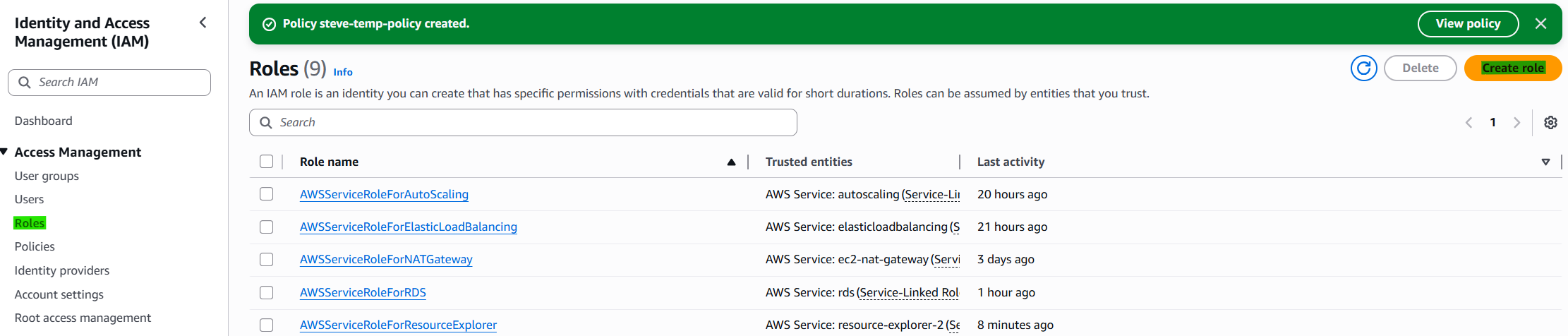
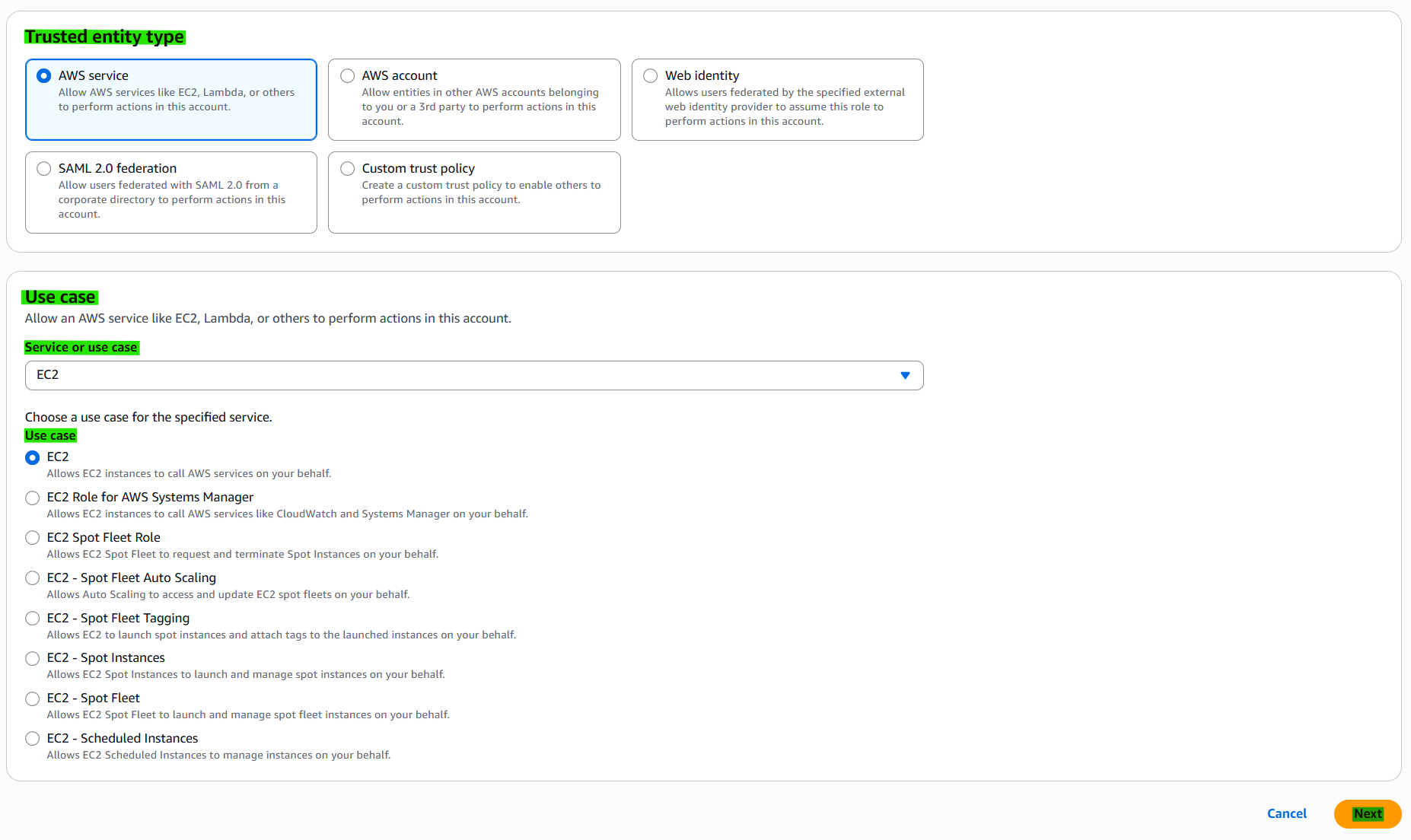
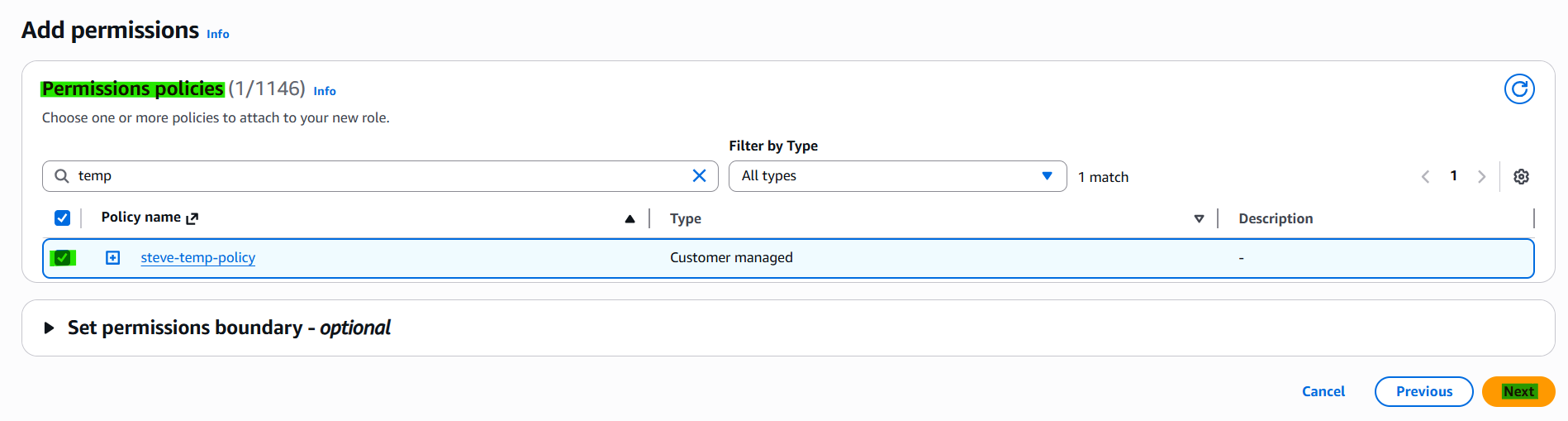
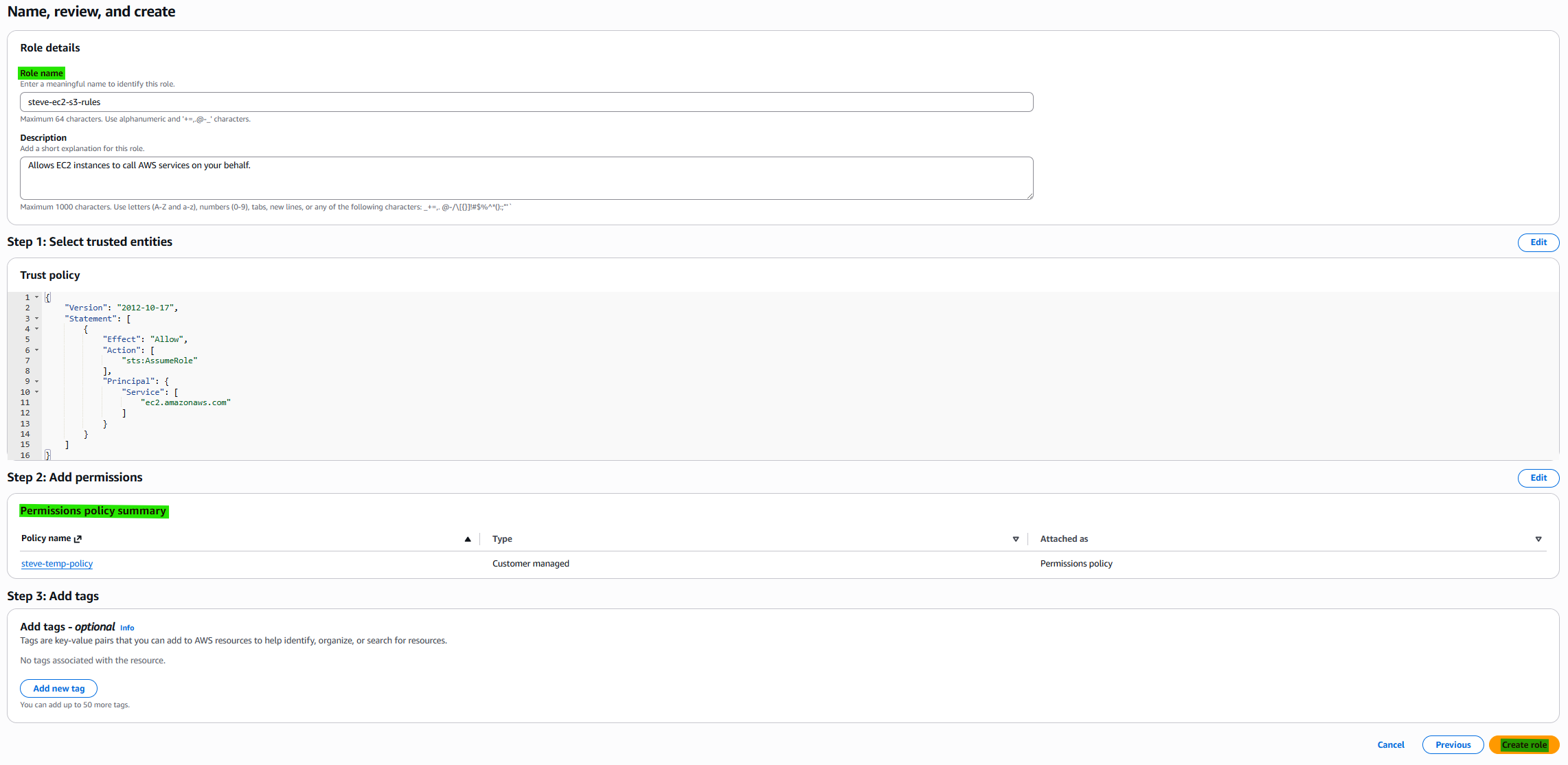
1-5. Step 5. Apply IAM roles to EC2 Instance


1-6. Step 6. Connect EC2 Instance
1. Check allowance of connection between aws s3 and ec2
1
2
3
4
5
6
7
8
curl "https://awscli.amazonaws.com/awscli-exe-linux-x86_64.zip" -o "awscliv2.zip"
sudo apt update
sudo apt install unzip -y
unzip awscliv2.zip
sudo ./aws/install
aws --version

aws s3 ls s3://{S3_BUCKET_NAME}

2. Install CMake
1
sudo apt install -y build-essential cmake
3. Hierarchy of program on EC2
1
2
3
4
5
6
s3_image_test/
├─ CMakeLists.txt
├─ src/
│  └─ main.cpp
└─ external/
   └─ stb_image.h
1
2
3
4
5
6
7
8
9
10
11
12
13
14
15
mkdir s3_image_test
cd s3_image_test
mkdir src external build

aws s3 cp s3://private-s3-image-bucket-{S3_BUCKET_NAME}-ap-southeast-2-an/profile.png .

nano src/main.cpp
--- ENTER main.cpp --- / Ctrl+O, Enter, Ctrl+X

nano CMakeLists.txt
--- ENTER CMakeLists.txt --- / Ctrl+O, Enter, Ctrl+X

cd external
curl -L https://raw.githubusercontent.com/nothings/stb/master/stb_image.h -o stb_image.h
cd ..
1
2
3
cmake -S . -B build
cmake --build build -j
./build/s3_image_test
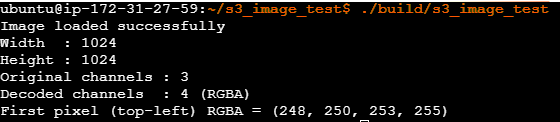
4. View Image on EC2 Ubuntu
1
2
sudo apt install fim
fim profile.png
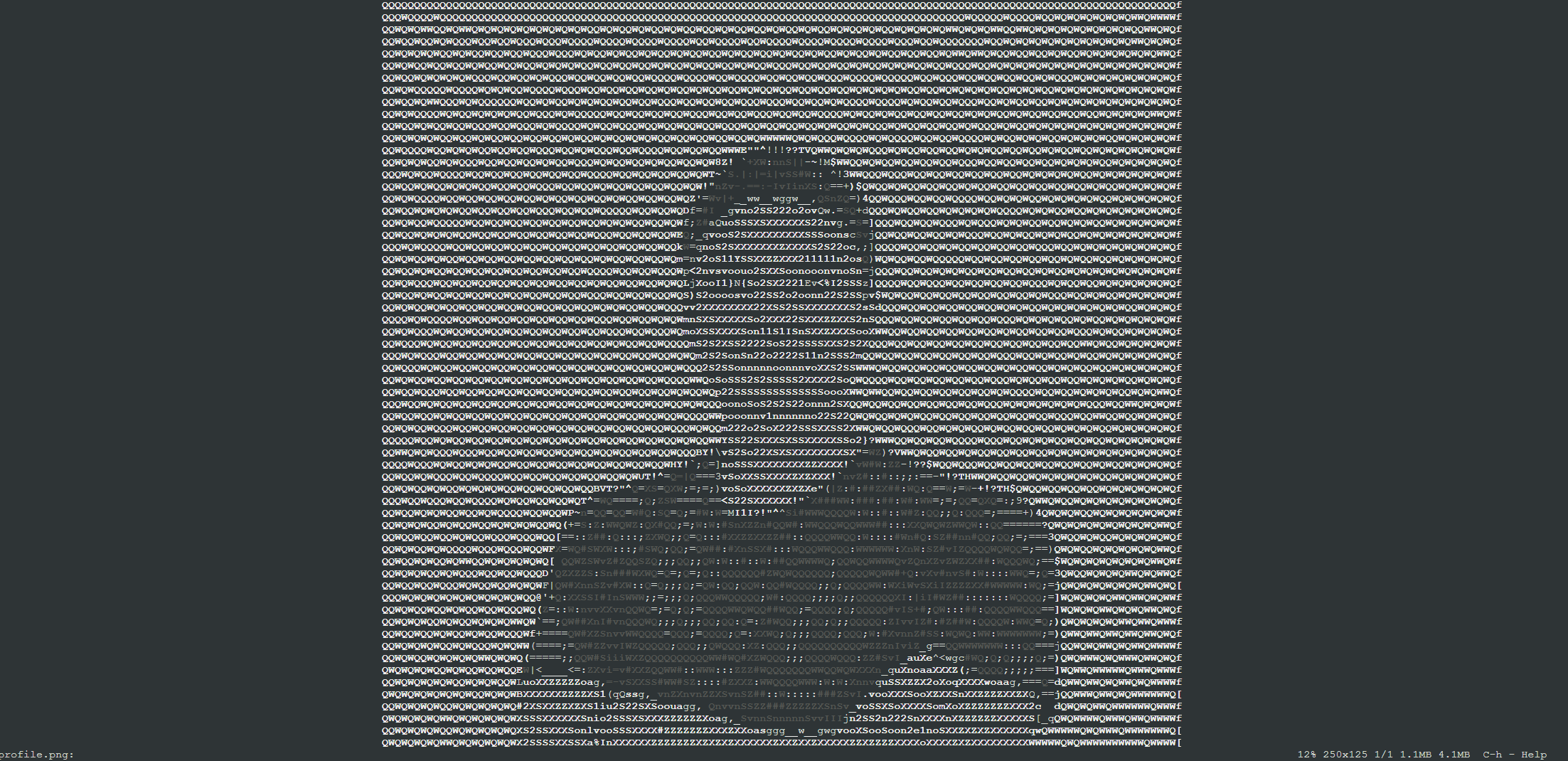
2. Source files
1
2
3
4
5
6
7
8
9
10
11
12
13
14
15
16
17
18
19
20
21
22
23
24
25
26
27
28
29
30
31
32
33
34
35
36
37
38
39
40
41
#include <iostream>

#define STB_IMAGE_IMPLEMENTATION
#include "../external/stb_image.h"

int main()
{
    const char* filename = "profile.png";

    int width = 0;
    int height = 0;
    int channels = 0;

    // force RGBA output
    unsigned char* imageData = stbi_load(filename, &width, &height, &channels, 4);
    if (!imageData)
    {
        std::cerr << "Failed to load image: " << stbi_failure_reason() << "\n";
        return 1;
    }

    std::cout << "Image loaded successfully\n";
    std::cout << "Width  : " << width << "\n";
    std::cout << "Height : " << height << "\n";
    std::cout << "Original channels : " << channels << "\n";
    std::cout << "Decoded channels  : 4 (RGBA)\n";

    const unsigned char r = imageData[0];
    const unsigned char g = imageData[1];
    const unsigned char b = imageData[2];
    const unsigned char a = imageData[3];

    std::cout << "First pixel (top-left) RGBA = ("
              << static_cast<int>(r) << ", "
              << static_cast<int>(g) << ", "
              << static_cast<int>(b) << ", "
              << static_cast<int>(a) << ")\n";

    stbi_image_free(imageData);
    return 0;
}
1
2
3
4
5
6
7
8
9
10
11
12
13
cmake_minimum_required(VERSION 3.16)
project(s3_image_test LANGUAGES CXX)

set(CMAKE_CXX_STANDARD 17)
set(CMAKE_CXX_STANDARD_REQUIRED ON)

add_executable(s3_image_test
    src/main.cpp
)

target_include_directories(s3_image_test PRIVATE
    ${CMAKE_CURRENT_SOURCE_DIR}/external
)