18. S3
18. S3
S3 (Amazon Simple Storage Service)
Prerequisites
1. S3
Amazon S3 (Simple Storage Service) is an object storage service that provides:
- High durability (99.999999999%)
- Scalability (virtually unlimited)
- High availability
- Simple API-based access
👉 In short:
S3 is a storage for files (objects), not servers
1-1. Bucket
- Container for storing objects
- Must have globally unique name
👉 Example:
1
2
my-app-images
my-backup-data
1-2. Object
- Actual data stored in S3
Consists of:
- File (data)
- Key (path)
- Metadata
👉 Example:
1
Key: images/profile.png
1-3. Key (Path)
S3 doesn’t have real folders 👉 it uses key as virtual path
1
2
3
bucket
 └── images/
      └── profile.png
👉 Actually:
1
images/profile.png
1-4. Important Characteristics
Durability
- 99.999999999% (11 nines)
Scalability
- Unlimited storage
No server management
👉 No EC2 required
2. How to work S3
1
2
3
4
5
6
7
Client (App / Browser)
        ↓
      Internet
        ↓
      S3 Bucket
        ↓
    Object Storage
- Upload file → S3
- S3 stores as object
Access via:
- URL
- SDK (C++, Python, etc.)
1
2
3
4
5
6
7
EC2 / Backend
    ↓
 Download from S3
    ↓
 Load into Memory
    ↓
 Process
2-1. Security
IAM Policy
- Controls access via AWS IAM
Bucket Policy
- Controls public/private access
ACL (Legacy)
- Old method (not recommended)
2-2. Real Use Cases
Static Website Hosting
- HTML / CSS / JS hosting
- Often combined with CloudFront (CDN)
Image / Video Storage
- Profile images
- Media files
Backup & Logs
- DB backup
- Server logs
Data Pipeline
- Used with Lambda / Athena
2-3. Storage Classes
| Class | Use Case |
|---|---|
| Standard | Frequently accessed |
| Intelligent-Tiering | Auto optimize cost |
| Standard-IA | Infrequent access |
| Glacier | Archive |
| Glacier Deep Archive | Long-term backup |
3. How to create S3
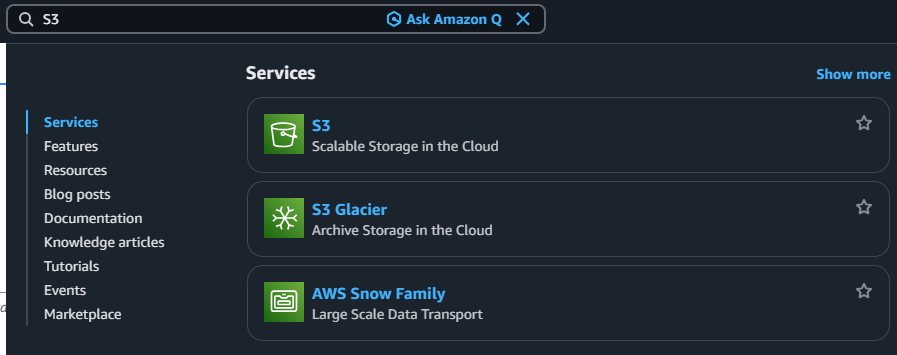
3-1. Search S3
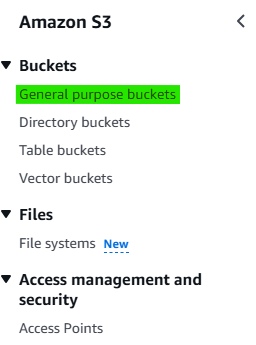
3-2. Click Navigation pane → “General purpose buckets”
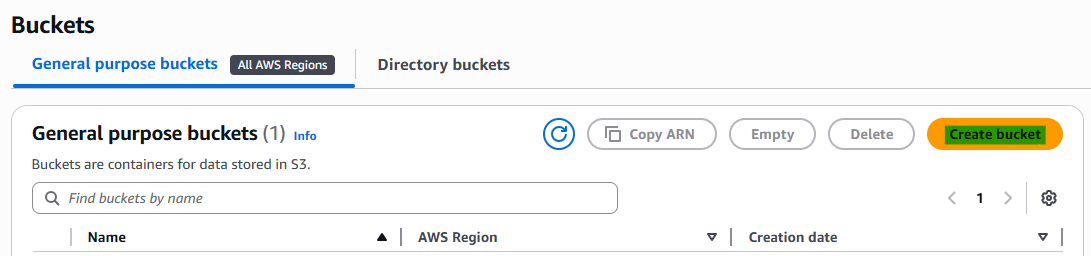
3-3. Click Button → “Create bucket”
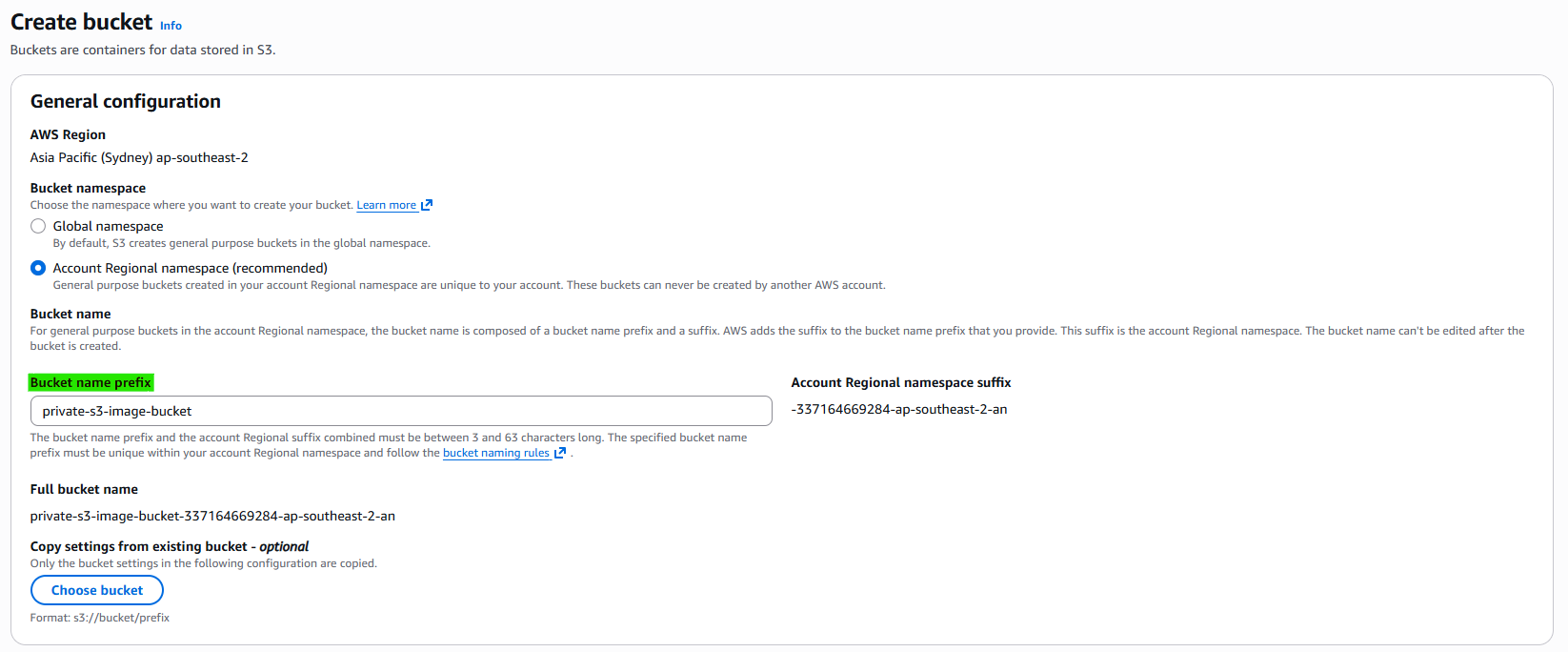
3-4. Step 1. General Configuration
3-5. Step 2. Security
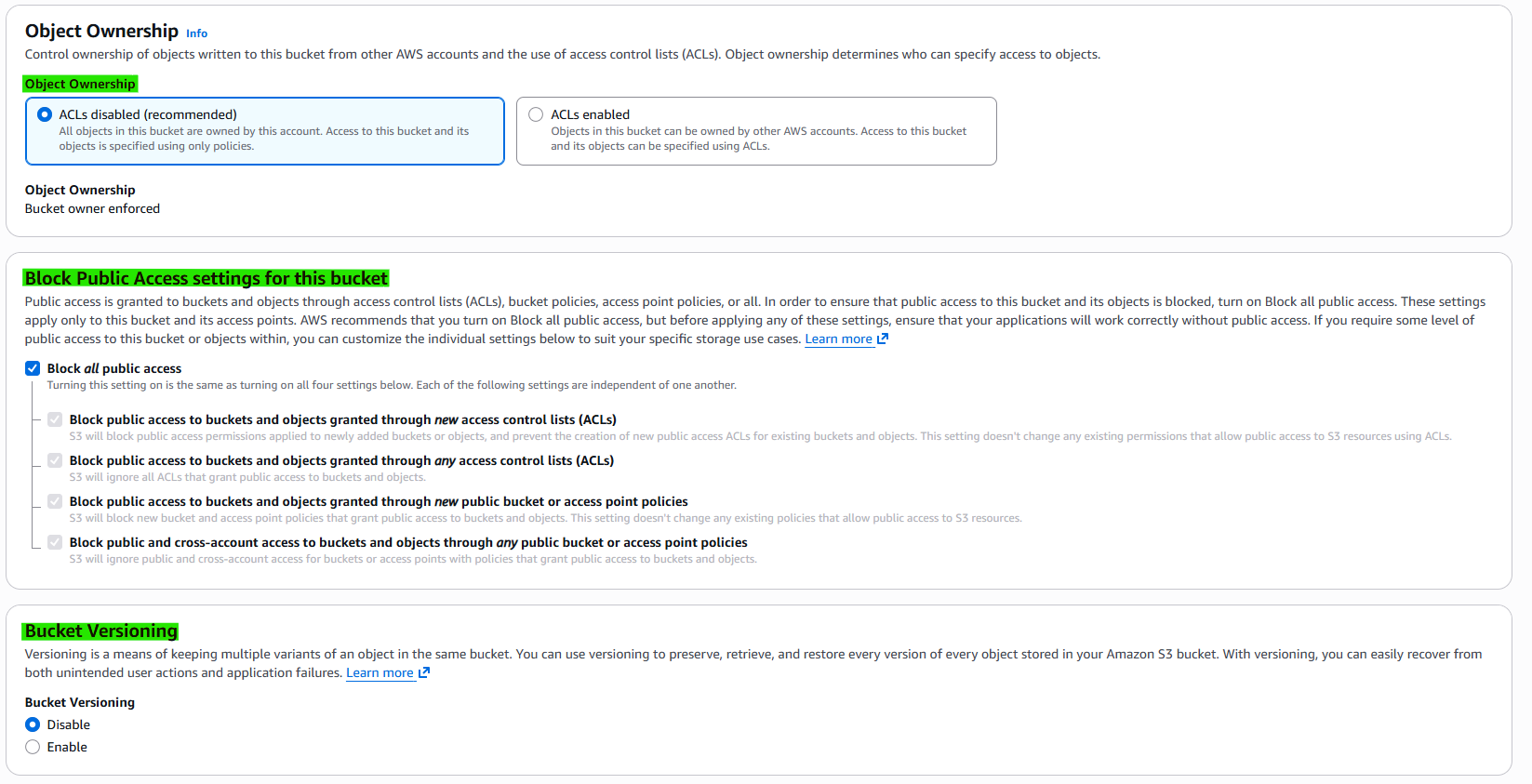
Object Ownership: Controls who owns objects in the bucket
- Options:
- Bucket owner enforced (Recommended) → ACLs disabled, bucket owner owns everything
- ACLs enabled → Object uploader can own objects
- Options:
Block Public Access: Prevents public access to bucket and objects
- Options:
- Block all public access (Recommended) → No public access allowed
- Options:
Bucket Versioning: Keeps multiple versions of the same object
- Options:
- Disable → Only latest version exists
- Enable → Stores all versions
- Options:
3-6. Step 3. Security
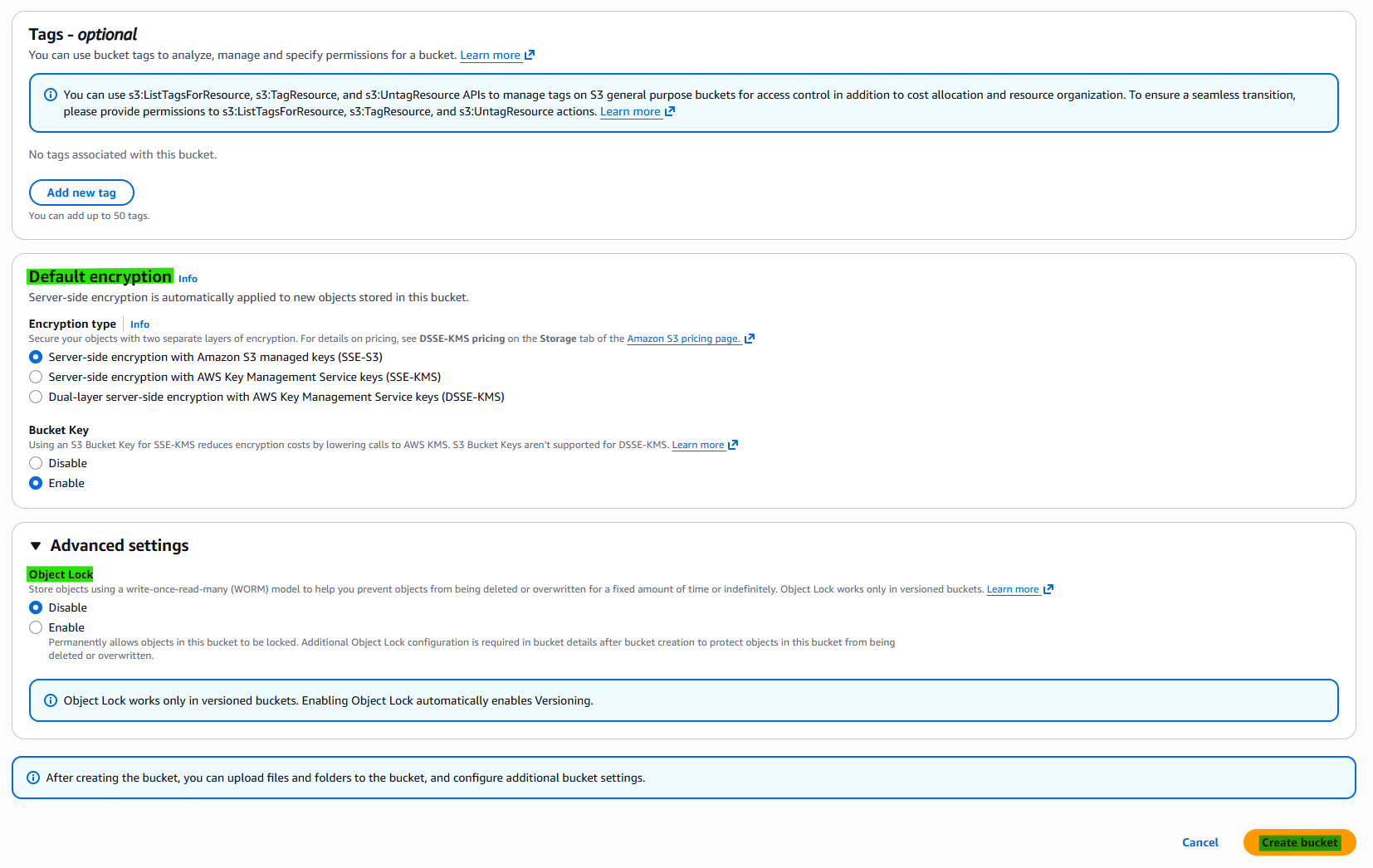
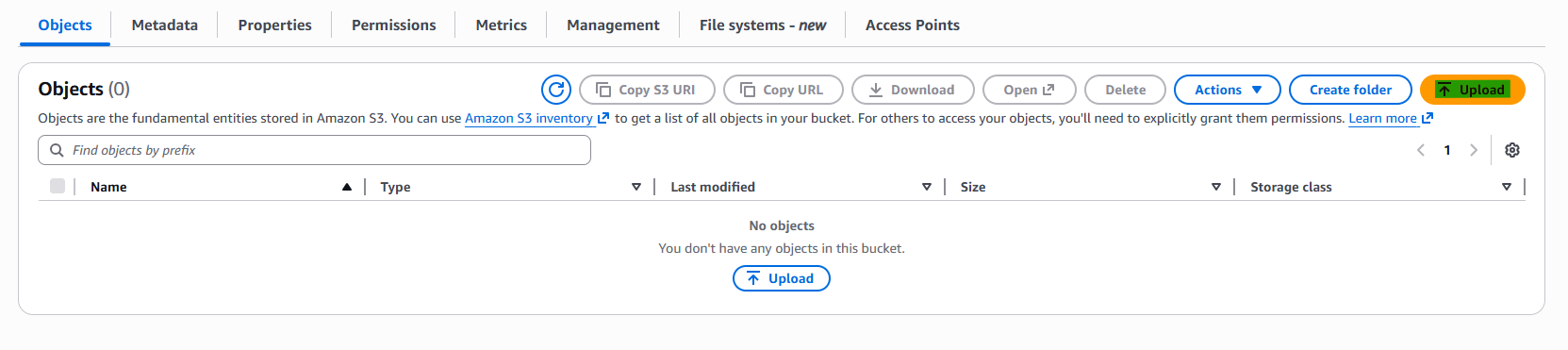
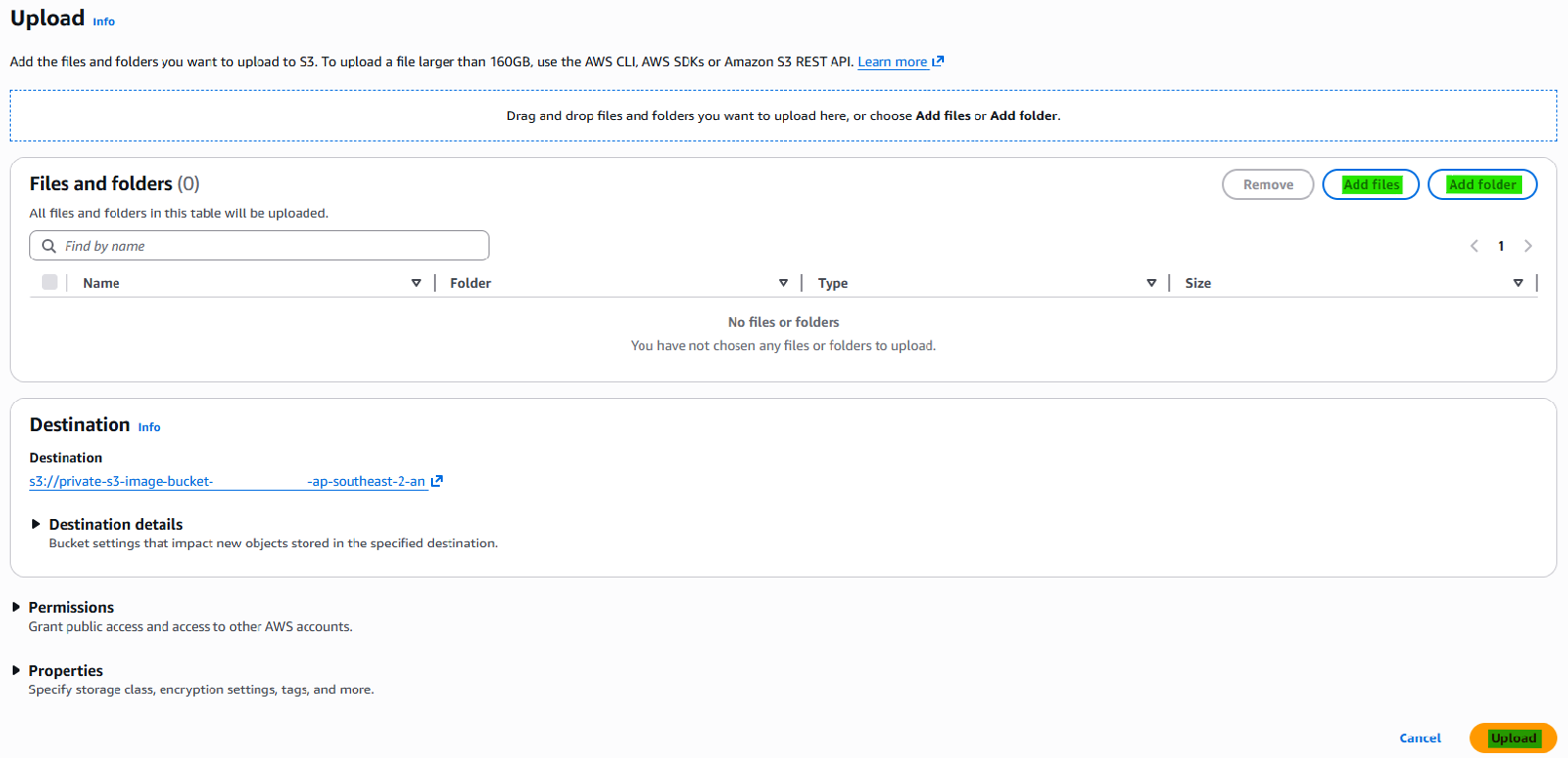
3-7. Upload Data
4. S3 vs EBS vs EFS
| Feature | S3 | EBS | EFS |
|---|---|---|---|
| Type | Object | Block | File |
| Attach to EC2 | ❌ | ✅ | ✅ |
| Access | HTTP | OS disk | Network FS |
| Use case | File storage | OS / DB | Shared storage |
This post is licensed under CC BY 4.0 by the author.