11. AMI
11. AMI
AMI
Prerequisites
1. AMI
Basic flow:
1
AMI → Launch EC2 → Running Instance
same as:
1
EC2 → Customize → Create AMI → Launch New EC2
AMI is a fundamental concept in EC2. It defines A template used to create EC2 instances
It includes:
- Operating System (Linux, Windows)
- Installed software
- Configuration settings
Without AMI:
- You must manually configure every server
- Setup takes time
- Hard to maintain consistency
With AMI:
- Launch identical servers instantly
- Reproduce environments easily
- Automate infrastructure
- A pre-configured image of a server
- Used to launch EC2 instances
1-1. Benefits
- Consistency
- Reliability
- Easy rollback
1-2. Relationship
Auto Scaling
- Launch multiple EC2 instances
- All created from the same AMI
👉 Result:
Identical environment across all instances
1-3. Cost Consideration
💰 Cost Consideration
AMI itself: Free But, EBS snapshots (storage cost 발생)
2. Components of AMI
2-1. Root Volume (EBS Snapshot)
- Contains OS and system files
- Backed by EBS snapshot
👉 Key idea:
AMI is essentially a snapshot of a disk
2-2. Launch Permissions
- Defines who can use the AMI
- Private / Public / Shared
2-3. Block Device Mapping
- Defines storage configuration
- EBS / Instance Store mapping
2-4. Type
AWS Managed AMI
- Provided by AWS
- Example: Amazon Linux
Marketplace AMI
- Provided by third-party vendors
Custom AMI
- Created by user
👉 Most important in real-world usage
3. How to create AMI
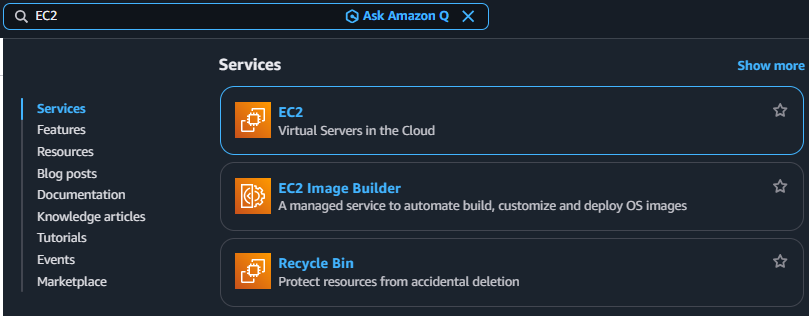
3-1. Search EC2
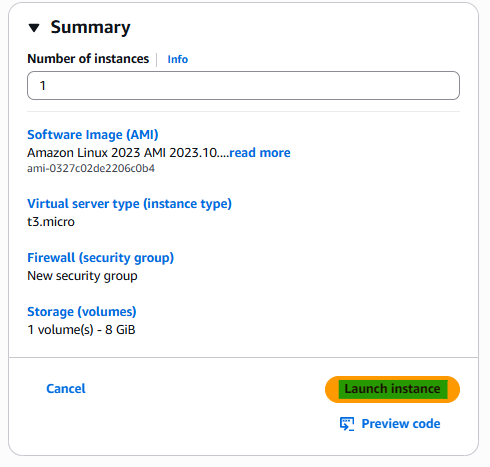
3-2. Create New EC2
How to create EC2
https://kcnote.github.io/posts/AWS-03-EC2/
3-3. Enter program in the EC2
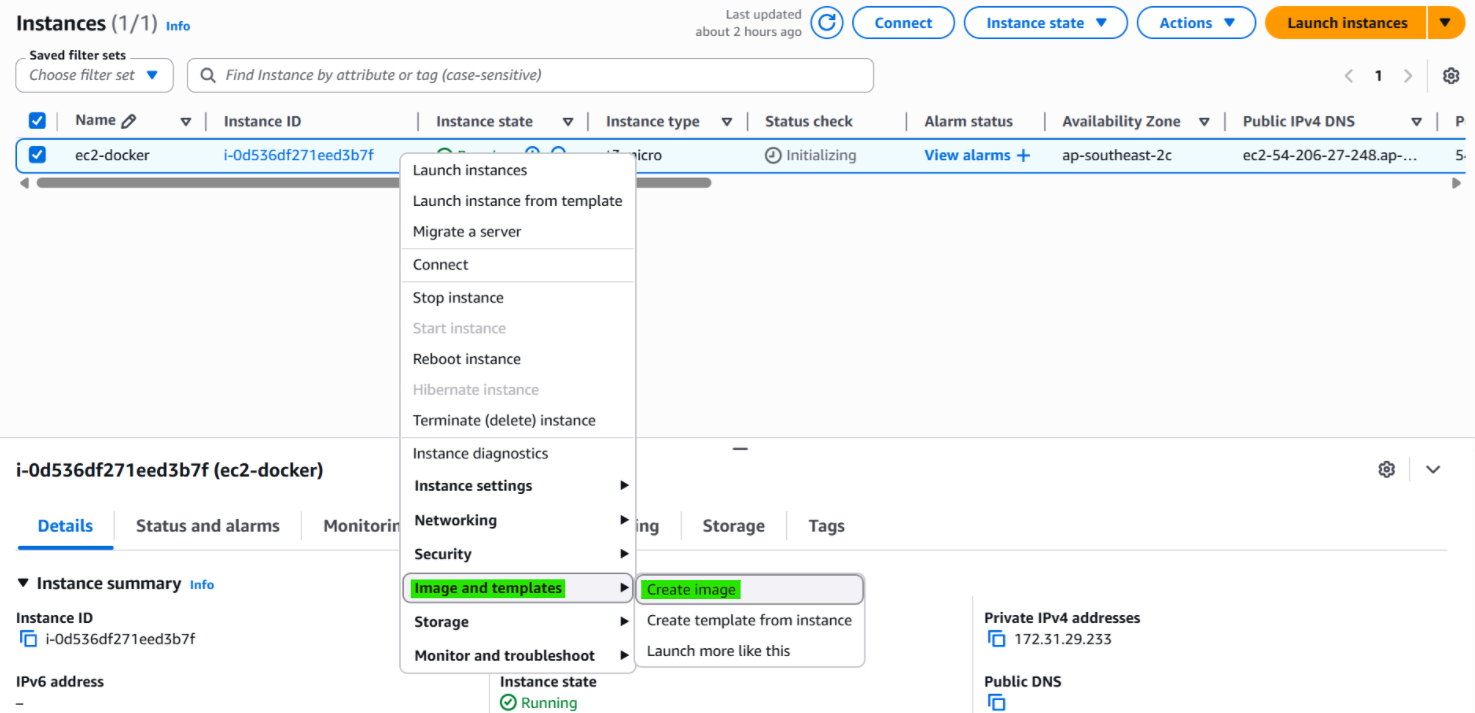

After that, the EC2 has docker program and load stevenote/deploy-test from docker hub
3-4. Step 1. Create Image
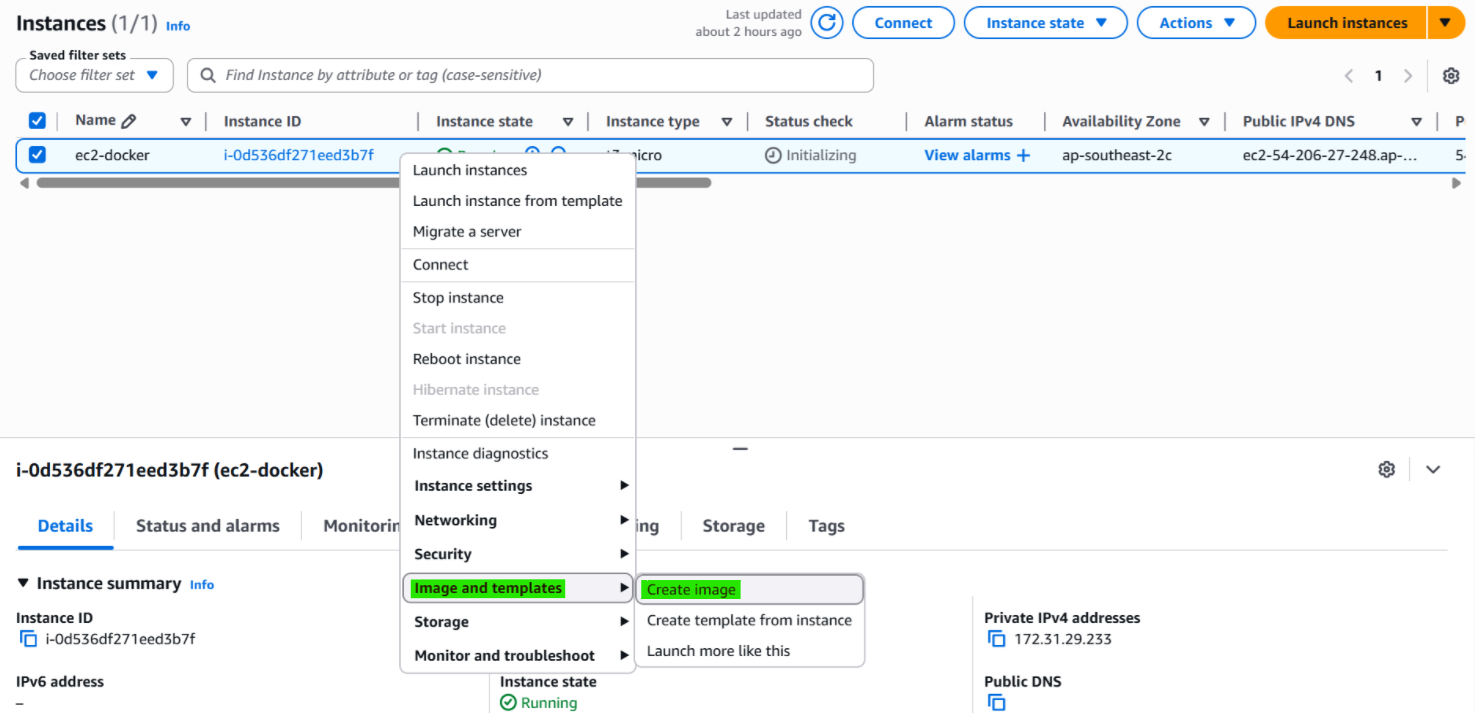
3-5. Step 2. Set Image details
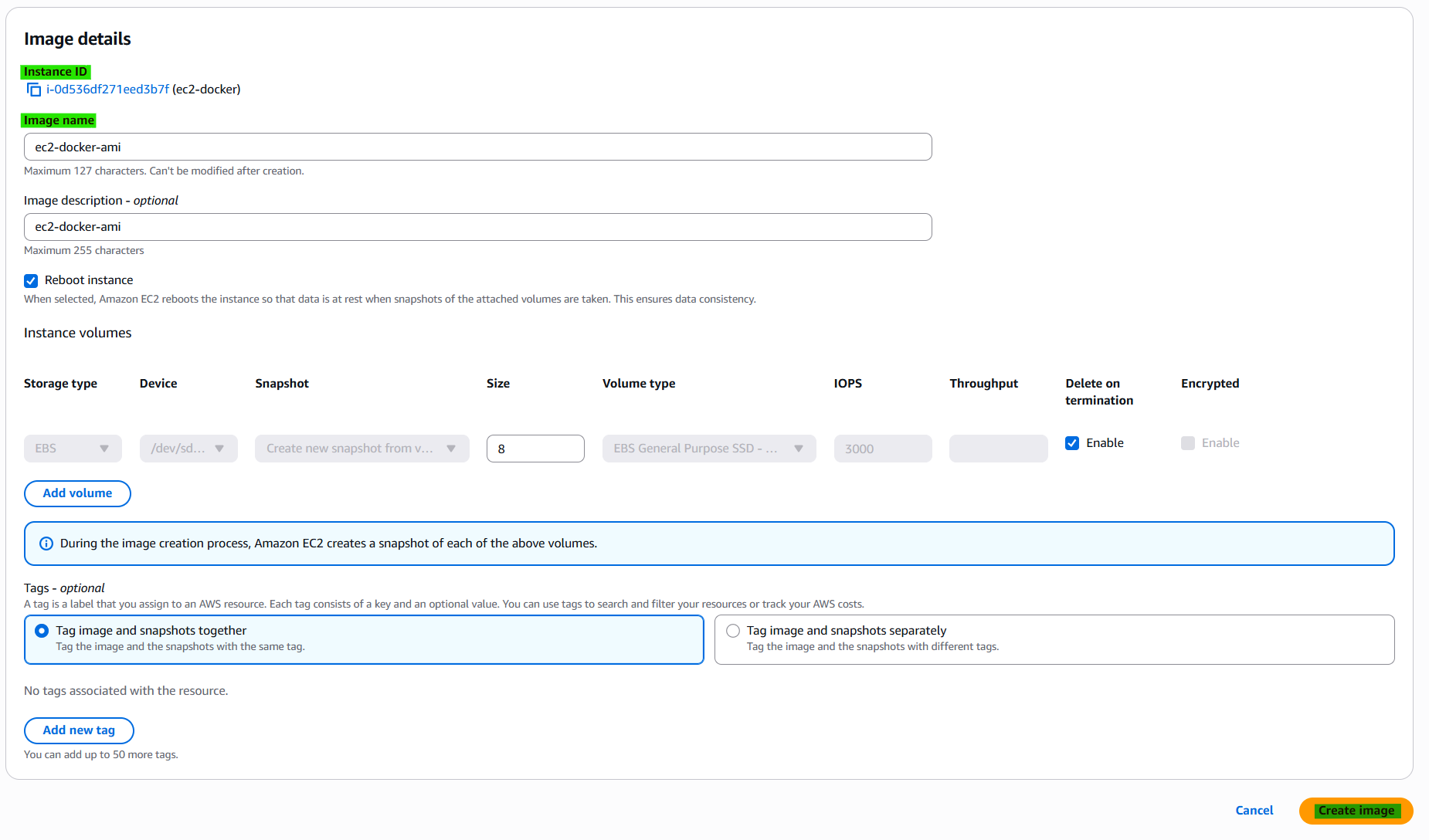
3-5. Step 3. Check AMI and Snapshots


3-6. Launch instance from AMI
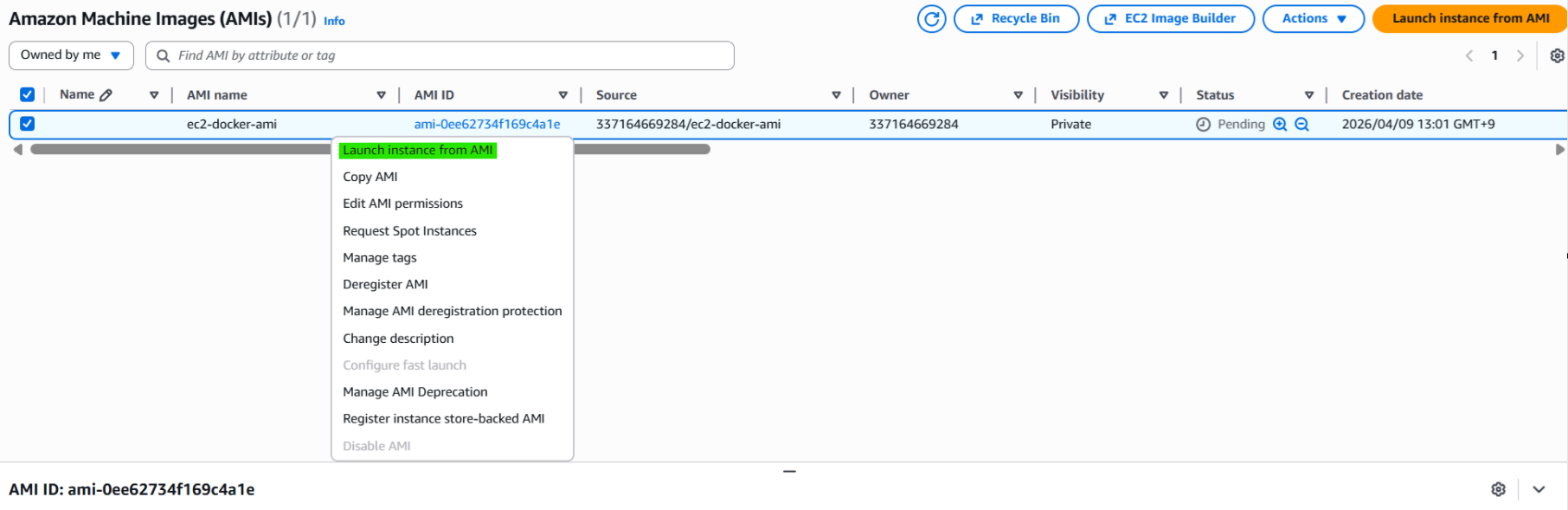
3-7. Launch Instance
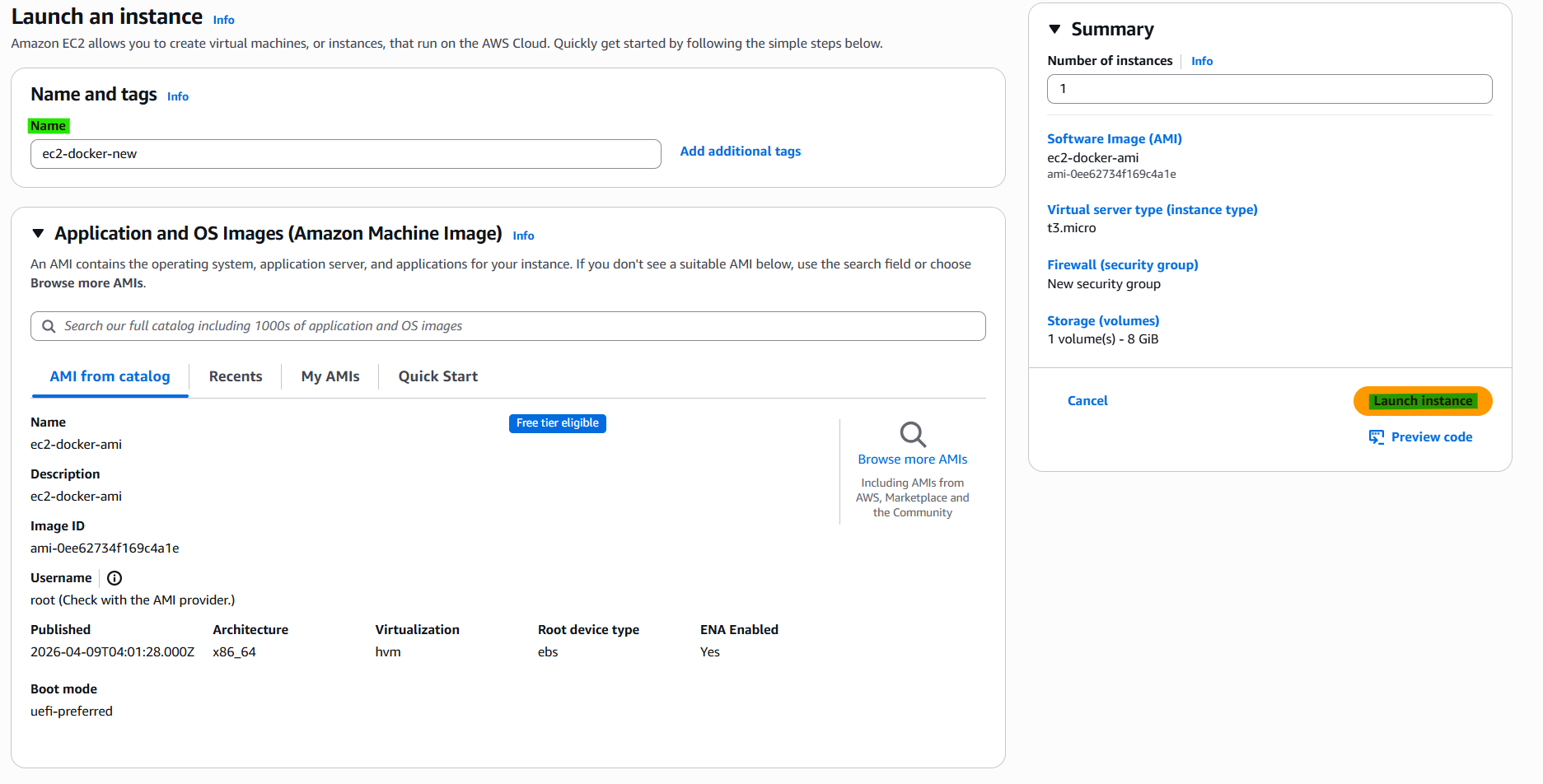

3-8. Confirm the status of template information

4. Related Concepts
- Components
- EC2
- Snapshots
This post is licensed under CC BY 4.0 by the author.