01. DevOps Flow
01. DevOps Flow
DevOps Flow
Prerequisites
1. What is DevOps?
1
DevOps = Development + Operations
DevOps is not just a set of tools. It is a culture and methodology that integrates development and operations into a single continuous workflow.
DevOps is the practice of automating and integrating software development, deployment, and operations into a continuous pipeline.
2. The Problem Before DevOps
Traditionally, software development looked like this:
1
Developers → handoff code → Operations → deploy
- Slow deployment cycles
- Lack of ownership
- Environment mismatch (“works on my machine”)
- Slow incident response
3. Core Idea of DevOps
DevOps unifies the entire lifecycle:
1
Code → Build → Test → Deploy → Operate → Monitor → Code
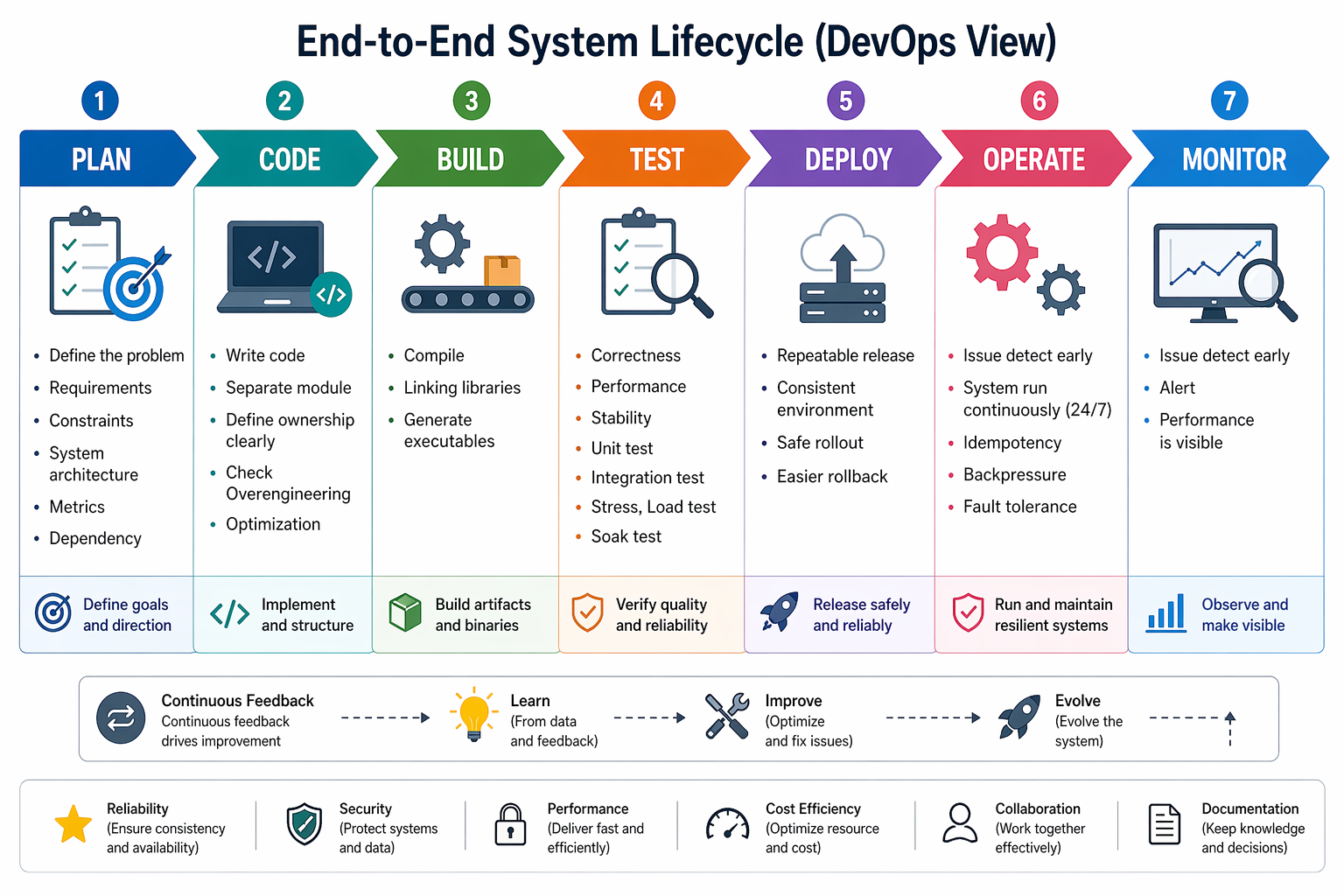
The key is automation across the entire pipeline
✅ Faster Delivery
- Multiple deployments per day
✅ Higher Reliability
- Automated testing and monitoring
✅ Better Collaboration
- No strict boundary between Dev and Ops
✅ Environment Consistency
- Containers eliminate environment issues
3-1. Build
Transform source code into an executable
For C++ developers:
CMake + vcpkg= Build stage
3-2. CI (Continuous Integration)
Triggered on every code push
- Build the project
- Run tests
Tools:
- GitHub Actions
- Jenkins
3-3. CD (Continuous Deployment)
Automatically deploy the application
- Build Docker image
- Push to registry
- Deploy to server or cloud
Tools:
- Docker
- Kubernetes
3-4. Operate
Run and manage the system in production
- Infrastructure management
- Scaling
- Failure handling
Examples:
- AWS EC2
- Kubernetes clusters
3-5. Monitor
Track system health and performance
Metrics:
- CPU / Memory
- Latency
- Error logs
Tools:
- Prometheus
- Nagios
End-to-End Flow
1
2
3
4
5
6
7
8
9
10
11
12
13
[Developer]
   ↓
Git Push
   ↓
CI (Build + Test)
   ↓
Docker Image Build
   ↓
CD (Deploy)
   ↓
Production (Run)
   ↓
Monitoring
If something fails → fix → repeat
DevOps from a C++ Developer Perspective
A typical workflow:
1
2
3
4
5
6
Write C++ code
→ Build with CMake
→ Run CI (GitHub Actions)
→ Build Docker image
→ Deploy to AWS / server
→ Monitor logs and performance
4. Example
1
2
3
4
5
6
7
8
9
10
# Build
cmake -S . -B build
cmake --build build --config Release

# Docker
docker build -t my-app .
docker run my-app

# Deploy (example)
aws ecr push ...
This post is licensed under CC BY 4.0 by the author.